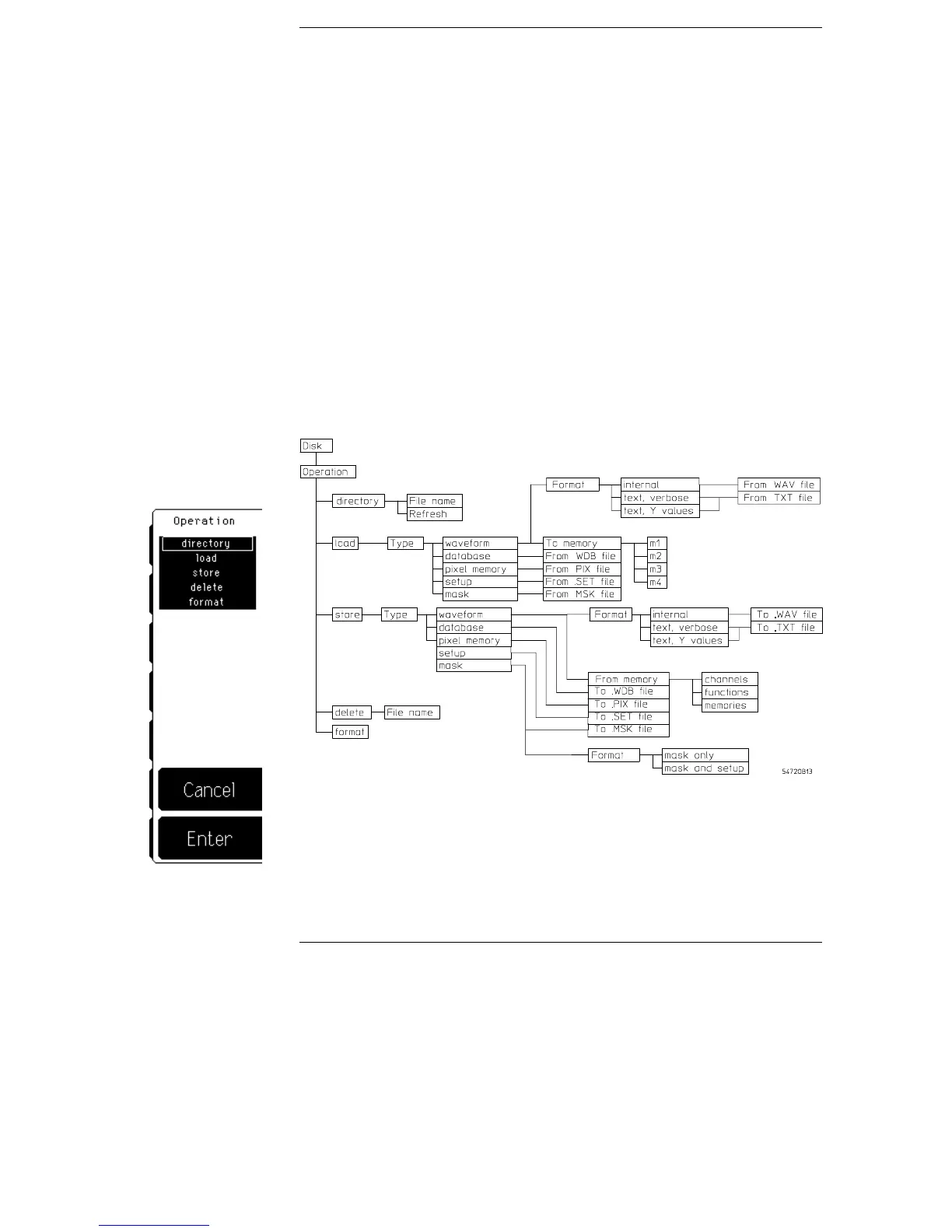
Disk Menu
The oscilloscope has a high density, 3-1/2 inch, MS-DOS compatible
disk drive. In the disk menu you can save and recall waveforms, save
and recall front-panel setups, delete files from a disk, format a disk, or
obtain a directory listing of a disk.
In other menus you can use the disk drive to load applications, load
new system firmware, or save a copy of the display information in a
TIFF, GIF, PCX, or printer specific format.
You can choose from five different disk operations: directory, load, store,
delete, and format.
Disk menu and menu map
Figure 8-1
8–2



 To Next Page