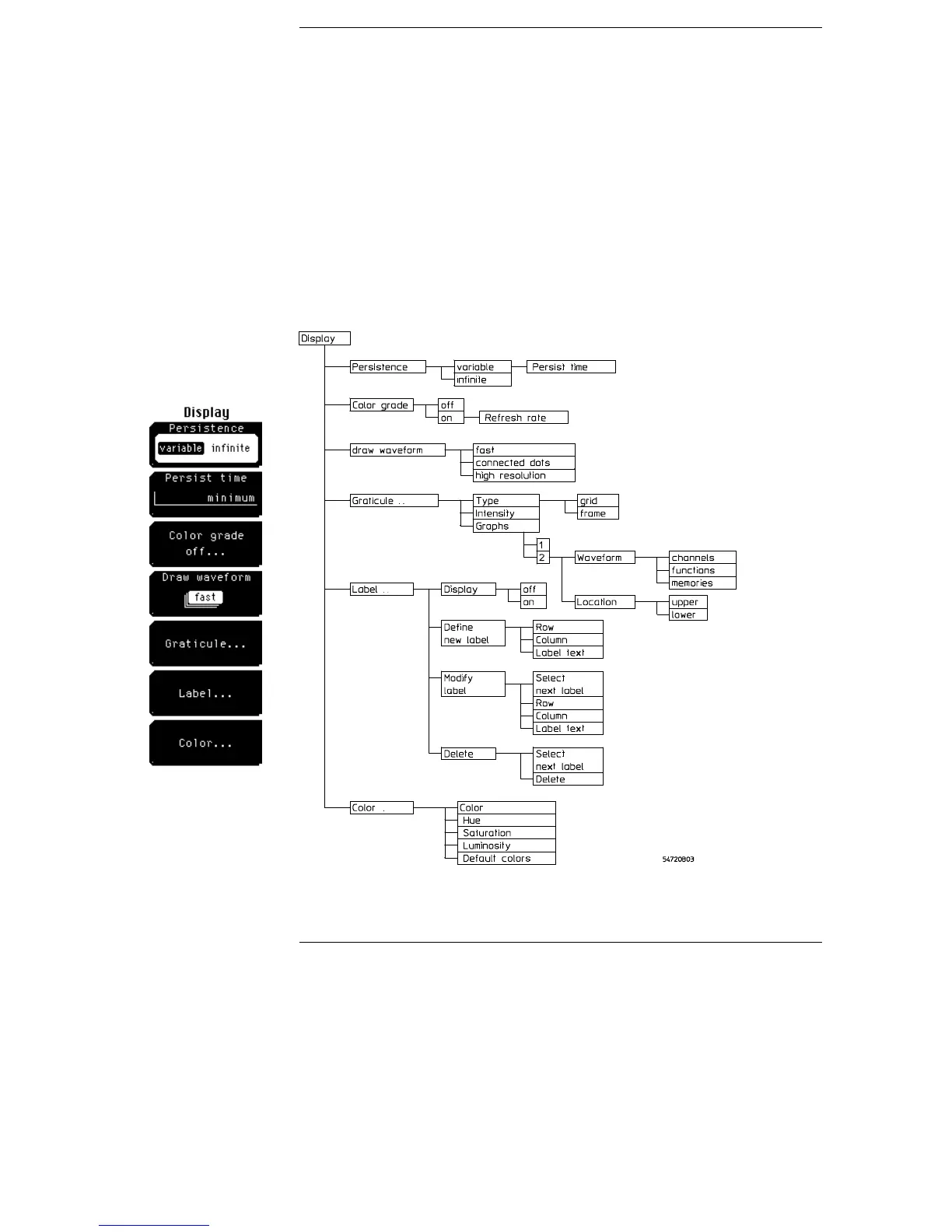
Display Menu
The display menu controls most of the features that determine how
the acquired data is displayed on the screen. You can select the
graticule settings, and you can change the color of most of the items
that are displayed on the screen. You can also annotate waveforms by
using the Label softkey menus to add text to the waveform viewing
area.
Display menu and menu map
Figure 9-1
9–2



 To Next Page