Marker Menu
The marker menu allows you to turn on and position colored markers
on the display. The default marker color is orange. However, you can
change it to a different color in the display menu. You can use the
markers to make custom measurements, to use as visual reference
points on the display, or to show you where the last automatic
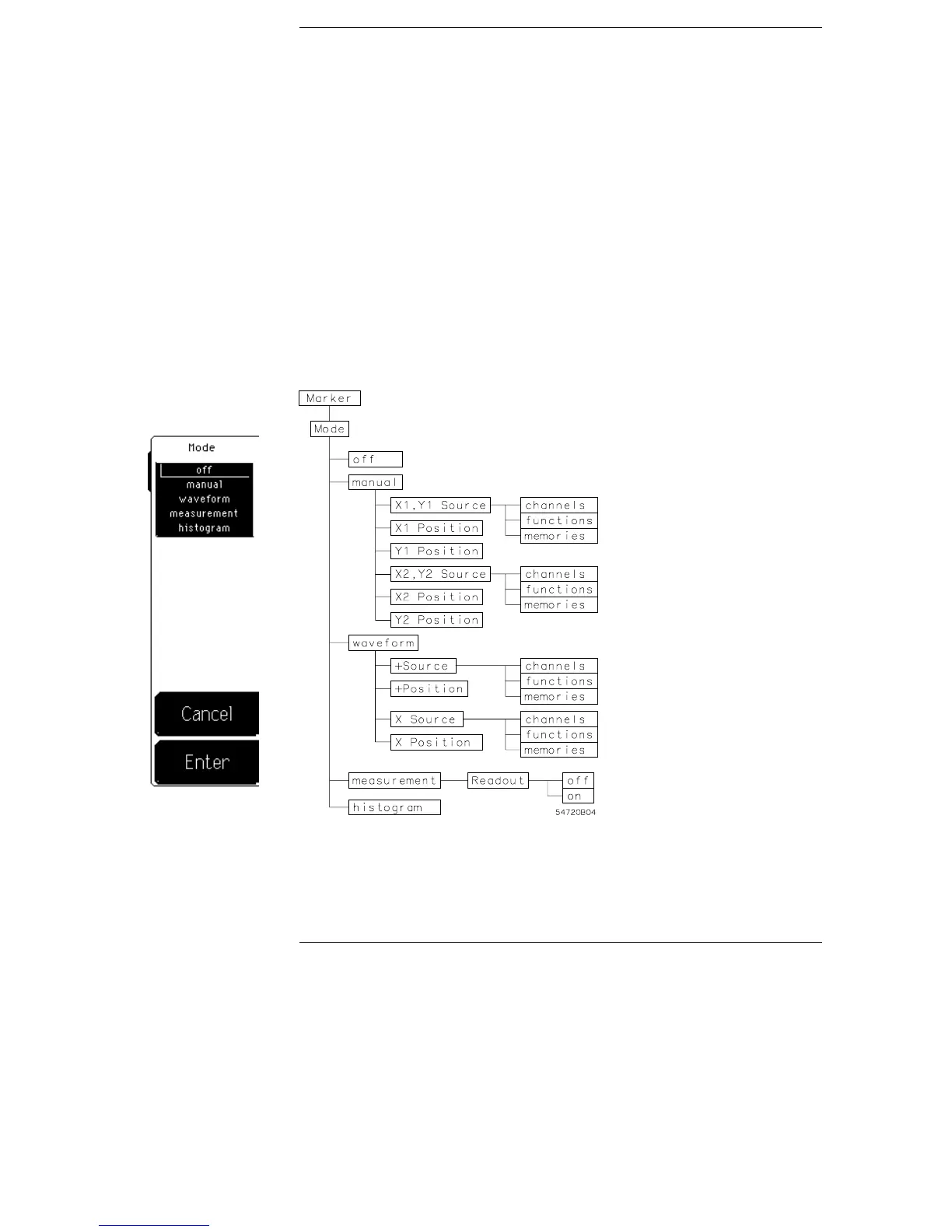
measurement was made on the signal. There are four marker modes
and each mode is discussed in this chapter: off, manual, waveform,
and measurement.
Marker menu and menu map
Figure 11-1
11–2


 To Next Page