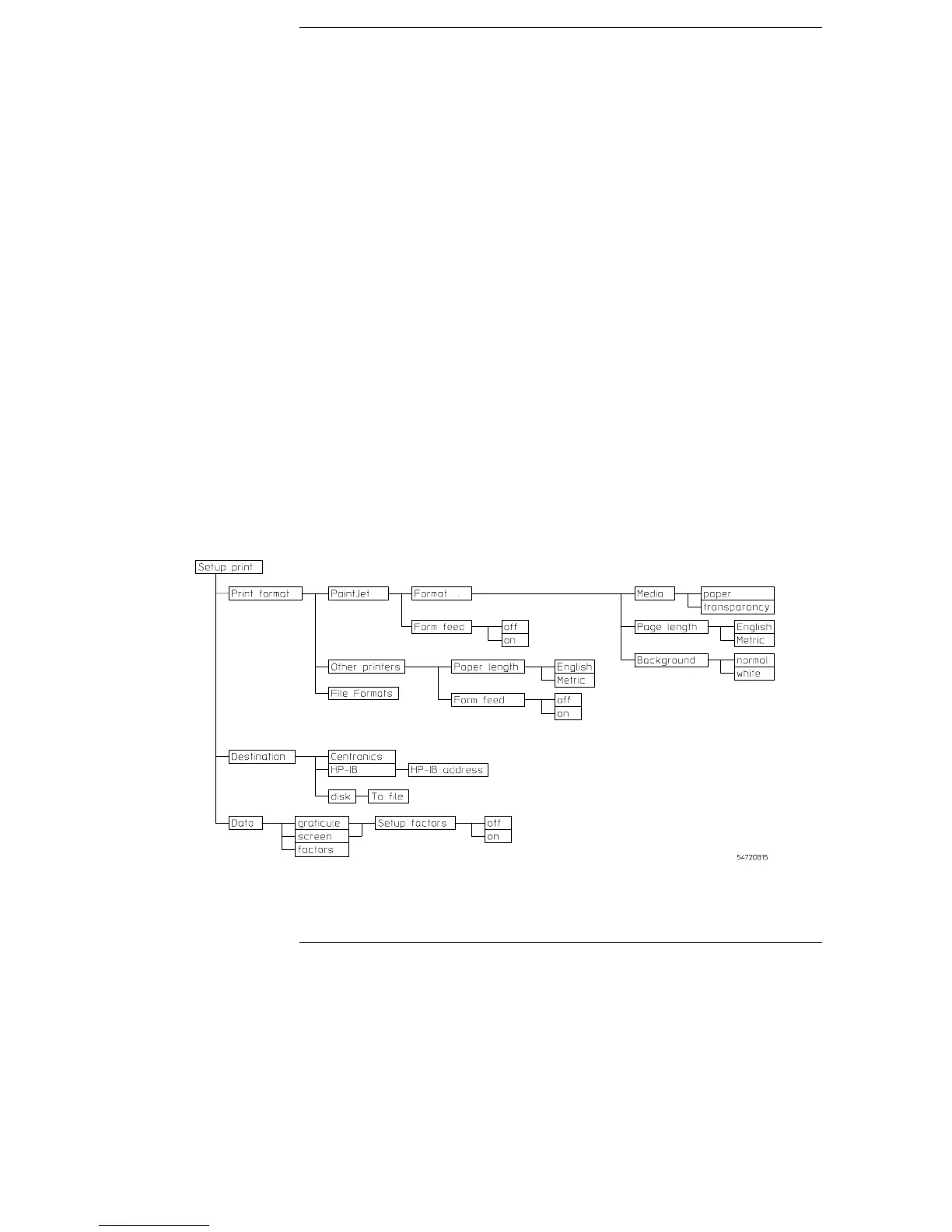
Setup Print Menu
The oscilloscope can print a copy of the screen to any of several
printers or to the disk. It can print to a ThinkJet, PaintJet, LaserJet,
DeskJet, or Epson printer. It can also save the printer file, a TIFF file,
color TIFF, GIF, or a PCX file to the disk.
When you press the Print hardkey, the oscilloscope sends a copy of
the screen to the device selected in the setup print menu. If that
device is not connected to the oscilloscope, the screen displays the
message "Print canceled: Printer is not responding."
When you are printing to a printer, the time and date of the printout is
also printed at the top of the printed data. The date and time are the
same as the oscilloscope’s. If they are incorrect, you can change the
date and time in the Utility/System Configuration menu. Also, you can
press the Cancel print key on the front panel to stop the printing
process.
Setup print menu map
Figure 15-1
15–2



 To Next Page