Limit Test Menu
Limit test allows you to automatically compare measurement results
with pass or fail limits, without having to use an external controller.
Limit test independently tracks up to four measurements, and you can
determine the fail action the oscilloscope takes.
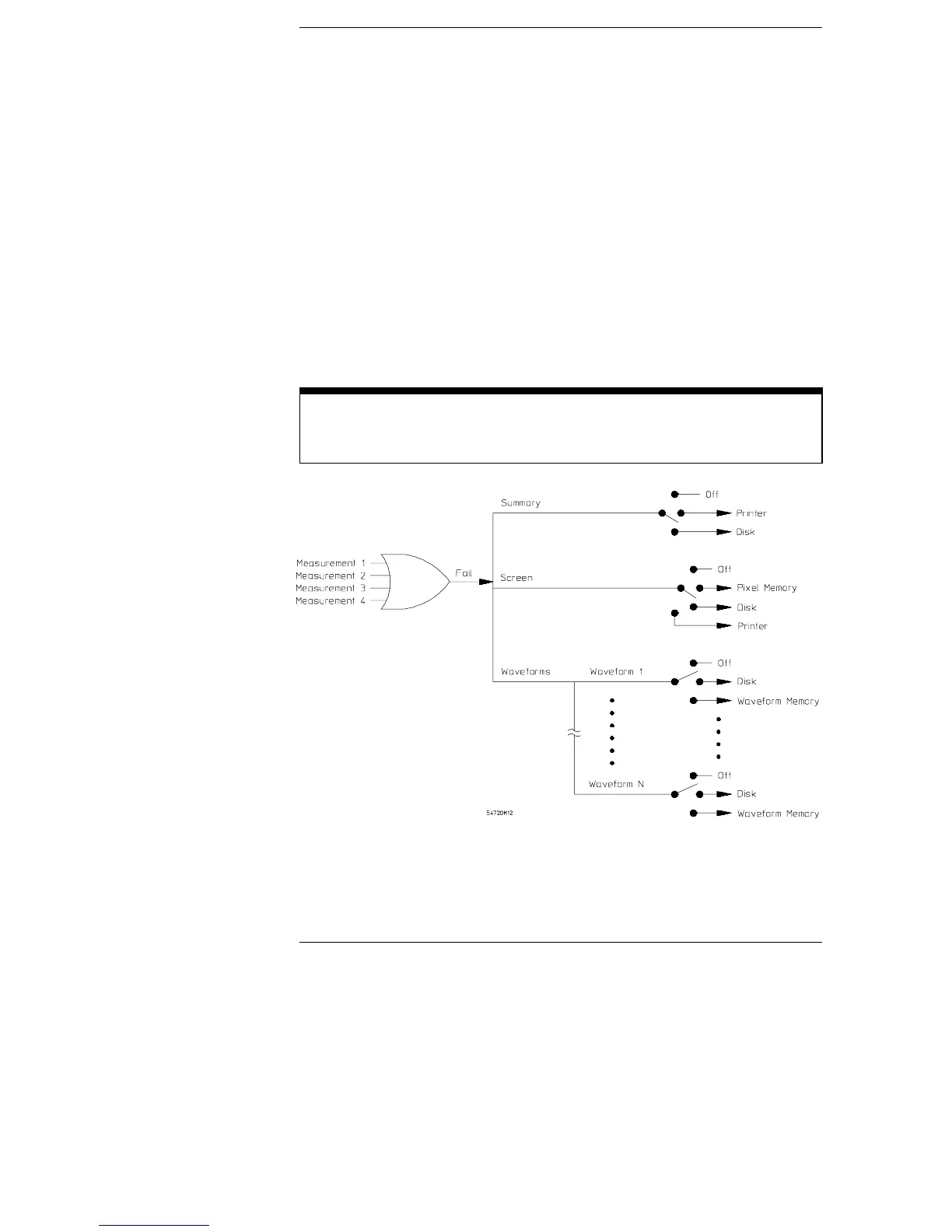
Figure 22-1 shows a functional view of the limit test. You may notice
that the test summary, screen dumps, and waveforms can each be
sent to different destinations.
To enter the Limit test menu
Press the blue shift key on the keypad, then press the Define meas hardkey.
Figure 22-1
22–2



 To Next Page