NetCol5000-A(025, 035) In-row Air Cooled Smart
Cooling Product
User Manual (600 mm)
Copyright © Huawei Technologies Co., Ltd.
the cold aisle areas where the cooling capacity is probably the minimum. Do not install the
T/H sensor at the air exhaust vent of other smart cooling products. Place the T/H sensor near
the smart cooling product in case of lacking air.
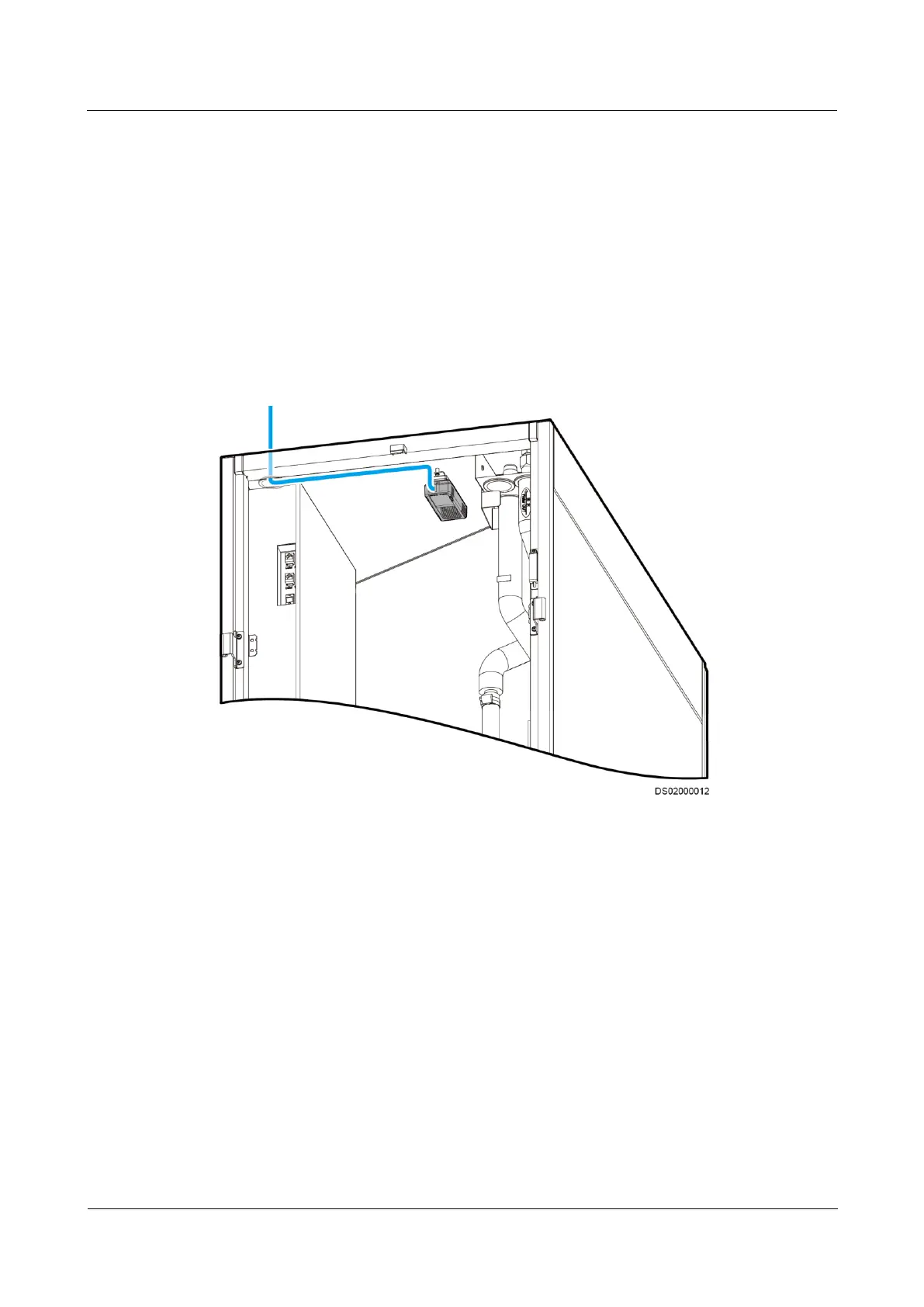
The humidity and temperature sensor inside the cabinet is secured to the return air side.
Figure 3-50 shows the position and cable route of an internal humidity and temperature sensor.
The IN port of the internal humidity and temperature sensor has been connected to the main
control board. When connecting external humidity and temperature sensors, connect the
sensors in series and make sure that the OUT port on the previous sensor connects to the IN
port on the following sensor. Figure 3-51 shows the positions and cable routes for external
humidity and temperature sensors. The sensors can be secured to the cabinet using cable ties
or two M4 screws through sheet metal holes.
Figure 3-50 Position and cable route of an internal humidity and temperature sensor



 To Next Page