Version 24DM
T roubleshooting 10--5
PROBLEM PROBABLE CAUSE SOLUTION
Teeth broken (continued)
' Blade worn in incorrectly .With a new blade, cutting and down-
stroke speeds must be half rated
speeds. After the wearing --in period
(about 300 cm
2
cut surface for hard
materials and about 1000 cm
2
cut
surface for soft materials) the cutting
and downstroke speeds can be re-
turned to rated values.
' Insufficient coolant .Check the coolant level and clean
pipes and jets
' Incorrect fluid concentration .Check and use the correct con-
centration
' Blade tension too high or too low .Check and reset to rated tension
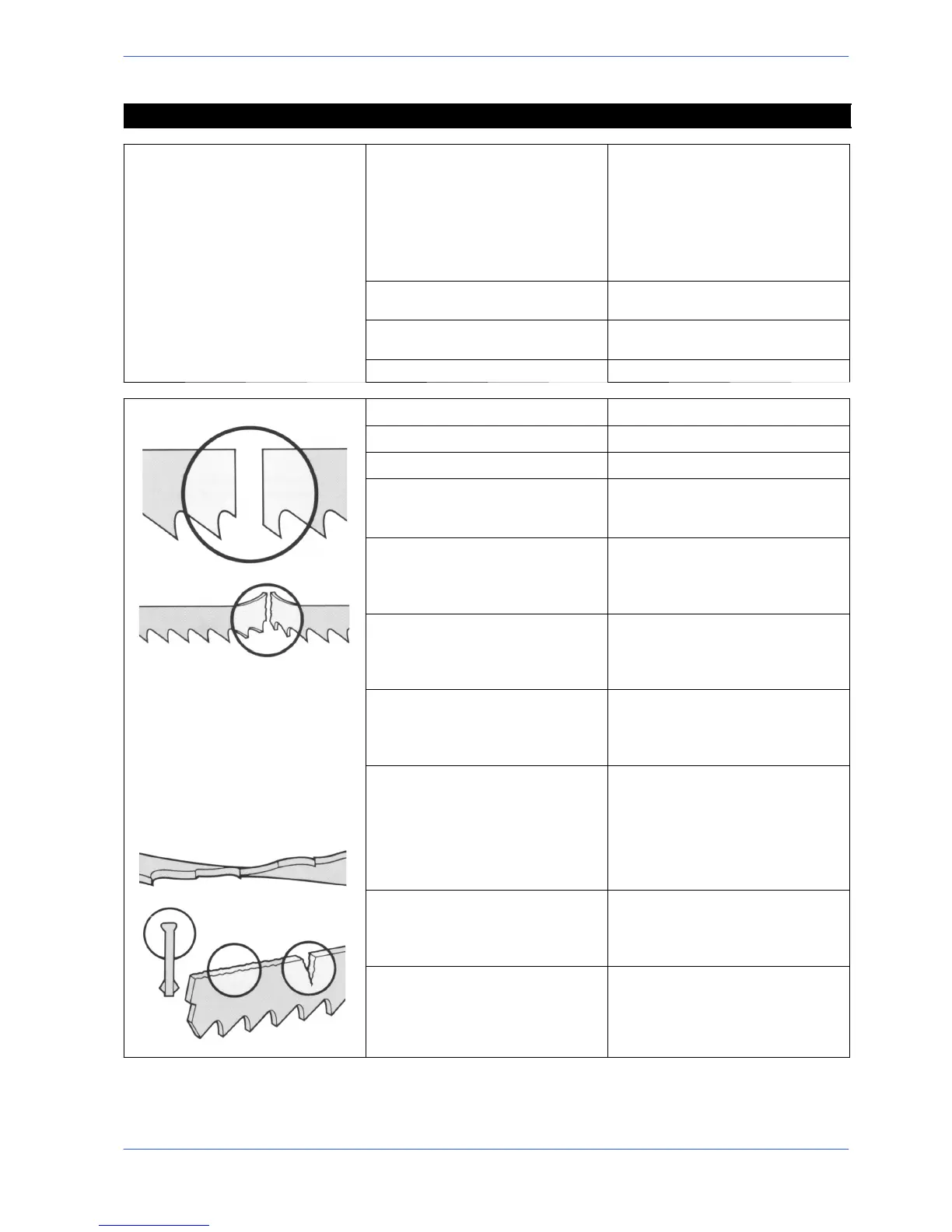
Blade broken
' Cutting speed too high .Reduce cutting speed
' Head downstroke too fast .Reduce head downstroke s peed
' Cutting pressure too high .Check and set to correct pressure
' Tooth pitch unsuitable .Teeth too close together: change the
blade for one with coarser tooth
spacings
' Workpiece not clamped properly .The blade may break if the work-
piece moves during cutting: check
the vice, jaws and clamping pres-
sure.
' Blade guide positioned incorrectly .Adjust inserts position, especially the
width, since blade thickness can ex-
ceed the manufacturer’s declared
tolerance ratings
' Widia blade steady buttons .Can have a milling action on the
back of the blade if worn or chipped,
causing cracks from the back to-
wards the teeth.
' Position of blade on flywheels incor-
rect
.The blade may be scraping on the
edges of the flywheels: this problem
is generally caused by blades which
are deformed or wrongly welded
(conical) Adjust the position of the
front flywheel by moving the pin, or
change the blade
' Blade tension incorrect .If the blade tension is too high or too
low, the blade will be subjected to
abnormal stress: set the tension
back to the rated value.
' Blade weld fault .The point at which a blade is welded
is its most critical point; problems
could be caused by welds which are
not aligned perfectly or have inclu-
sions or blowholes


 To Next Page