A
.
INSTALLATION MANUAL
FOR ELECTRICAL PARTS
7.2 How to Set the Initial Operation
• The example of the description is based on the total 32 floors.
• Insert HHT to the main board “CN16" connector.
① Set the AUTO/INS switches at On Car(Car Junction Box) and In Ca to “AUTO” position. But set
AUTO/MCS switch at Control Panel to “MCS” position.
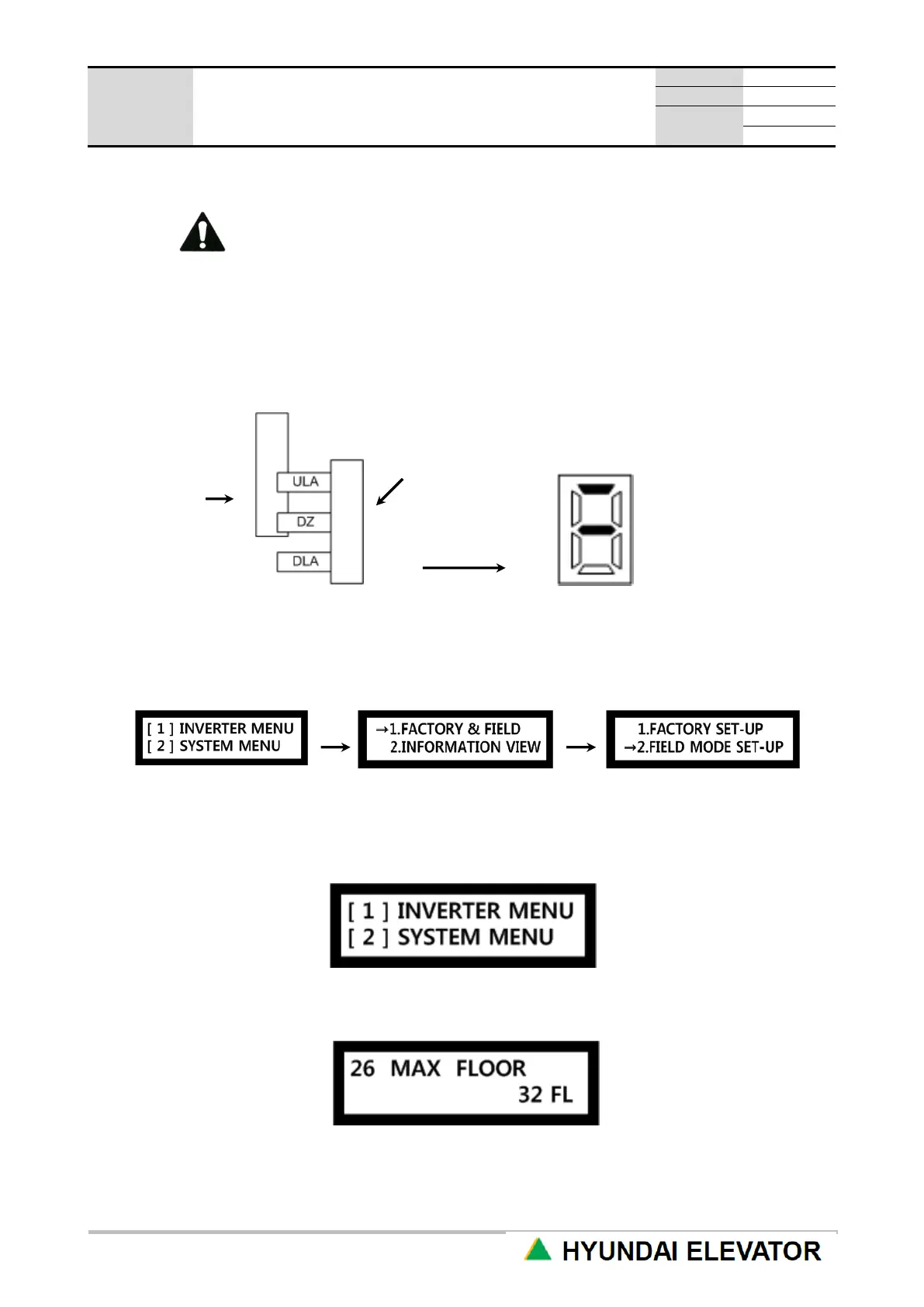
② Using the machine room manual UP and DOWN switches, stop the CAR at the location when DLA
signal is turned OFF starting from the lowest floor.
Main board 7-segment display
③ Use HHT menu to select the installation automatic operation mode.
From the following HHT initial menu, select [2] SYSTEM MENU.
From FIELD MODE SET-UP menu, select “AUTO DRIVE".
④ Use the main board HHT menu to input the site‟s maximum number of floors data (MAX FLOOR).
In the following HHT initial menu, select [1] INVERTER MENU.
Select 02 PROGRAM → 01 CONTROL → 26 MAX FLOOR menu, and input the site‟s maximum
number of floors.



 To Next Page