A
.
INSTALLATION MANUAL
FOR ELECTRICAL PARTS
7.5.2 Hall Indicator Operation and Troubleshooting
Floor side indicator is in charge of not only the floor display and operation related lamp display, which is
its original role, but also is in charge of the input/output of the button signals.
Therefore, you need to be aware of the following abnormal operations of the indicator and the causes.
<Normal Operation Status of the Indicator>
① When it is stopped: floor is displayed
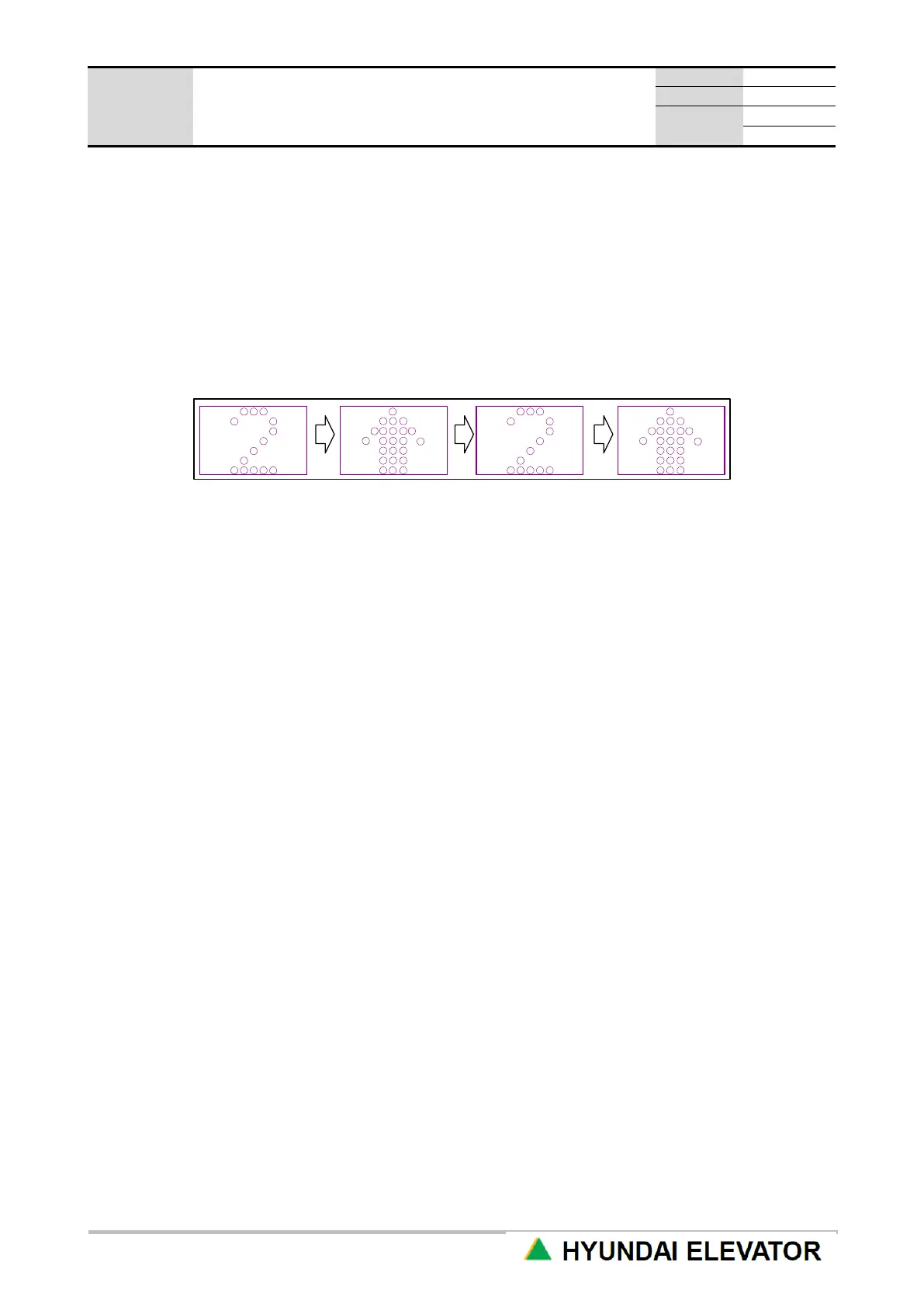
② When the direction is selected, and operation is in preparation: floor and arrow are displayed in turn.
③ When it is in operation: floor display is scrolled and changed according to the operation direction.
7.5.3 Verification of other Optional Functions
Refer to the site specifications to check if the optional function is correctly working.
7.5.4 Finish Work
• If all the works are completed, arrange the cables inside the CAR junction box.
• Clean the inside of door sill of each floor to prevent malfunction by foreign object.
• Finish the cleaning of the inside of the hoist way and machine room.



 To Next Page