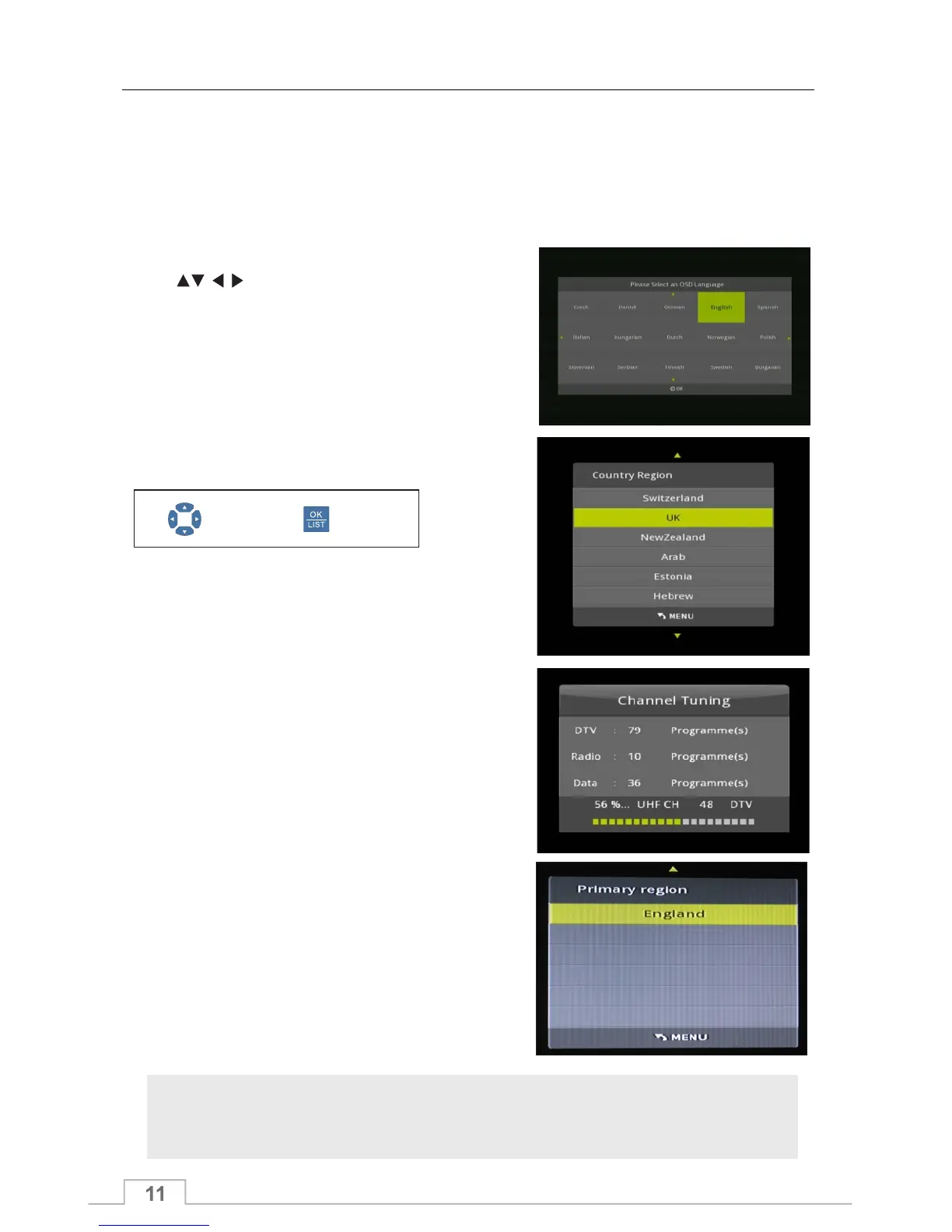
When powering up for the first time, you will be guided through the following installation steps:
Press keys to highlight menu language,
then press OK. Then repeat to select DVB Tuning
type and COUNTRY and press OK to confirm.
Then press OK key to search channels .
Service Search
NOTE
Not all menus are accessible until the receiver has some channels stored.
Powering up for the first time.
Select Confirm
After you have checked all your connections to your receiver, you can now perform a service search.
The receiver will now start to search for
channels. This will take several minutes.
After the channel search is complete, the
receiver will display the first channel in the
channel list.
Quick Start Guide
If you have signal from more than one
transmitter you will be asked to select your
local transmitter from the list. Please ensure
you select the correct transmitter for your
region



 To Next Page