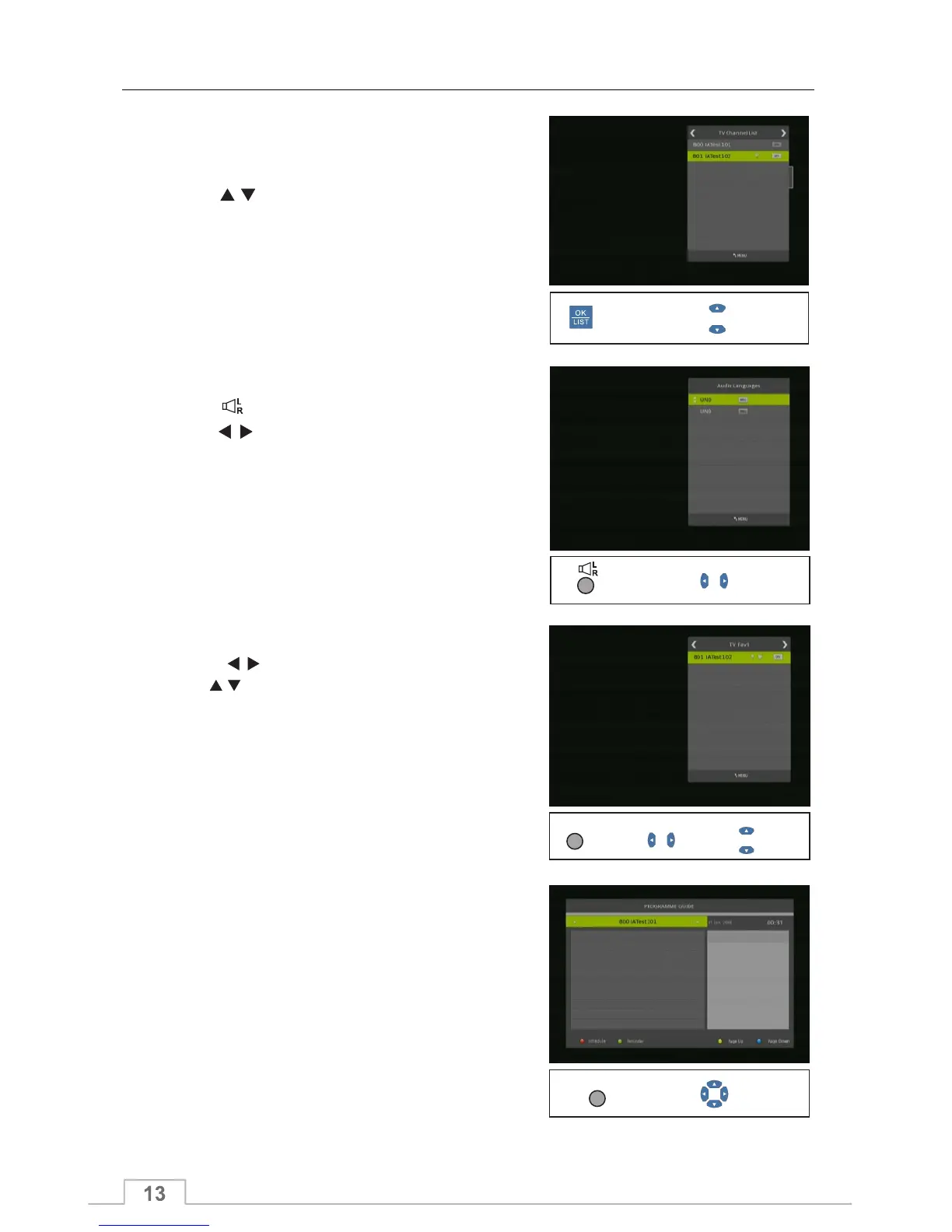
1. Press the OK or LIST key to display TV or Radio
Programme list.
2. Press keys to navigate the channel list up or
down, and then press OK key to select the highlighted
channel.
3. Press MENU or EXIT key to exit this list.
OK/LIST
Audio
1. Press key to display the Audio Menu.
2. Press keys to select between Left-Left, Right-
Right and Left-Right.
3. Press EXIT key to close this window.
Note: Changing the audio mode will only apply to the
current channel, other channels are unaffected.
Select
Display/Confirm
Select
Display
1. Press FAV key display the Favourite Group menu.
2. Press keys to select the Favourite Group.
Press keys to select the channel up or down.
Press OK key at the selected channel.
Press EXIT key to exit.
Favourite Channels
Electronic Programme Guide (EPG)
Press the EPG key to display the EPG.
At the bottom of the guide the following function keys
are available:
.
Blue key/Yellow key: To scroll detailed information
when it runs over one page.
Green key: To set a programme reminder
Red key: To display programme schedule
Display
FAV
Change
Select
Display
EPG
Select
Basic Operations



 To Next Page