Facebook is a social networking service. Users are required
to register before using the site, after which they may create
a personal profile, add other users as friends, and exchange
messages, receive automatic updates of their friends.
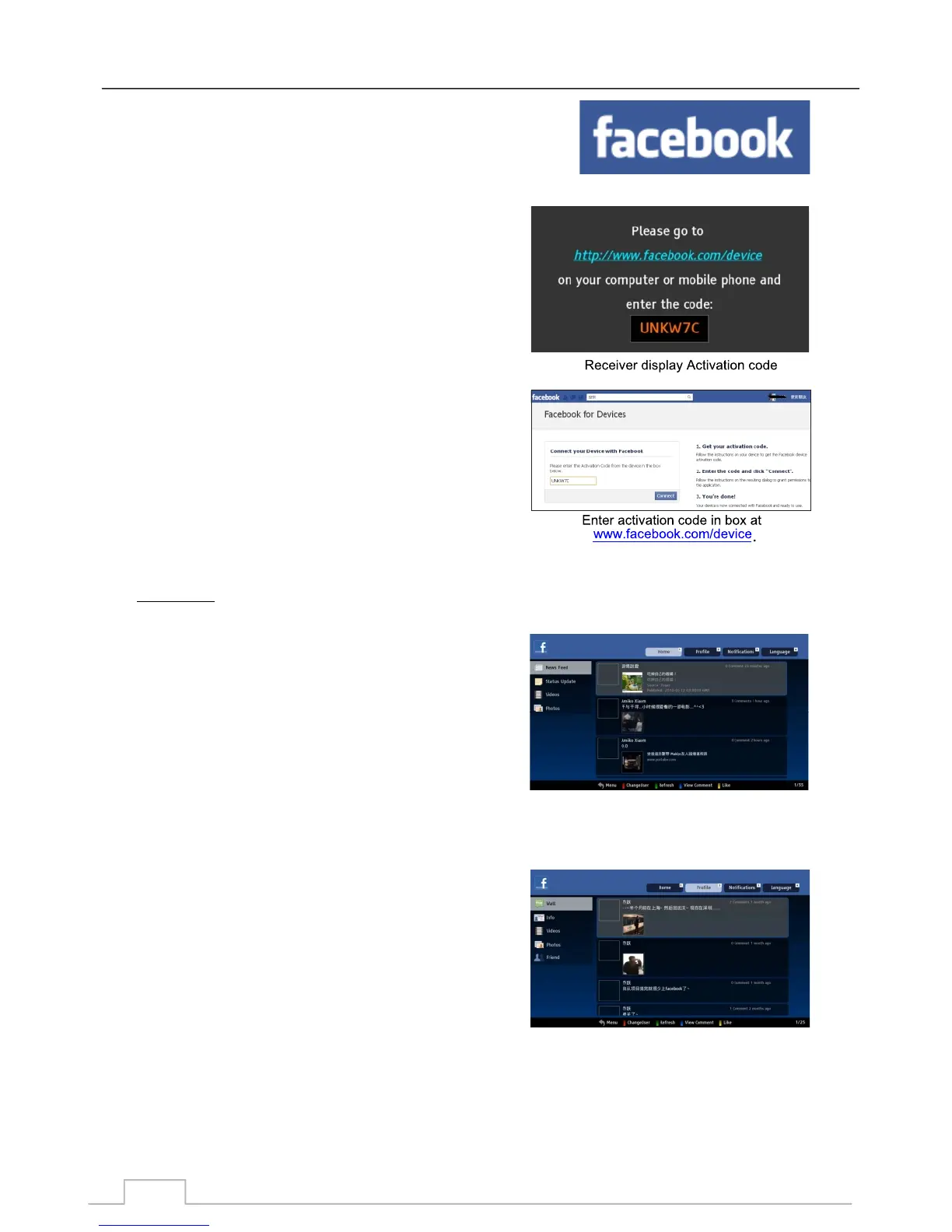
When you first enter Facebook using the receiver, you will
be given an ACTIVATION CODE.
Use your personal computer and go to:
http://www.facebook.com/device and enter the CODE.
Your receiver will then Auto Login into Facebook.
To navigate: Press the corresponding Numeric Keys shownon top of the screen:
Press numeric key 1 to change go to Home page, where
you will see Facebook news feeds, status update, video
and photos from you and your friends.
Press numeric key 2 to change go to Profile page, where.
you will see the Facebook Wall, info, videos, photos and
Friends, and information about you.
Login to Facebook:
Facebook Home:
Profile:
Facebook
43



 To Next Page