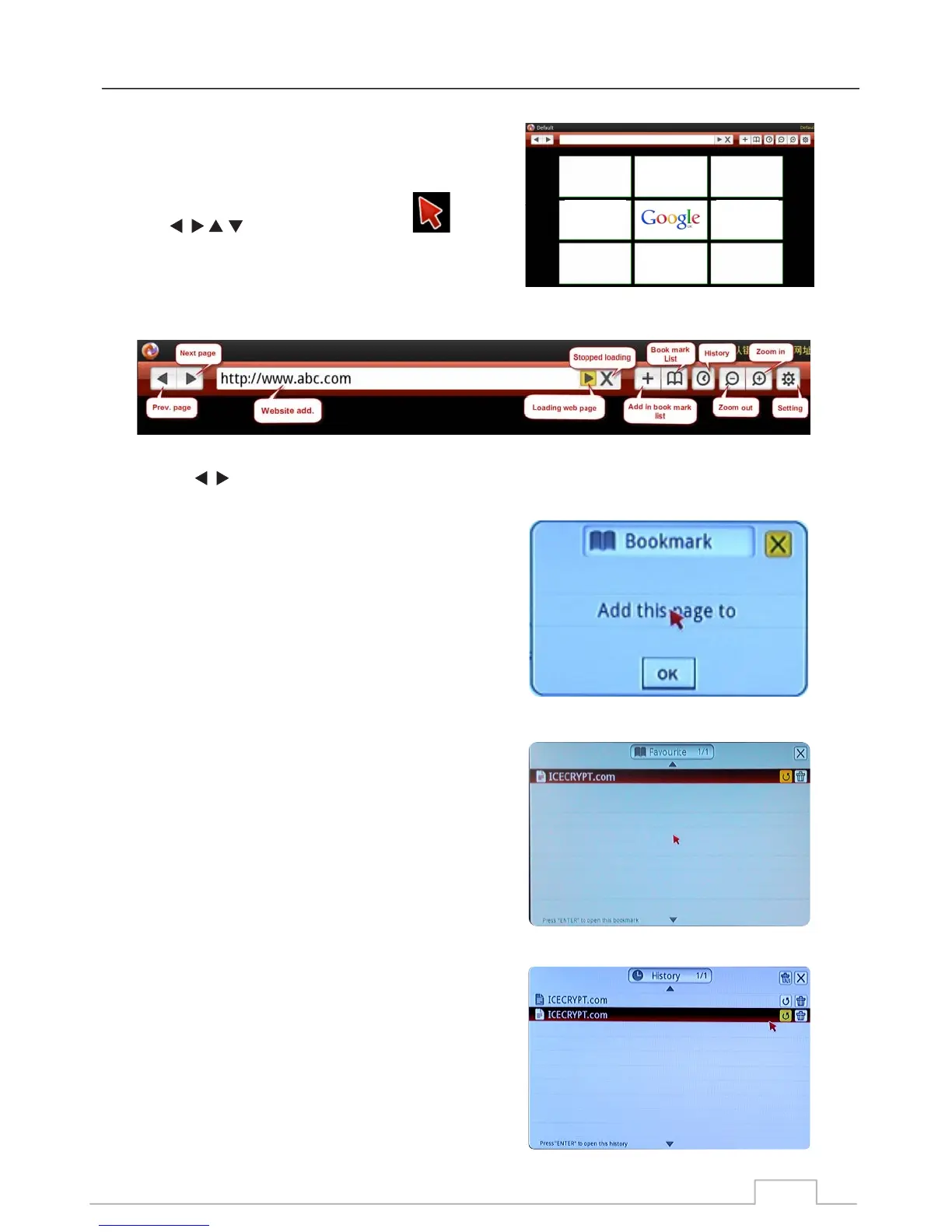
You can use the built-in web browser to browse the web.
Default view displays Google home page search engine.
Use keys move Red Cursor:
Cursor over icons or hyperlinks and then press OK to
“Click” and go there!
Press the Menu key to display the Control Menu (each icon is explained in the bubble):
Example:
Click on go to Previous / Next page.
Click address bar (Website add) to enter website addresses by using the on-screen keyboard.
Click “+” to bookmark a website.
Click OK to confirm.
Click the “BOOK” icon to access all your Favourite websites
in your bookmark list.
Here you can access your bookmarked sites or delete
them from the list by clicking on the “Bin” icon.
Click the “CLOCK” icon to access all your navigation
“HISTORY” list.
Here you can revisit the sites on this list, or delete them
from the list by clicking on the “Bin” icon.
Red Cursor:
Add a Bookmark:
Control Menu:
Bookmark List:
Web browser
History:
46



 To Next Page