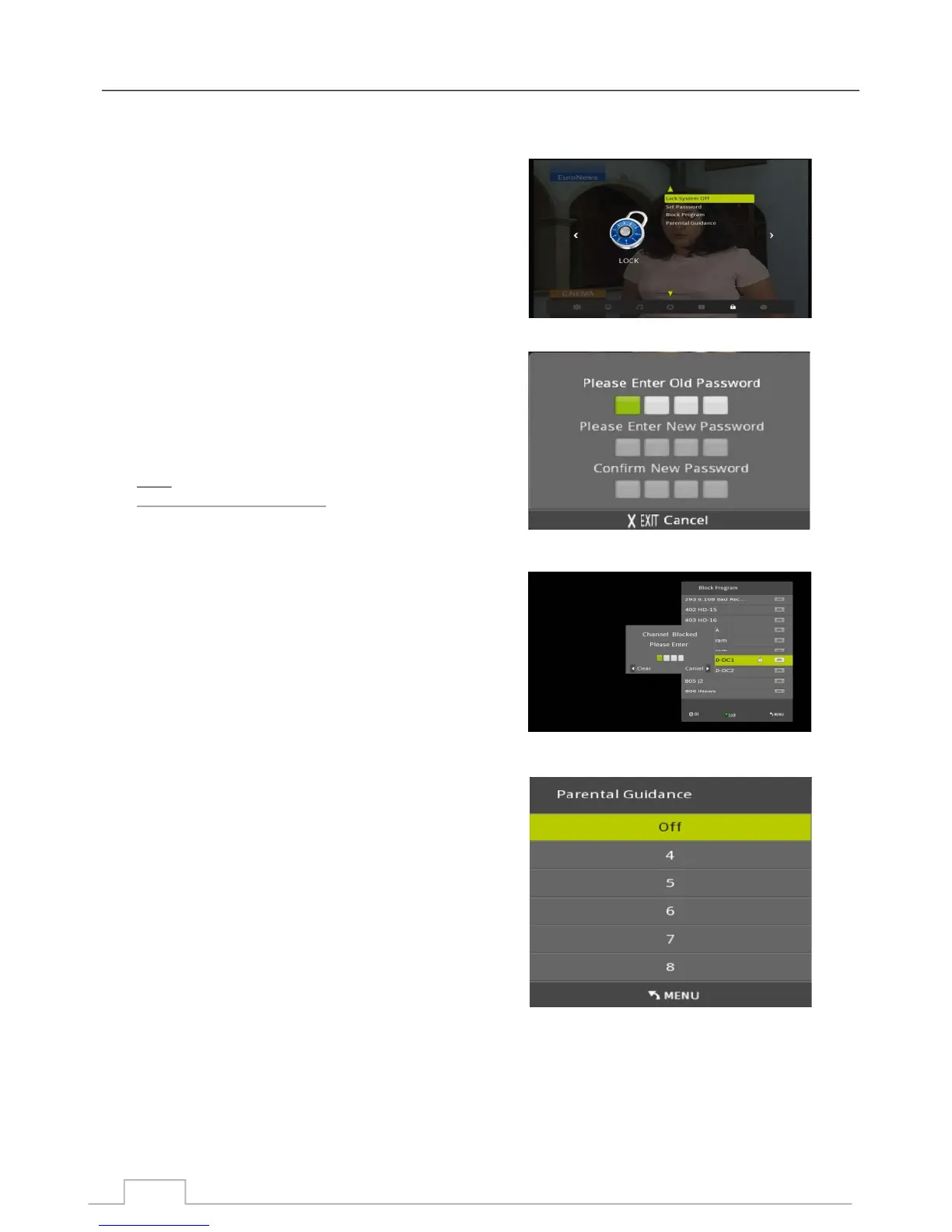
Lock Menu
With the Lock Menu you can lock functions or programmes to prevent unauthorised access to settings or
channels.
When Lock System is ON, the Auto Tune and Manual Tune
Menus are password protected.
Use this MENU to set your password.
First you must enter the OLD password.
Then enter your NEW password.
Enter your NEW password once more to confirm
password change.
Note:
The default password is 0000
Password can be any number between 0-9.
If you lost your password, please contact your supplier.
Use this function to lock any channel
Highlight the channel you would like to lock and press
the GREEN key.
Press green key again will remove the lock on that channel.
This function allows you to set an age related restriction
to protect minors from certain types of programmes.
Please note this will only work if the broadcaster provides
the correct information
Parental Guidance
Block Programme
Set Password
Lock System
25



 To Next Page