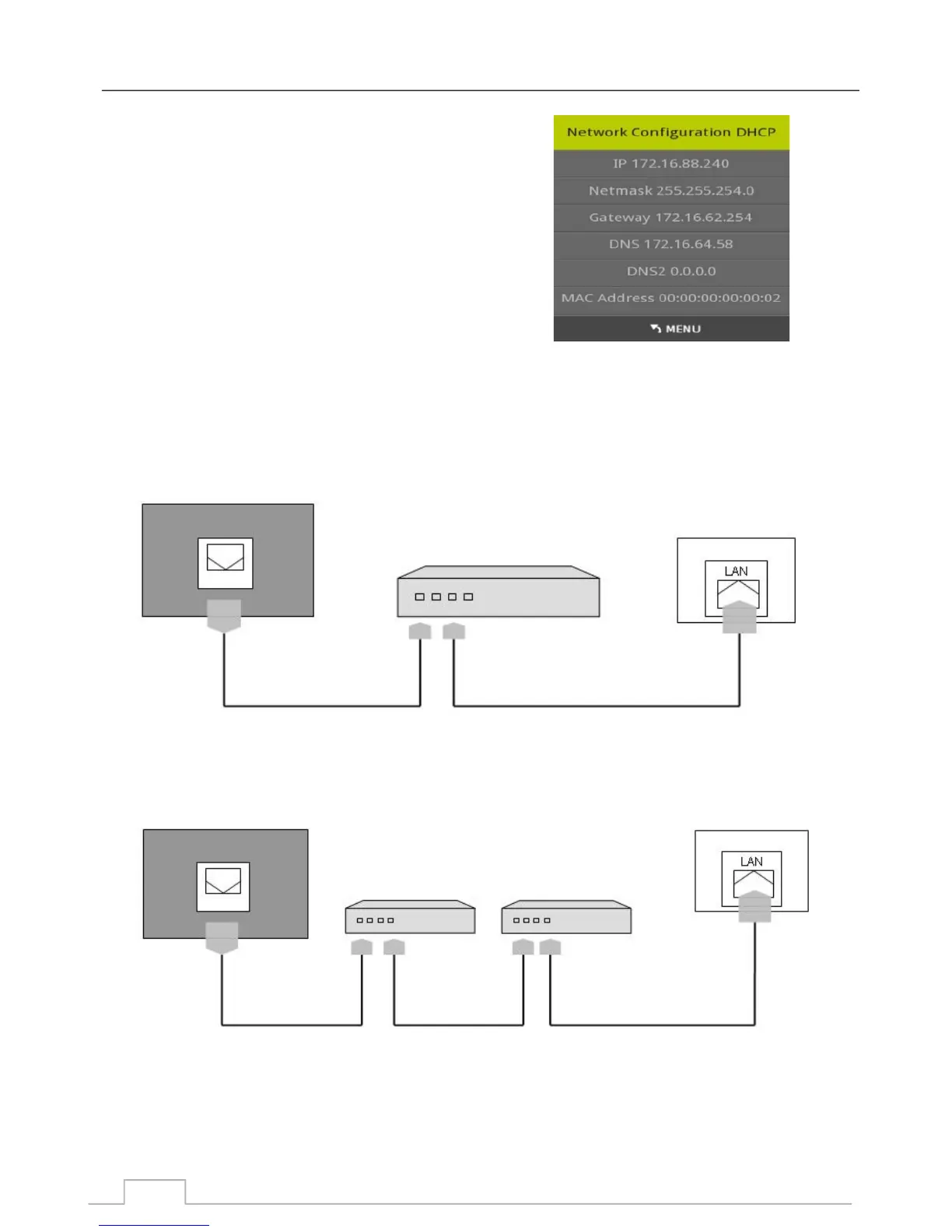
Wired Ethernet Connection
Your ICECRYPT DTV has a network feature which allows it
to connect to your network in the following ways:
1- DHCP, where your unit will automatically obtain the
required network settings from your modem.
2- You can also set up your network configuration manually.
Note:
In most domestic installations, DHCP is most likely to be used.
Typical ways to connect your unit to your network via Ethernet cables:
Note: If you are experiencing connection issues, please contact your installer.
If you have a CABLE / ADSL Modem with multiple Ethernet ports:
Network Configuration
Option Menu
If you have a Cable / ADSL Modem and using an external Router:
Modem Cable LAN Cable
Modem
(ADSL/VDSL/CABLE TV)
Receiver Rear Panel
LAN Cable
Model Port wall socket
Model Port wall socket
Modem Cable LAN Cable
Modem
(ADSL/VDSL/CABLE TV)
Receiver Rear Panel
Router
(with DHCP option)
23



 To Next Page