(6)
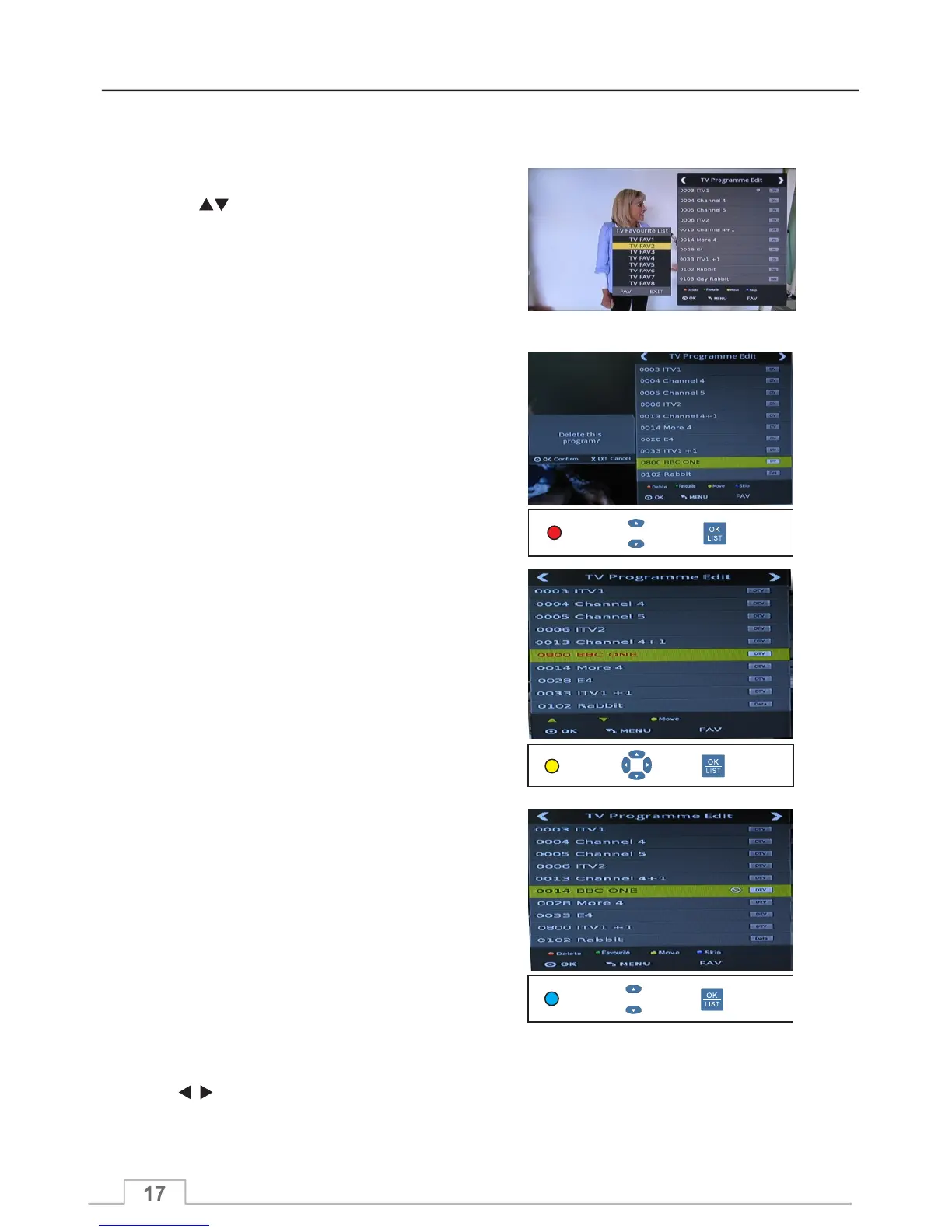
You will then see a SKIP icon next to that channel
name.
Pressing the BLUE key again will UN-SKIP the
channel, and the icon will also disappear.
Press key to switch between TV Programme edit
and Radio Programme edit.
To SKIP the highlighted channel, press green key.
(3) To add the highlighted channel to favourite list,
press GREEN button. The favourite icon will be
displayed next to channel name. Press GREEN button
again to remove channels from favourite list - the icon
will also disappear.
(2) Press keys to highlight the desired channel.
Programme Edit
(5) To MOVE the highlighted the channel to another
channel location, press the YELLOW key. You can
press PR+,PR- to move the channel to the desired
channel location, then press OK key to confirm.
Select Confirm
Yellow
Select Confirm
Blue
(4) To delete the highlighted channel press the RED
key. A confirmation screen will pop up with the
message: "Delete the programme?".
Press OK key to confirm deleting the selected
channel, or press EXIT key to cancel.
Select Confirm
Red
Radio Channel Edit:
Channel Menu
(1)Press FAV button to change favourite list
between Fav 1 and Fav 8
Delect
Move
Skip



 To Next Page