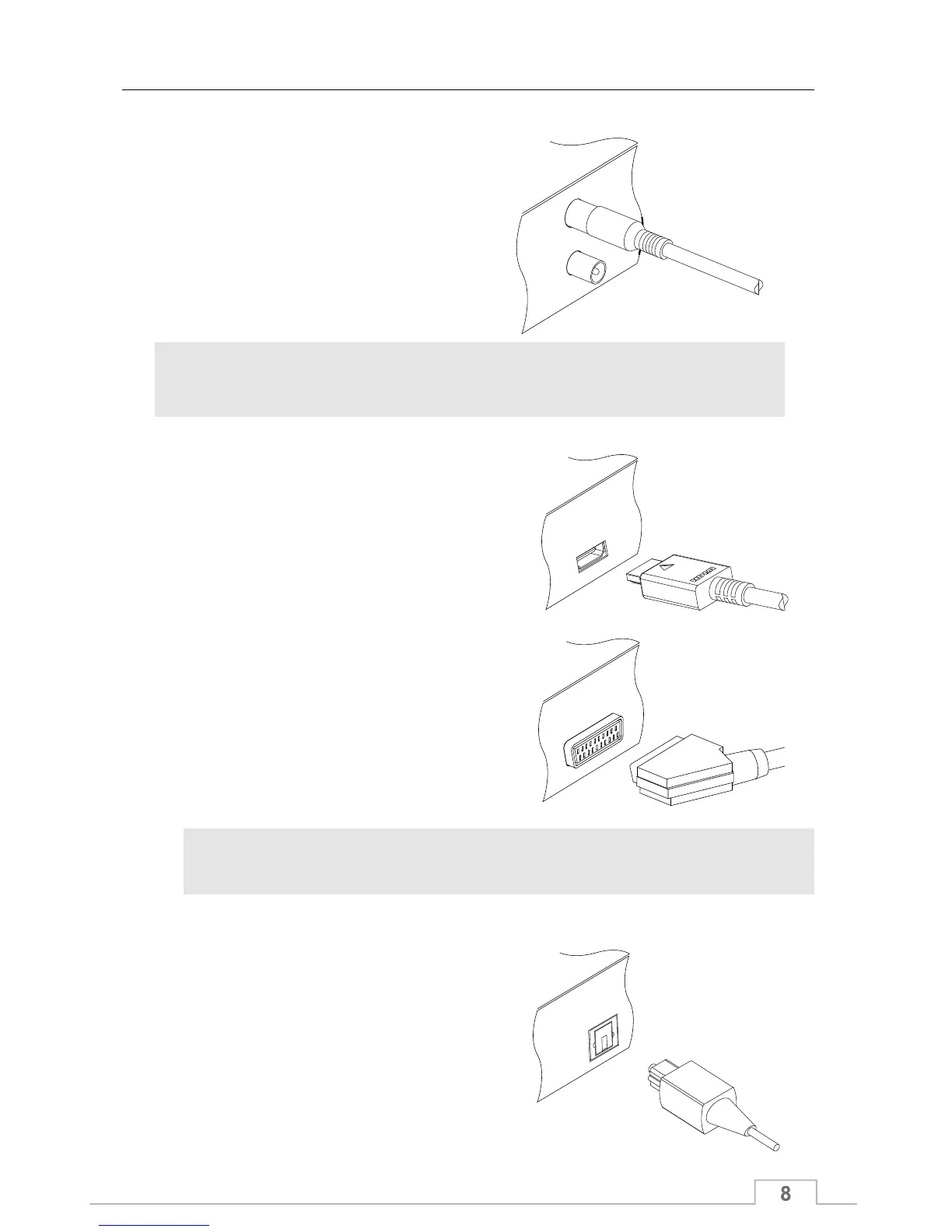
Connecting to the antenna
First, connect the digital receiver to the
terrestrial antenna so that it can receive
digital television broadcasts.
Connect the antenna cable to the ANT IN
connector. If you have another digital
receiver, you may connect it to the LOOP
connector using an RF lead.
NOTE
LOOP is used as an antenna output for use with other devices such as TV’s,
VCR, or devices requiring an antenna signal.
To use the HDMI output
If you have a high definition television set,
you should use an HDMI cable for best
results. Plug one end of the cable into the
HDMI socket on the digital receiver, and plug
the other end into the matching socket on
your television.
For best results with a standard definition
television set, you should use a SCART
cable. Plug one end of the cable into the TV
socket on the digital receiver, and plug the
other end into the SCART socket on your
television.
To use the SCART output
You can not view high definition video via the SCART output.
NOTE
To make the audio connection
To enjoy Dolby Digital audio, your television
or A/V receiver must be able to decode
Dolby Digital audio, and you need to obtain
an optical S/PDIF cable. Plug one end of the
cable into the optical S/PDIF socket on the
digital receiver, and plug the other end into
the optical S/PDIF socket on your AV
receiver.
Quick Start Guide



 To Next Page