Twitter is an online social networking and micro-blogging service that enables its users to send and read
text-based posts,known as "tweets", of up to 140 characters.
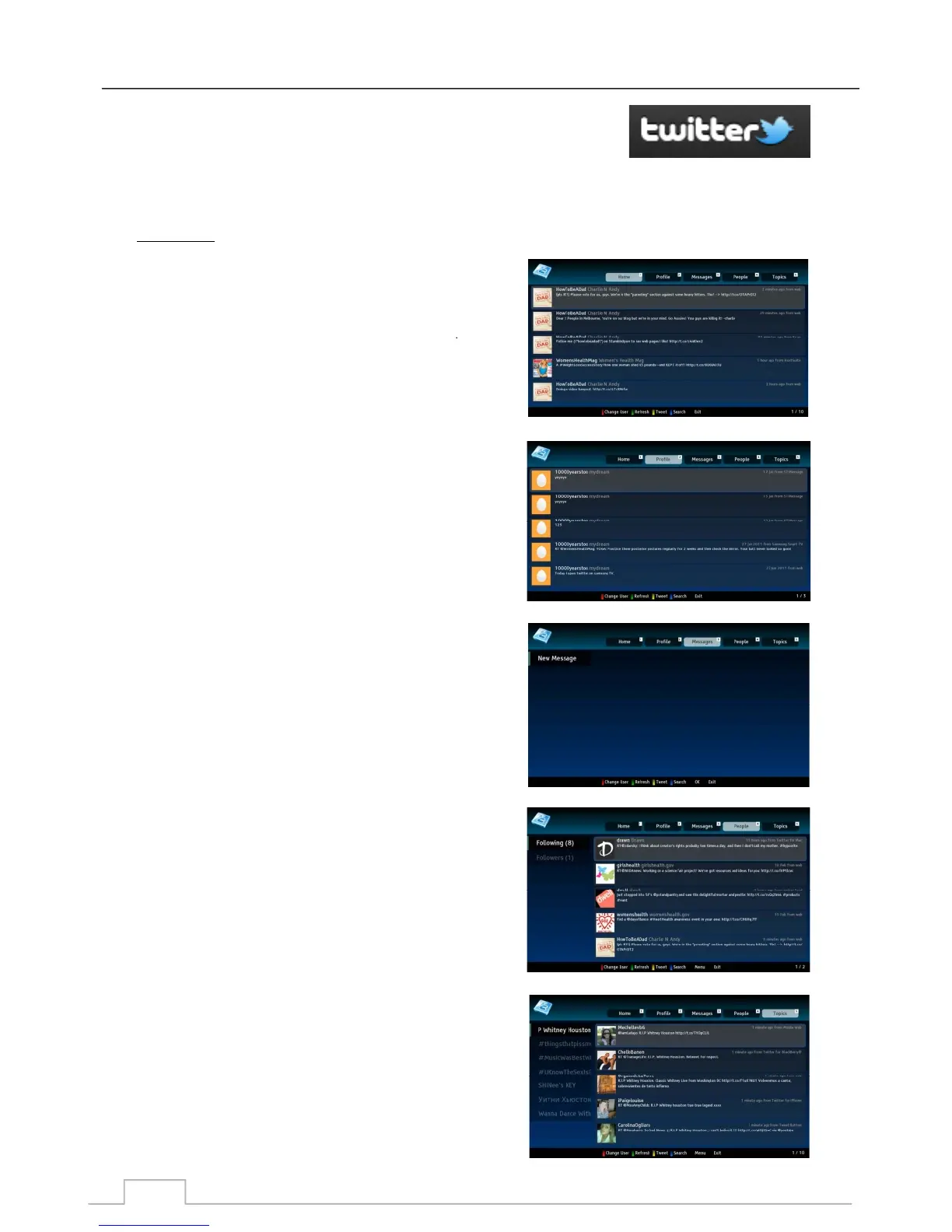
To navigate: Press the corresponding Numeric Keys shown on top of the screen:
Press key 1 for Home page, where your friends and your
tweets are displayed.
Press key 2 for Profile page, where only your tweets are
displayed.
Press key 3 for Messages page, where all your messages
are displayed, both sent and received.
Press key 4 for People page, where you can see who is
following you, as well as who you are following.
Press key 5 for Topics page, where you can the latest
“Hot Topics” in the Twitter community around the world.
Twitter
(Only available for certain models and markets):
2. Profile:
1. Home:
3. Messages:
Twitter
5. Topics:
4. People:
45



 To Next Page