Sound Menu
Select Confirm
Display
Balance
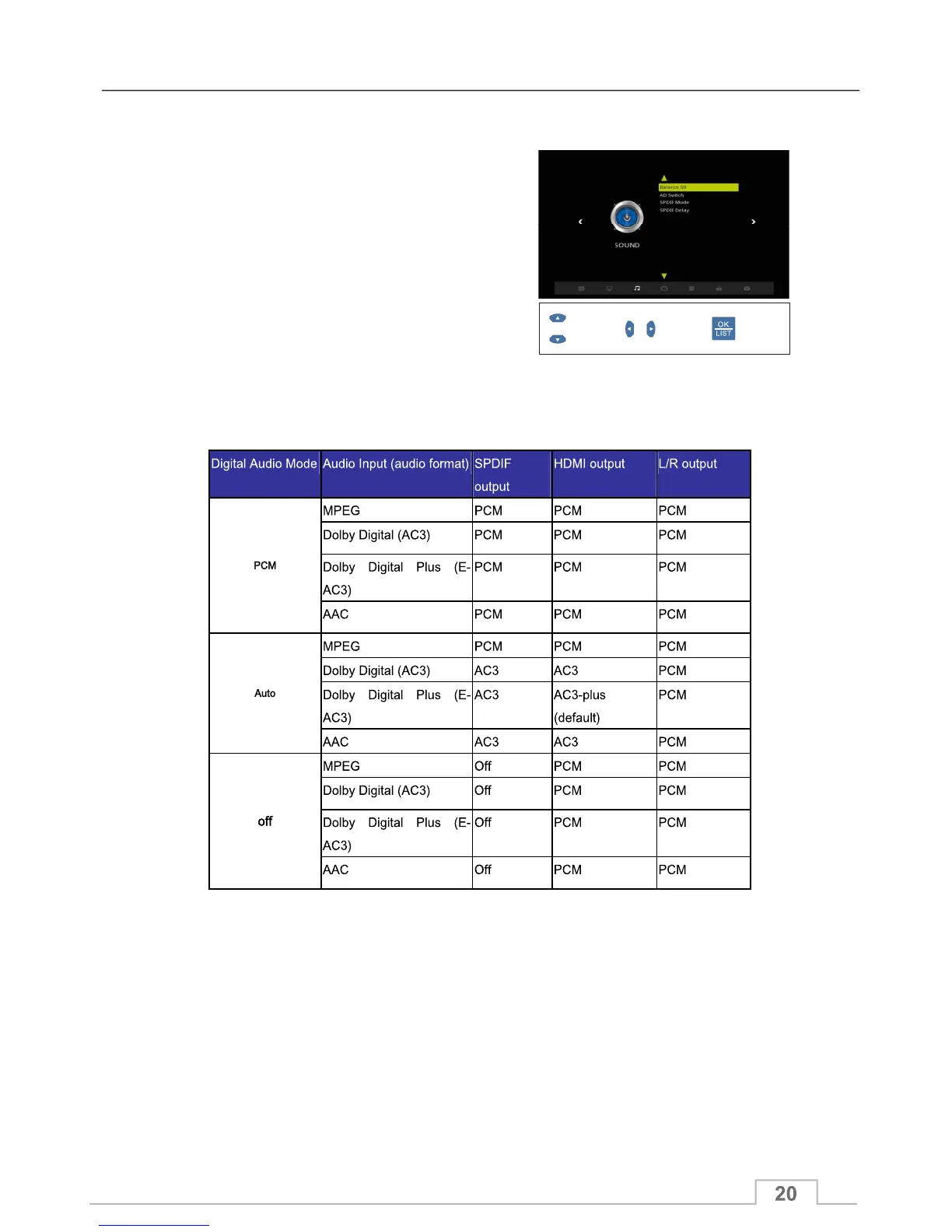
In the Sound Menu, you can adjust audio parameters to suit
your system:
Balance setting 0 to 100, where default setting is 50 which
means Left and Right audio levels are equal.
AD Switch
Enable or Disable AD function. It also allows you to set
volume value when AD is set to on. The volume range is
0~30.
SPDIF Mode
Digital Audio output format: Off / Raw / Raw (HDMI) (SPDIF)
SPDIF Delay (0mS to 250mS)
Select from:
Auto: Auto mode will enable the receiver to adjust the Audio to meet the Video timing.
Manual: You can manually adjust the delay between the Audio timing and Video timing from 0 to 250mS.
(1mS = 1/1000 of a second)
Supported Digital Audio output formats.(SPDIF)



 To Next Page