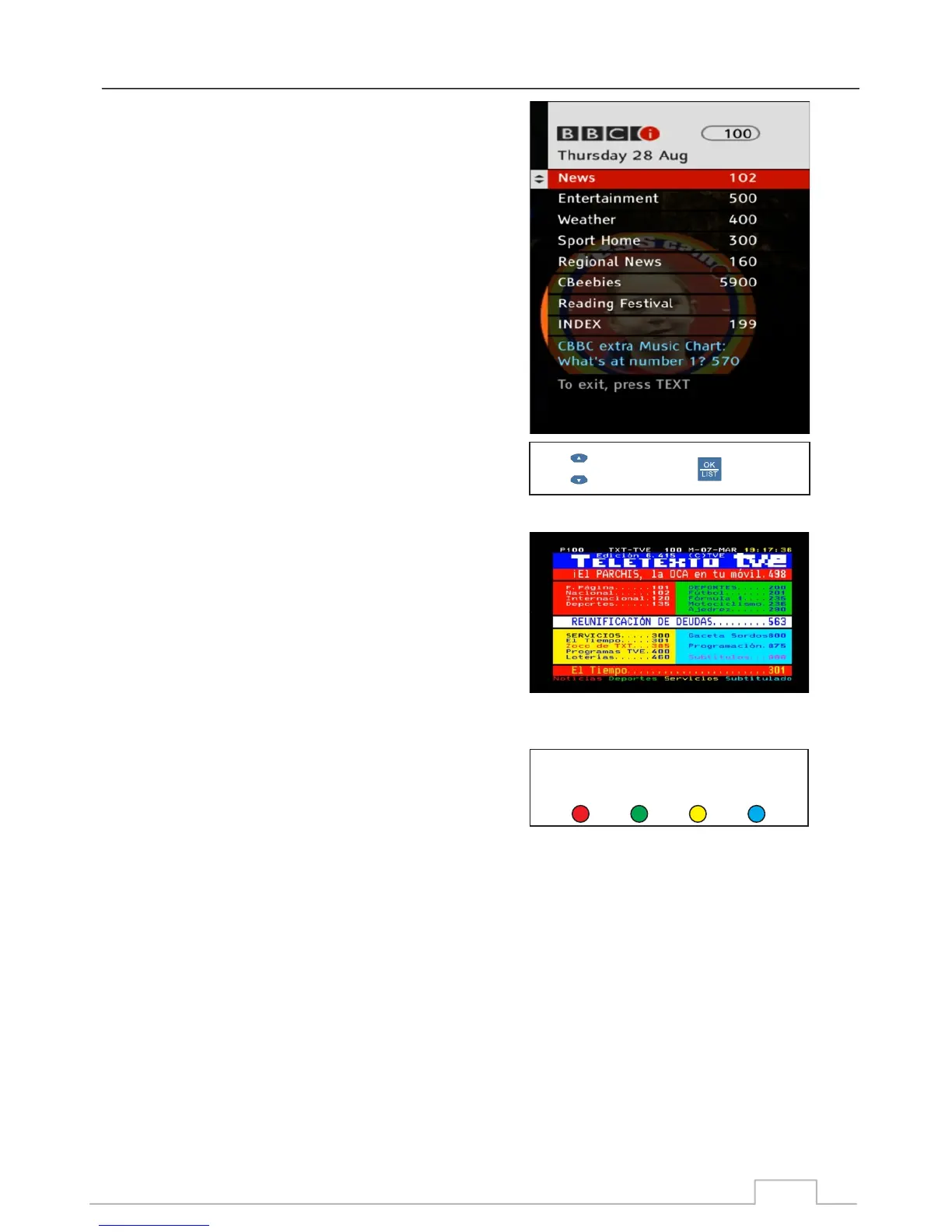
MHEG-5, also known as Digital Text is widely used in DTV
broadcasters around the world. It provides a variety of
interactive TV functions from on-demand programmes,
news and weather to interactive games.
When available, you will be prompted to press the RED or
TXT button to access the service. Once the service has
been accessed, the receiver will download the MHEG data
from the broadcaster. Everything from the menu system
right down to the content is downloaded off air, thus ensuring
that every MHEG-5 equipped TV and set-top box can be
operated in the same manner.
When the MHEG-5 menus are displayed, simply follow the
navigation instructions which has been integrated into the
menu system. Input method can be alpha-numeric and via
colour coded keys on your remote.
Teletext is the earlier form of digital text and unlike MHEG-5,
where the data is accessed by the digital receiver, Teletext
can only be accessed by a teletext equipped TV set.
Similar to MHEG-5, Teletext provides a wealth of information
from programme guides, news and weather to also basic
games. Navigation is done by numeric entry, colour coded
keys on the TV remote and a few dedicated teletext buttons.
Press colour buttons on the bottom jump to marked teletext
page. Also, you can enter page number directly by 0~9 digital
keys to access any page you want to jump to.
Select
Confirm
MHEG-5 / Teletext
MHEG-5:
Teletext:
Press colour button on the bottom jump to marked
teletext page
Red BlueYellow
Green
34



 To Next Page