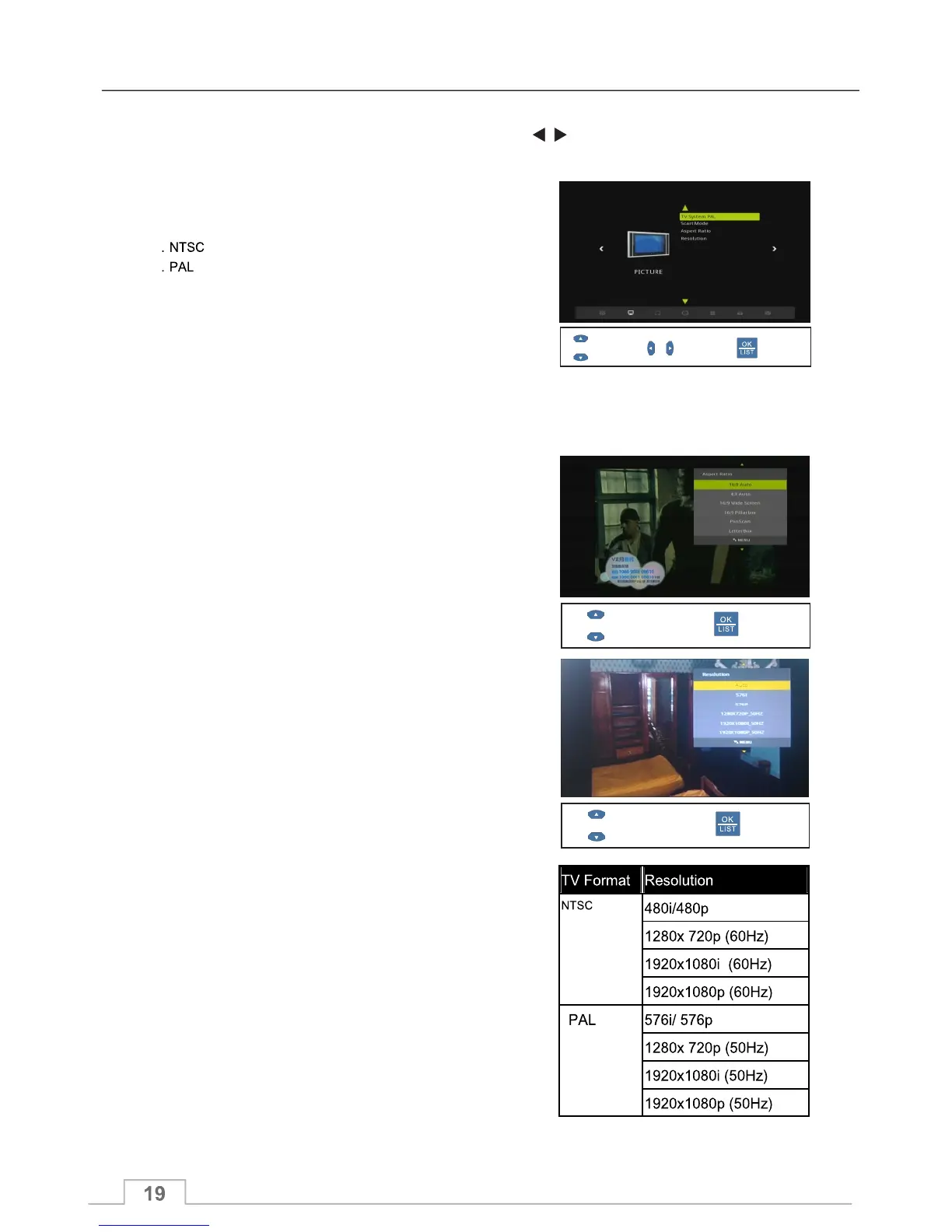
Picture Menu
You can select between RGB and Composite output from
your SCART socket. If your TV can receive RGB video
signal, we recommend using this setting as it offers the best
TV picture quality.
You can s 4:3 Auto,16:9 Wide Screen,
16:9 Pillar box, Pan Scan, Letter Box, 16:9 Pan Scan, 4:3
Combined, 16:9 Combined, Zoom2, Zoom3 and Zoom4 to
best suit your TV.
elect from 16:9 Auto,
Select
Confirm
Select
Confirm
TV System
The Picture menu allows you to optimise your ICECRYPT to best suit your TV.
To enter the TV System Menu, Press Menu key, then use the keys and navigate to “Picture” menu,
where you will find the following options:.
You can select between the two TV system standards:
SCART Mode
Aspect Ratio
You can select one of the many TV picture resolutions the
ICECRYPT supports. We recommend that you select the
resolution that best suits your TV's capabilities.
Resolution
Select Confirm
Display
Supported TV resolutions for the two TV system standards:



 To Next Page