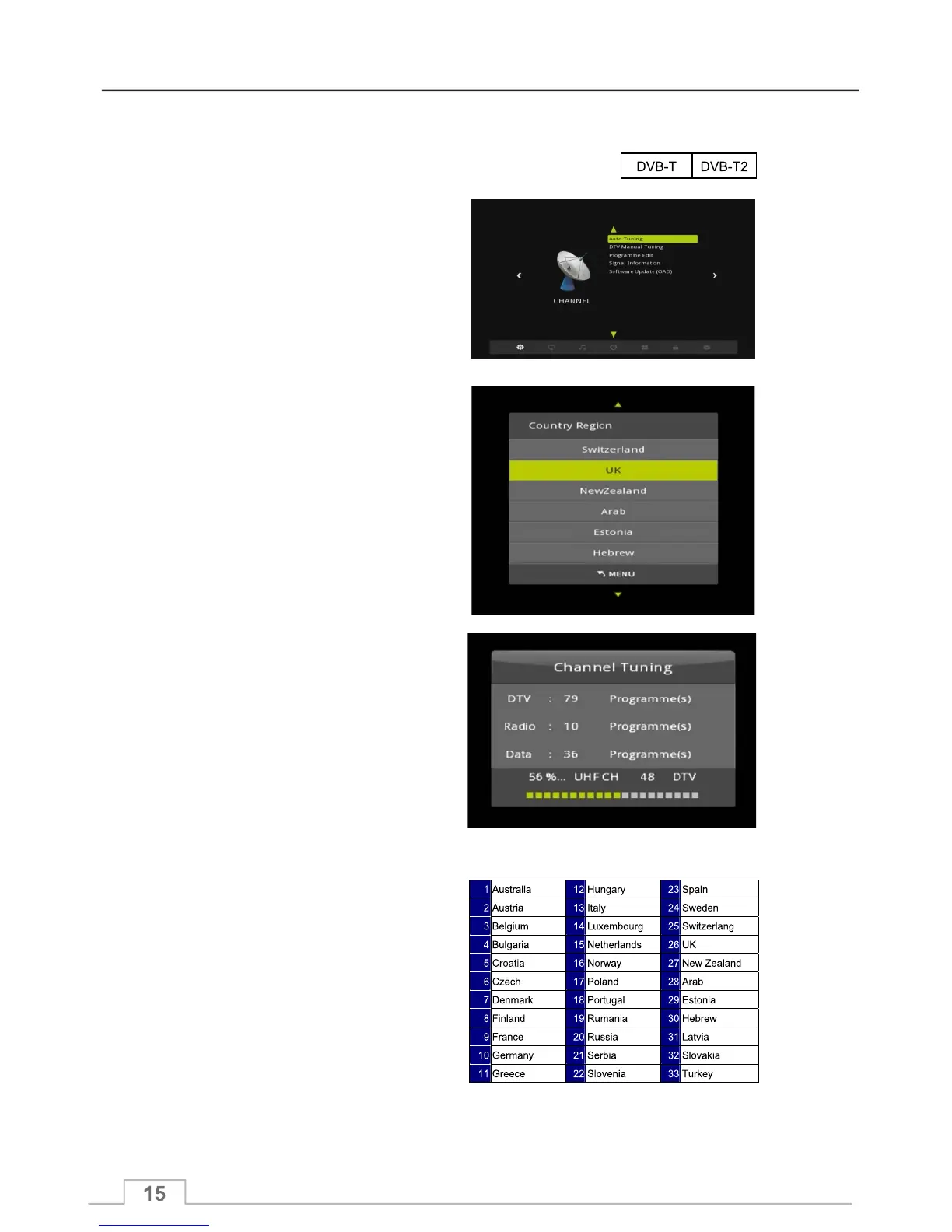
Channel Menu
To use Auto Tuning to search for available channels, please proceed with the following steps:
Your ICECRYPT receiver supports the following digital TV systems:
1. Press the MENU key to display the
Channel Menu.
2. Highlight Auto Tuning and press OK to
select Auto Tuning.
3 The receiver will now display the Country
Region list.
4. Highlight your country from the
Country Region list and press OK to begin
Auto Tuning for the selected country.
5. Auto Tuning may take several minutes.
The following screen shows the channel
tuning progress and number of channels
found so far.
6. When Auto Tuning has finished, you can
press OK key to display the TV Channel List
and select a channel to watch.
Country Region List:
Auto Tuning



 To Next Page