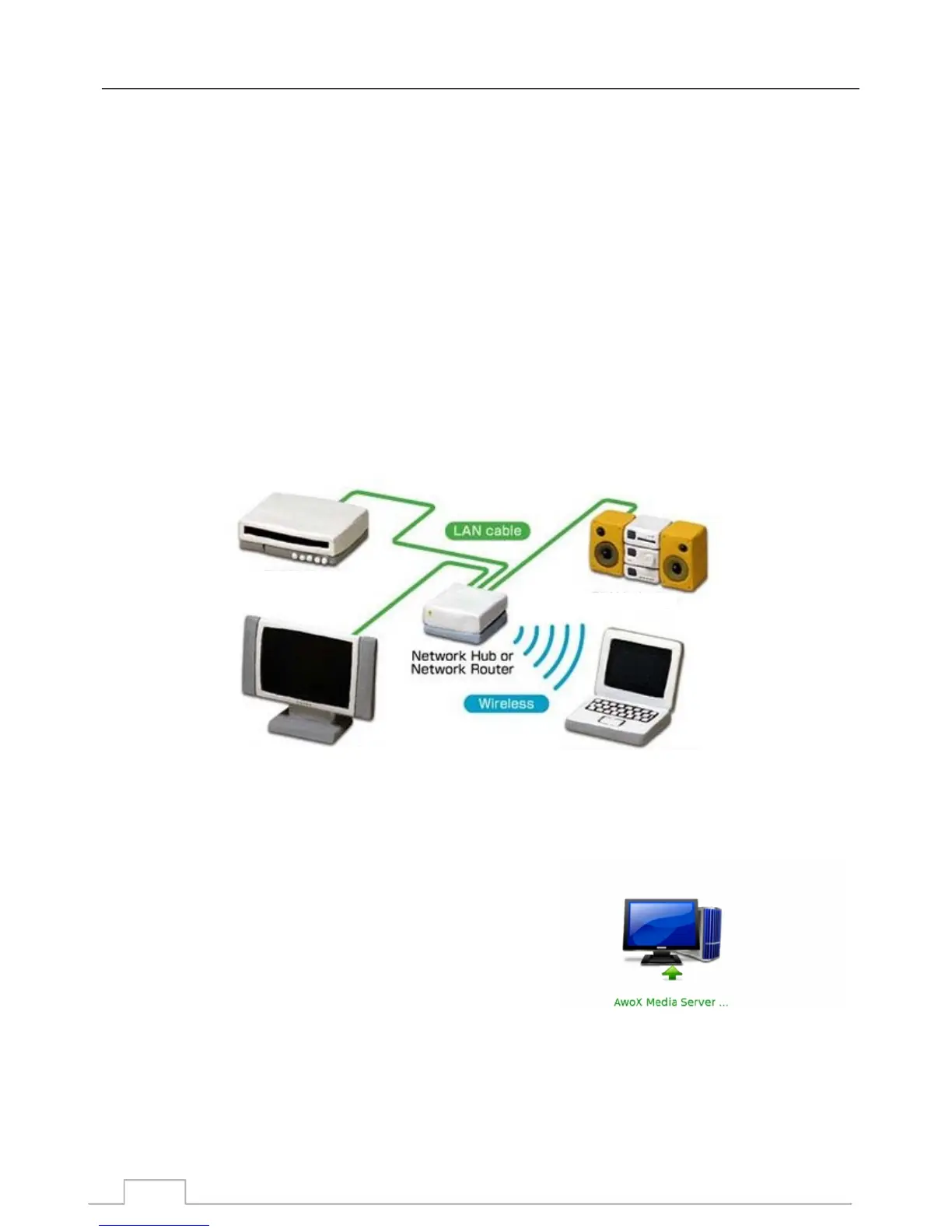
Home Networking enables the sharing and streaming of digital media between UPnP compatible
consumer devices such as network compatible set-top boxes, network media players, computers,
printers, cameras, cell phones, and other multimedia devices such as a media server.
UPnP compatible devices can connect and communicate with each other over a home network. This
works using a similar set-up you may have for your Internet connection. In fact, a router is the key
communication point of the network as it is used to link devices to each other.
Here's a quick checklist of what you'll need:
- Icecrypt DTV receiver
- At least one Digital Media Server (e.g. laptop, network drive etc)
- A router
- Ethernet cable, or a wireless bridge to connect to your network
Typical system:
A Digital Media Player, sometimes know as a Renderer, is
provided in your receiver so it can play media files.
Connect your receiver to your home network.
Enter the DMP mode on your receiver.
Search for available Media Servers.
Universal Plug and Play (UPnP) is a set of networking protocols that allows networked devices to
discover each other's presence on the network, and enables them to share network services for data and
file sharing, communications, and entertainment streaming.
UPnP is intended primarily for residential networks.
Network Media requirement:
Digital Media Player (DMP) :
1. Display the Digital Media Server list:
Home Networking
Home Networking via UPnP
(Only available for certain models and markets)
Media server
Network music player
Wireless A/V server/renderer
Wired A/V renderer
35



 To Next Page