The Media Player supports various trick modes during file playback:
PAUSE/RESUME
2x-32x times fast forward or fast reverse to search or skip to a particular scene.
Please note:
For FAST FORWARD, at up to 4x speeds you will see a continuous frame sequence of the movie. For
speeds of 8x to 32x you will see individual frame by frame sequences displayed in intervals.
For FAST REVERSE at any speed, you will only see individual frame by frame sequences displayed in
intervals.
½ to 1/32 Slow Motion: Press the Slow Motion icon in the PVR playback menu to enable slow motion.
Step Display: Press the Step icon in the PVR playback menu or the PAUSE key to enable this function.
Then each subsequent key press of the PAUSE key will advance the picture to the next frame.
Jump to Time: During playback, you can select a time point and jump to that point.
Jump Thumbnail: During playback, you can also select a Thumbnail and jump to that point.
Jump Forward/Backward: By pressing the or key you can jump Forward or Backwards in 30
seconds intervals respectively.
Drag to Time: Holding down the or key will “drag” the time bar forward or backwards. When the
key is released the picture will jump to the “dragged” point.
A-B Loop: While playing a file, press the PLAY key again to set your desired point A and press the PLAY
key once more to set your desired point B. Now the Media player will play within the two set points in a
loop (Max.6 hours).
SKIP: You can set SKIP section within your media file. To set a SKIP section, first press PLAY to play the
file. Then press the RED key to set the start point and press the RED key again to set the end point of
the SKIP. Once set, the Media player will skip this section during playback
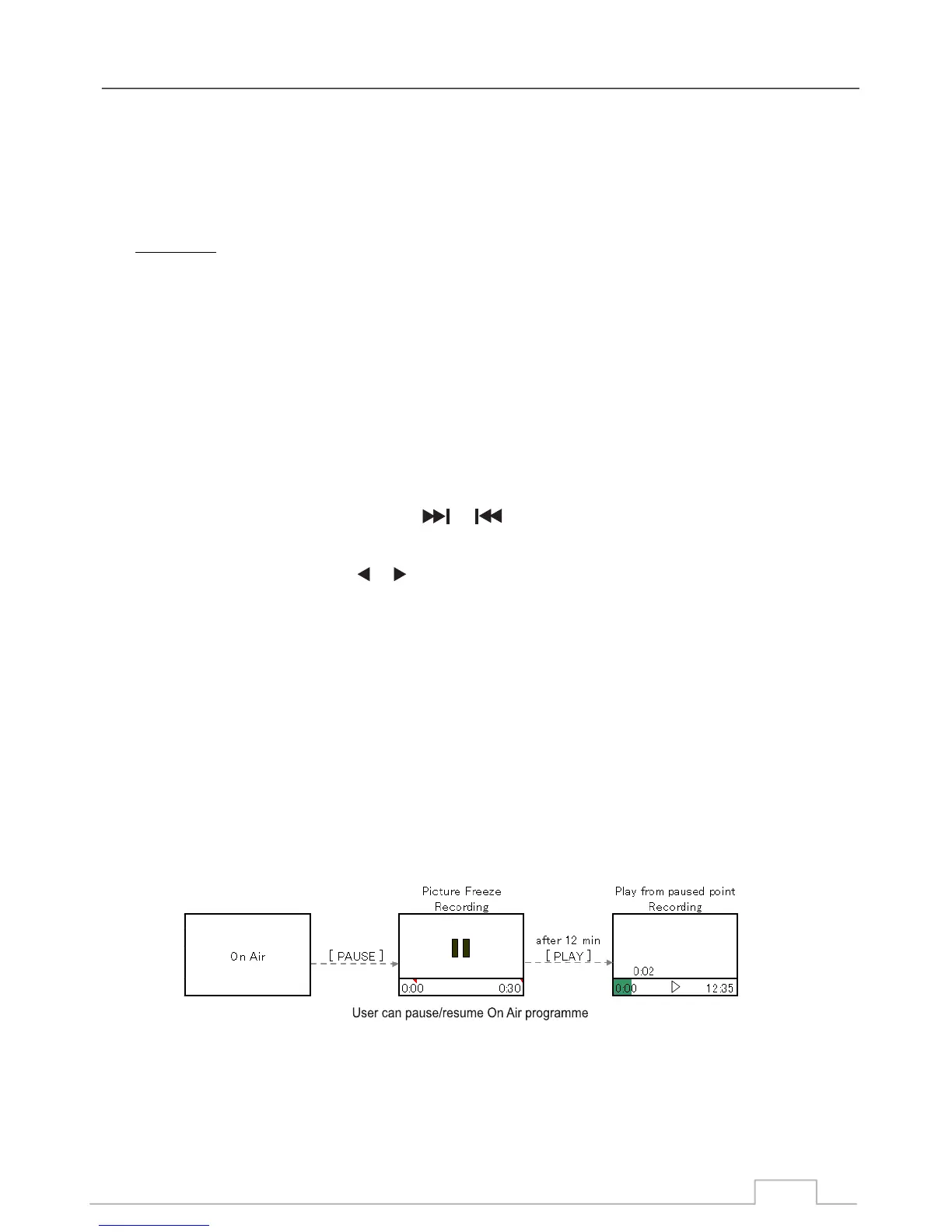
Timeshift is a convenient feature for when the user needs to briefly pause the “Live” TV programmes (to
answer the telephone etc.) and then to resume viewing the programme afterwards.
File System: , FAT32 and Linux ext2, ext3.
USB hot and cold plug.
Stream format: MPEG2 - SD & HD, H264 - SD & HD, Radio.
USB Port Selection: Max USB disk partitions = 2.
Disk Format, Speed Test and Free Space Detect.
DRM: Encryption/Decryption (AESDMA 128Bits & CI+PVR)
INFO: Press INFO button to display more functions
NTFS
Playback:
Timeshift:
Multimedia Player
Detailed Specifications PVR:
32



 To Next Page