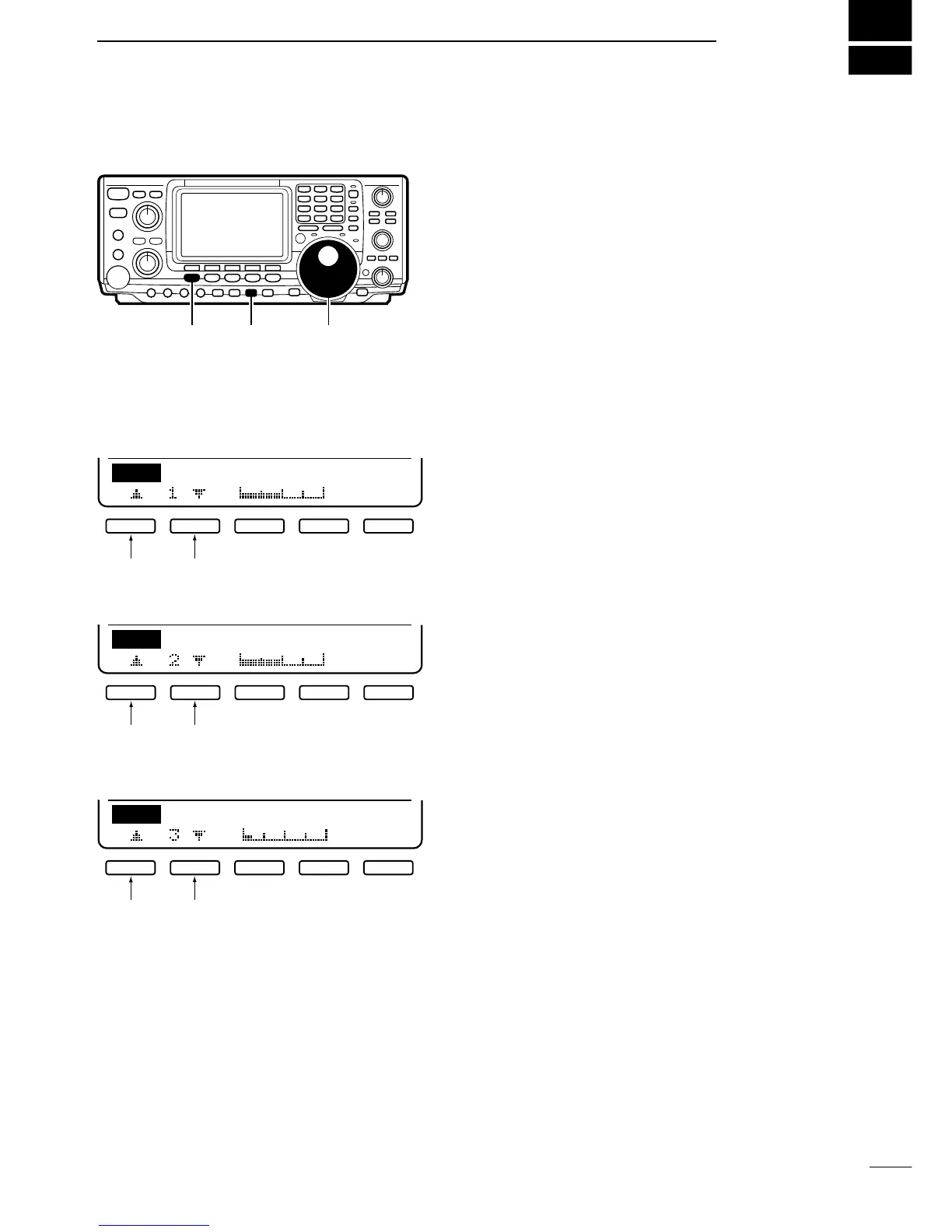
The VOX function starts transmission without pushing
the transmit switch or PTT switch when you speak into
the microphone; then, automatically returns to receive
when you stop speaking. This function is available for
SSB, AM and FM modes. Before using this function,
follow the steps below.
➀ Select a phone mode (SSB, AM, FM).
➁ Push [VOX/BK-IN] to turn the VOX function ON and
OFF.
•“VOX” appears when the function is ON.
➂ Push [VOX/BK-IN] for 2 sec. to select VOX program
mode.
■ ADJUSTING THE VOX GAIN
■ ADJUSTING THE ANTI-VOX
■ ADJUSTING THE VOX DELAY
➀ Push [F1] or [F2] to select VOX Gain.
➁ While speaking into the microphone, rotate the tun-
ing dial to the point where the transceiver is continu-
ously transmitting.
• Be careful that sounds other than your voice are not af-
fecting this setting.
➂
Push [MENU] or [VOX/BK-IN] to return to menu set 1.
➀ Push [F1] or [F2] to select Anti VOX.
➁ While speaking into the microphone, rotate the tun-
ing dial to obtain the most readable signal.
➂
Push [MENU] or [VOX/BK-IN] to return to menu set 1.
➀ Push [F1] or [F2] to select VOX Delay.
➁ Rotate the tuning dial (and speak into the micro-
phone) to obtain a suitable interval for returning to
receive after transmitting.
➂
Push [MENU] or [VOX/BK-IN] to return to menu set 1.



 To Next Page