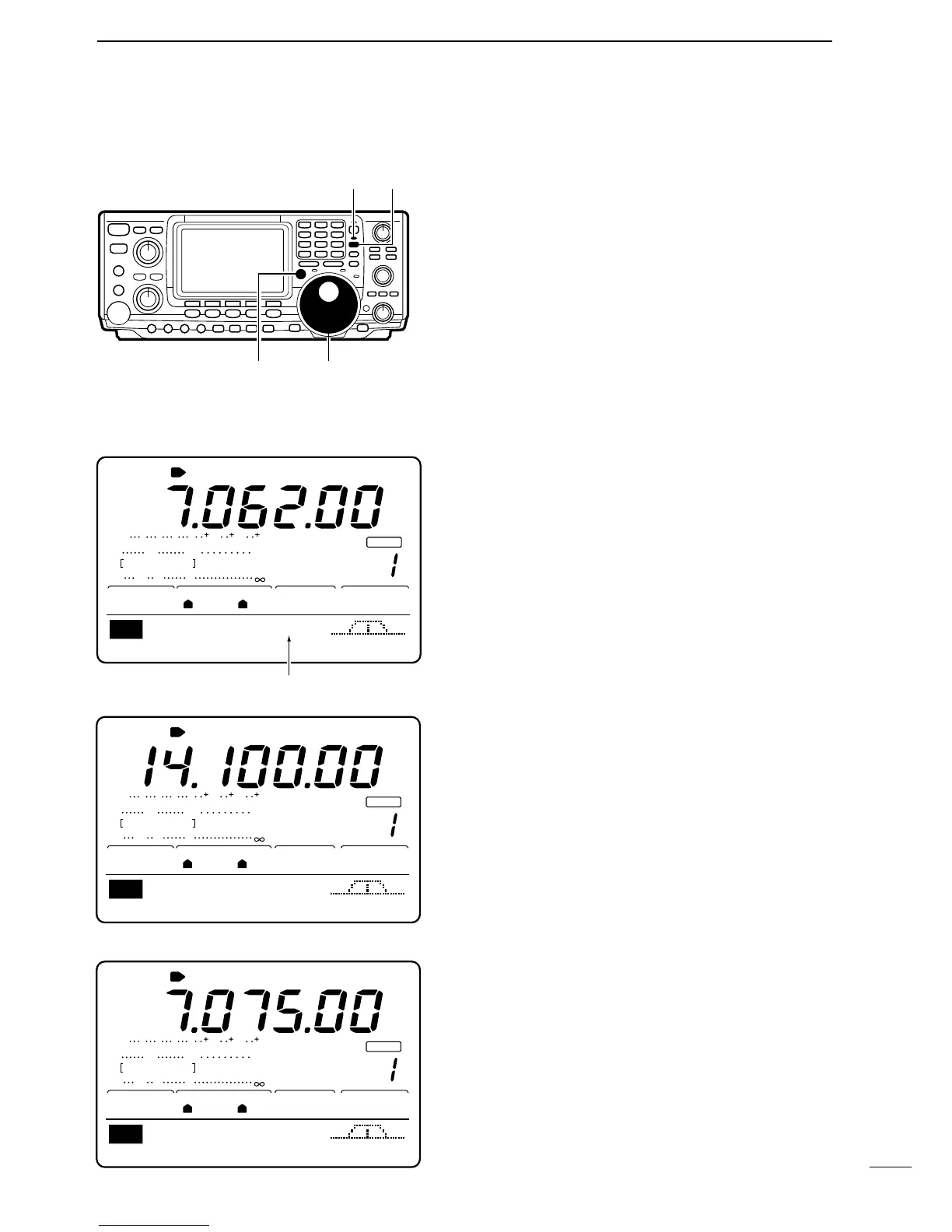
Split frequency operation allows you to transmit and re-
ceive in the same mode on two different frequencies,
one in VFO A, the other in VFO B.
[EXAMPLE]: Operating split with VFO A set to receive
7.06200 MHz/LSB; VFO B set to transmit 7.07500
MHz/LSB.
➀ Set VFO A to 7.06200 MHz/LSB mode.
➁ Push [SPLIT] to turn split frequency operation ON.
•“SPLIT” appears and the [SPLIT] indicator lights.
• When split frequency operation is ON the function dis-
play indicates the transmit frequency.
➂ Set VFO B to 7.07500 MHz/LSB.
➥ While VFO A is displayed, push and hold [XFC],
then rotate the tuning dial to set the frequency.
• While pushing [XFC], the operating band and mode
can be changed, if desired.
• While pushing [XFC], the transmit frequency is moni-
tored.
☞ NOTE: Cross band split operation may also be pos-
sible but is not guaranteed.



 To Next Page