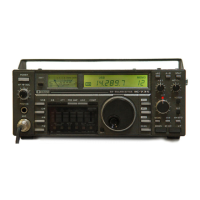
Programmed scan searches for signals between scan
edge memory channels P1 and P2. The default fre-
quencies for these memories are 0.500000 MHz and
29.99999 MHz, respectively. See p. 56 for program-
ming scan edges.
➀ Push [V/M] to select VFO mode, if necessary.
➁ Push a mode key to select the desired operating
mode.
• Operating mode can also be selected during scan.
➂ Push [TS] to select a tuning step.
• Tuning steps can also be selected during scan.
➃ Push [MENU] to select M2.
➄ Push [F1] to select the scan menu.
➅ Push [F1] to start/stop programmed scan.
• The MHz and kHz decimal points flash during scan.
• Rotating the tuning dial during scan cancels scan opera-
tion.
■ ABOUT FINE PROGRAMMED SCAN
During programmed scan, when a signal is received,
scan continues, but the tuning step is temporarily set
to 10 Hz.
➀ Follow steps ➀ to ➅ above to start programmed
scan.
➁ During programmed scan, push [F3] to toggle be-
tween programmed scan and :F scan operation.
➂ Push [F1] to stop the scan.


 To Next Page