47
8
DSC OPERATION
ew
e
Transmitting a Position Report Reply call D
Transmit a Position Report Reply call when a Position Report
Request call is received.
Quick Reply:
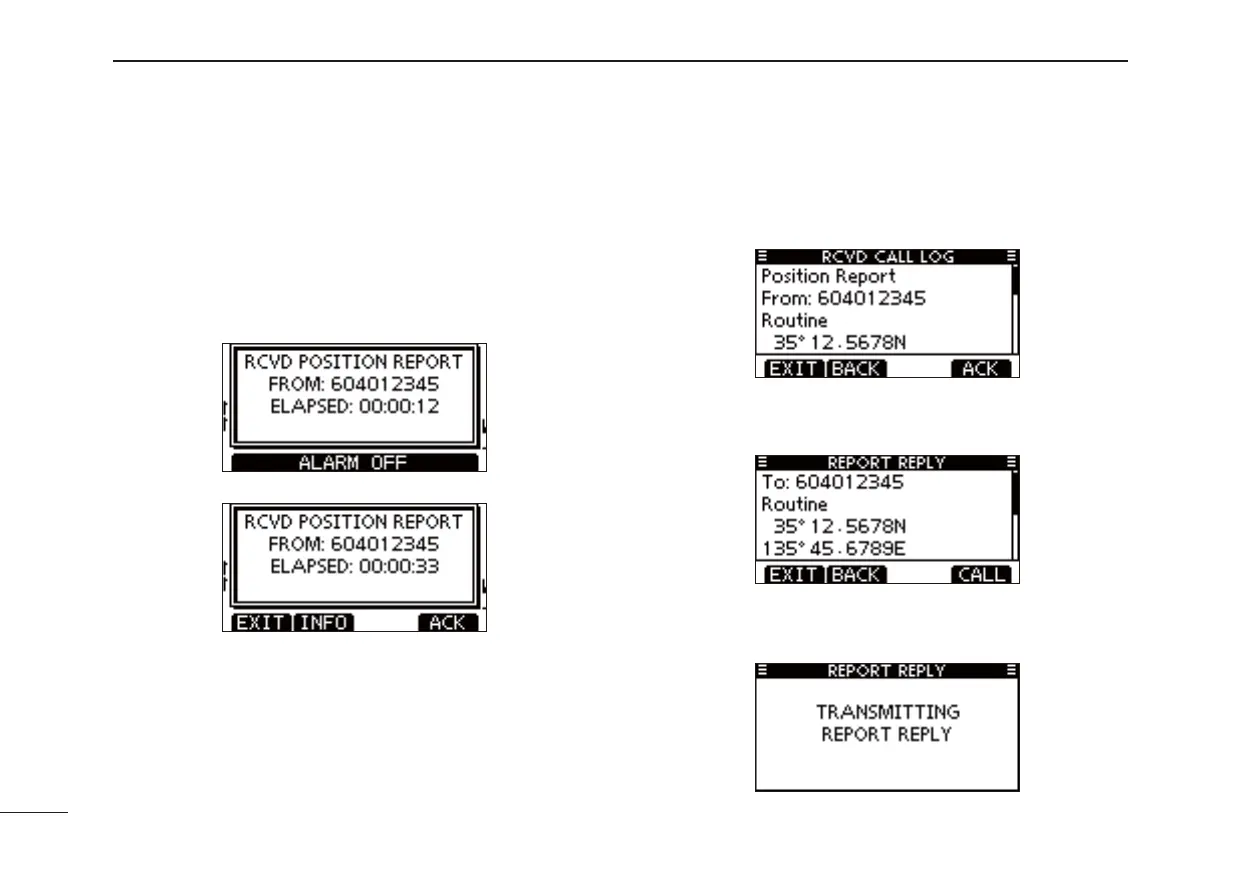
When a Position Report Request call is received, beeps q
sound and the screen as shown below is displayed.
Push [ALARM OFF] to stop the beeps.
Push [ACK]. w
• Push [INFO] to display the Position Report Request call informa-
tion.
Push [BACK] to return to the previous screen, or push [ACK].
The Position Report Reply confi rmation screen is dis- e
played.
Push [CALL] to transmit the reply call.
While transmitting the reply call, the screen shown below r
is displayed, and then returns to the normal operating
mode.



 To Next Page