36 Chapter 3 Welder Operation Description
Ehave Series Full Digital IGBT CO
2
/MAG/MMA Multifunctional Inverter Welder User Manual
3. Press the Spot welding time button and use the knob on the control panel to set the
welding time, which ranges from 0.1 s to 10 s. The time is displayed on the middle screen.
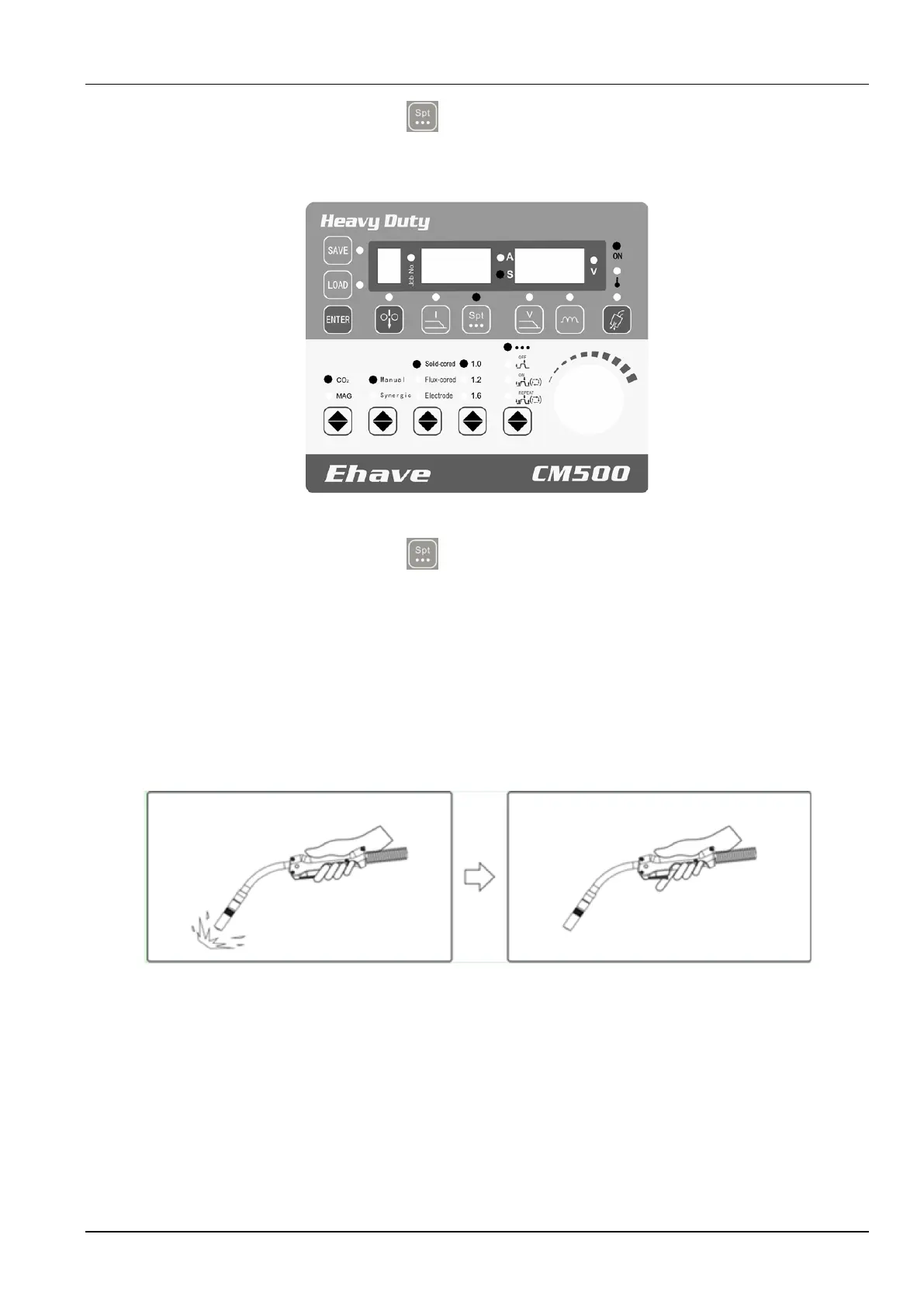
Figure 3-5 shows the control panel where the spot welding time has been set.
Figure 3-5 Setting the spot welding time
4. Press the Spot welding time button to stop setting the time.
Note: Adjust the arc dynamic as required during welding.
After parameters are set, turn on the welding torch to perform spot welding. When the switch of
the welding torch is turned to ON, an arc is generated. When the switch of the welding torch is
turned to OFF, welding stops.
If the switch is kept at the ON position, arc generation stops after the preset time. When the
switch is turned to OFF before the preset time expires, spot welding ends. See Figure 3-6.
Welding arc is
generated.
Turn on the power
switch of the
welding torch.
Turn off the power
switch of the
welding torch.
Welding stops.
Figure 3-6 Schematic diagram of spot welding
Figure 3-7 shows the welding logic.



 To Next Page