Chapter 3 Welder Operation Description 43
Ehave Series Full Digital IGBT CO
2
/MAG/MMA Multifunctional Inverter Welder User Manual
Table 3-2 Arc dynamic
It indicates the default arc dynamic and is commonly used.
The welding seam fusion depth is high and it can easily achieve weld penetration. It is
suitable for full welding and high-speed welding. It can ensure arc stability when the
power cable is extended.
The welding seam fusion depth is low and it is not easy to achieve weld penetration. It is
suitable for welding thin plates.
Clockwise
Counter-
clockwise
0
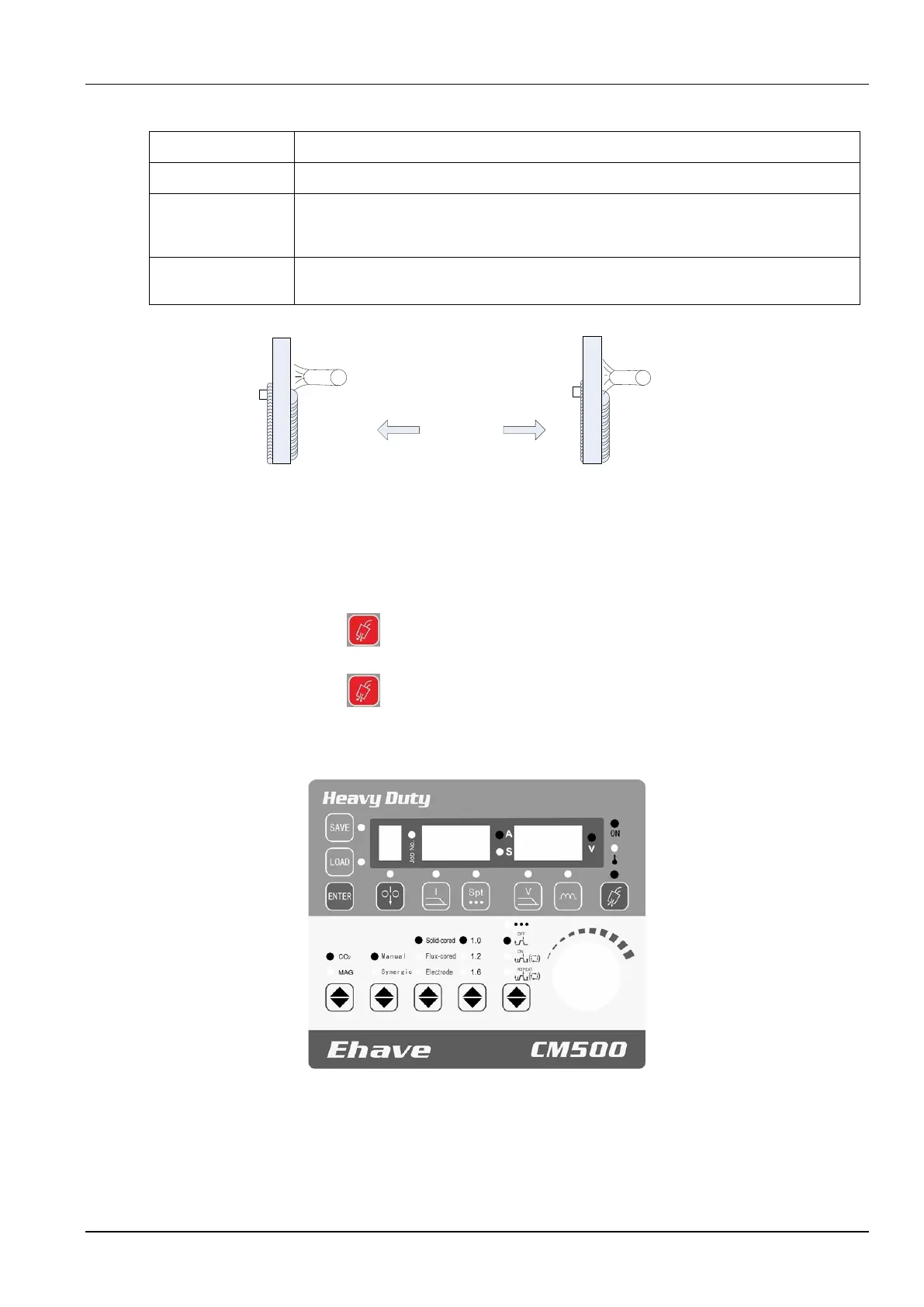
Figure 3-17 Schematic diagram of arc dynamic
3.4.8 Detect Gas
It is used to check whether a shielding gas is used. The procedure is as follows:
1. Press the Detect gas button to check for gas flow.
2. Press the Detect gas button again to stop the checking.
3. Figure 3-18 shows the control panel where the parameters have been set.
SAVE
Feed
wire
Job No.
ON
Over-
temperature
Manual
MAG
LOAD
ENTER
Ending
arc
current
Spot
welding
time
Ending
arc
voltage
Arc
dynamic
Detect
gas
Synergic
CO2
Solid wire
Flux-cored
wire
Electrode
Spot welding
Welding without
ending arc
Welding with
ending arc
Repeated
welding with
ending arc
Gas type
Output
control
Wire
type
Wire
diameter
Welding
control
Figure 3-18 Setting gas detection
Note: If you do not manually stop gas detection, it stops automatically after 30 seconds.



 To Next Page