Chapter 3 Welder Operation Description 47
Ehave Series Full Digital IGBT CO
2
/MAG/MMA Multifunctional Inverter Welder User Manual
2. Use the knob to select a channel number (0 - 9) and the parameter settings saved to the
channel appear.
3. Press the ENTER button to load the parameter settings. To view parameter settings,
directly press the corresponding function buttons.
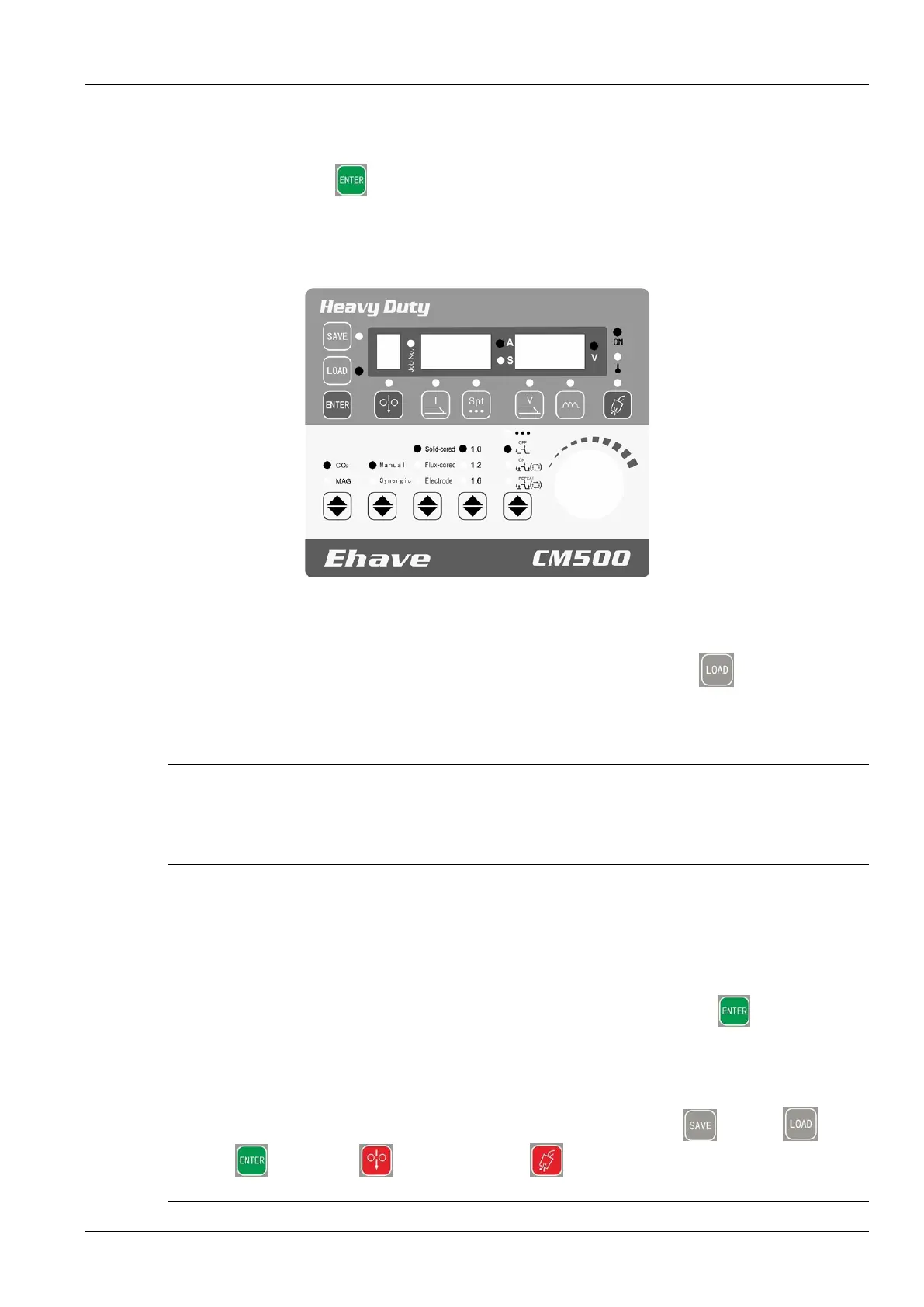
4. Figure 3-22 shows the control panel where the parameter settings are loaded.
SAVE
Feed
wire
Job No.
ON
Over-
temperature
Manual
MAG
LOAD
ENTER
Ending
arc
current
Spot
welding
time
Ending
arc
voltage
Arc
dynamic
Detect
gas
Synergic
CO2
Solid wire
Flux-cored
wire
Electrode
Spot welding
Welding without
ending arc
Welding with
ending arc
Repeated
welding with
ending arc
Gas type
Output
control
Wire
type
Wire
diameter
Welding
control
Figure 3-22 Loading parameter settings
Note:
To abort the loading operation during the procedure, press the LOAD button.
3.4.11 Lock
Safety Warning
1. If you set a lock password, it is not deleted when the factory settings of the welder are restored.
2. Keep your password properly. If you forget your lock password, the welder cannot be unlocked. In
this case, contact the manufacturer or supplier.
Parameter locking can be implemented with the common lock or password lock.
Purposes of the locking function:
1. The common lock only prevents the parameter settings completed on the control panel of
the welder from being changed. You can press and hold the ENTER button to
unlock.
Note
In common lock mode, all the buttons and knobs (expect the SAVE , LOAD ,
ENTER , Inch wire , and Detect gas buttons) on the control panel of the
welder cannot be used.



 To Next Page