Chapter 3 Welder Operation Description 39
Ehave Series Full Digital IGBT CO
2
/MAG/MMA Multifunctional Inverter Welder User Manual
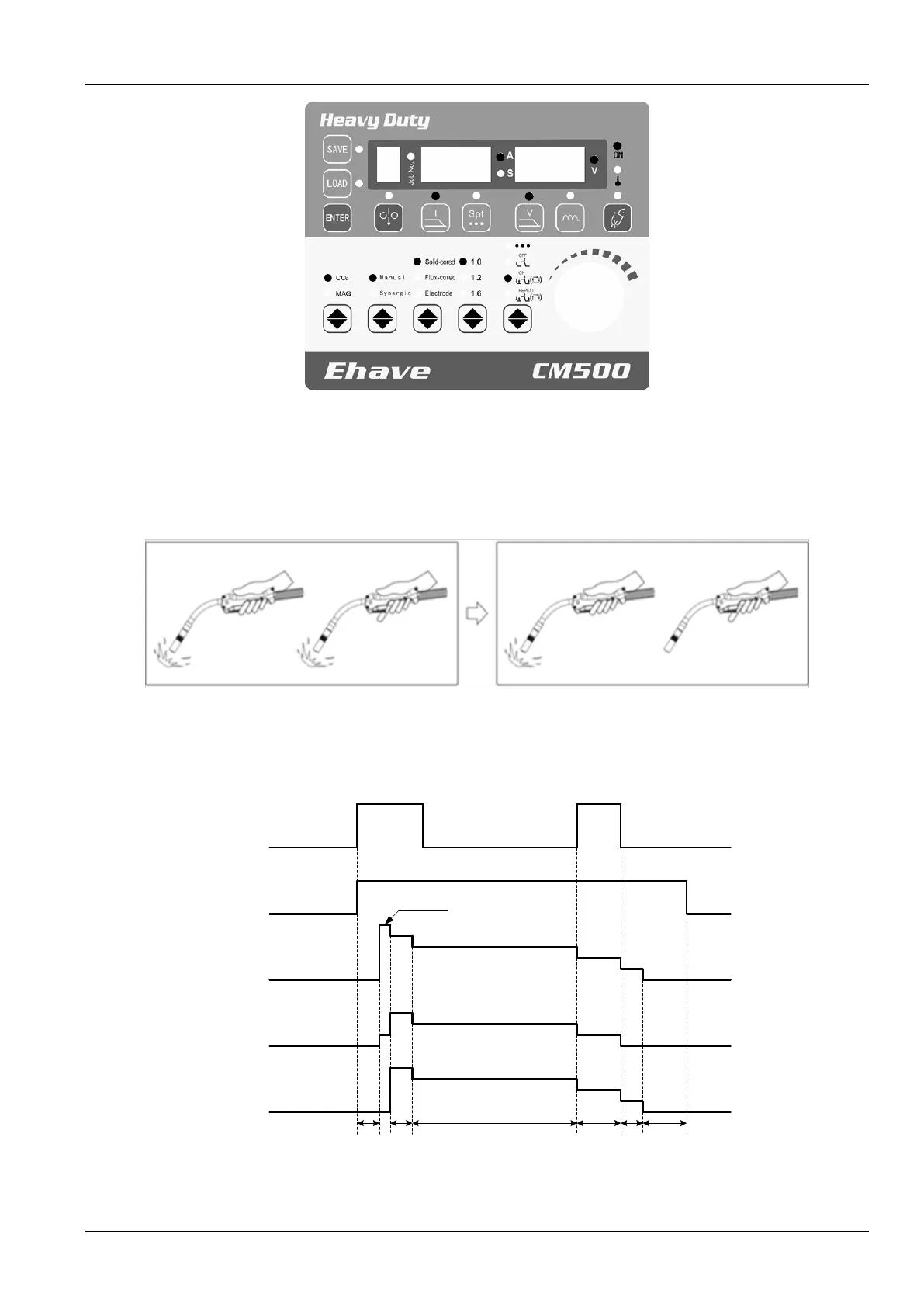
Figure 3-10 Selecting the mode of welding with ending arc
When the switch of the welding torch is turned to ON, an arc is generated. When the switch of
the welding torch is turned to OFF, welding arc generation is locked. When the switch is turned
to ON again, the ending arc is generated. When the switch is turned to OFF again, welding
stops. See Figure 3-11.
Welding arc is
generated.
Turn on the
power switch of
the welding torch.
Turn off the power
switch of the
welding torch.
Welding arc
generation is locked.
Switch to the ending
arc.
Turn on the power
switch of the
welding torch
again
Turn off the power
switch of the welding
torch again
Welding stops.
Figure 3-11 Schematic diagram of welding with ending arc
Figure 3-12 shows the welding logic.
Welding
torch
switch
Gas
sending
Welding
voltage
Wire
inching
speed
Welding
current
Send gas
before
welding
Open circuit voltage
Starting
arc
Weld
Wire sticking
prevention
OFF
ON
OFF
Delayed gas
sending
ON
OFF
Ending
arc
Figure 3-12 Logic for welding with ending arc



 To Next Page