10 Image Vault
®
PRO Command
3.38Camera/60FPSModel:Video&AudioCapture,Monitor
Output
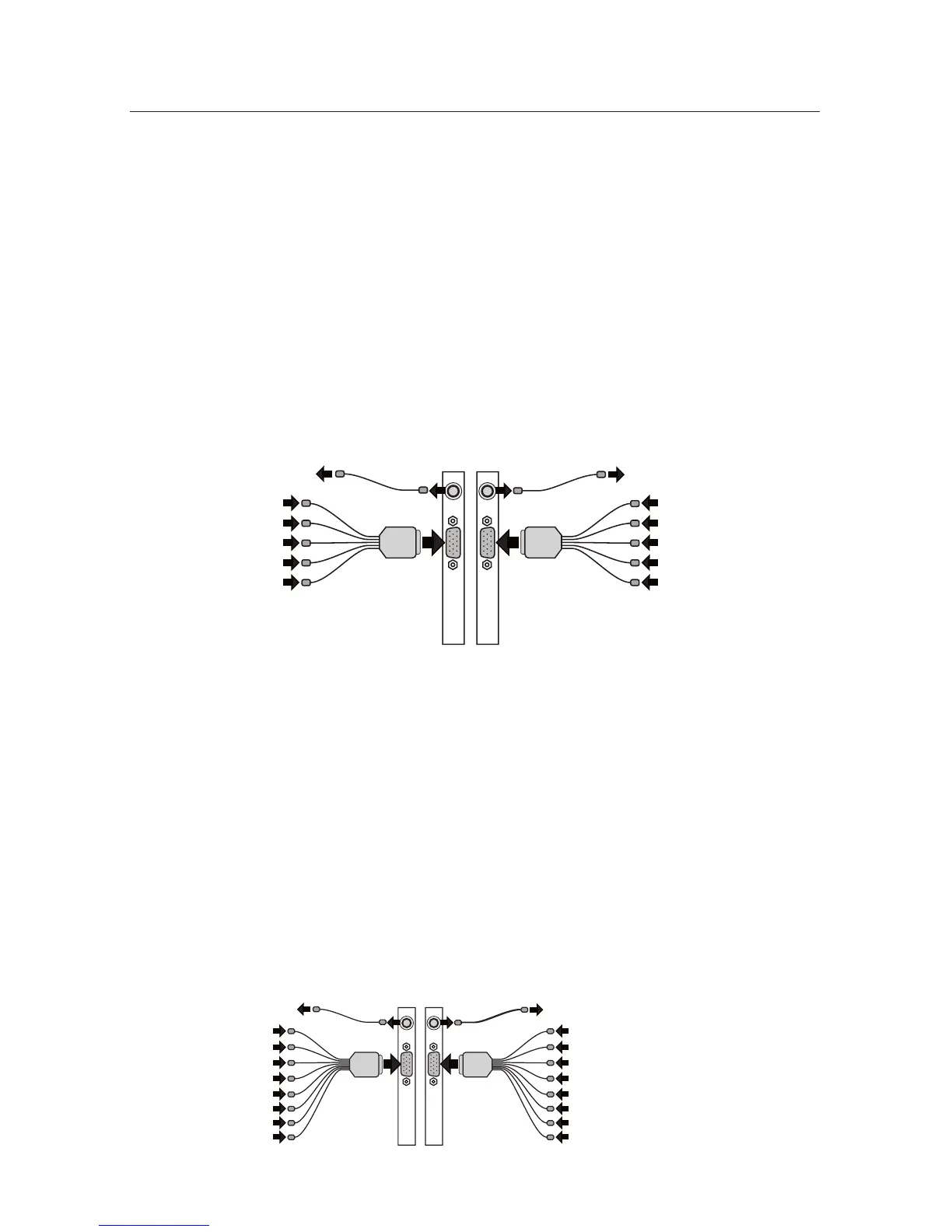
Video In: Connect up to 8 NTSC video cameras to the BNC connectors on the
main breakout cables. The breakout cables are connected to the DB15 port on
the rear of the DVR. Cameras 1 to 4 connect to the left and Cameras 5 to 8 con-
nect to the right.
Audio In: Connect one line level audio microphone source to the RCA connector
on each breakout cable. The microphone connected to the left is associated with
cameras 1 to 4; the microphone connected to the right side is associated with
cameras 5 to 8.
Video Out: Connect an NTSC Public View Monitor (PVM) to the RCA connector
to the left to see a cycling output from cameras 1 to 4. Connect an NTSC Public
View Monitor (PVM) to the RCA connector to the right to see a cycling output
from cameras 5 to 8.
3.48Camera/240FPSModel:Video&AudioCapture,Monitor
Output
Video In: Connect up to 8 NTSC video cameras to the BNC connectors on the
main breakout cables. The breakout cables are connected to the DB15 port on
the rear of the DVR. Cameras 1 to 4 connect to the left and Cameras 5 to 8 con-
nect to the right.
Audio In: Connect up to 4 line level audio microphones to the RCA connectors
on the breakout cables. Each microphone input is associated with its correspond-
ing camera input only.
Video Out: Connect an NTSC Public View Monitor (PVM) to the RCA connector
to the left to see a cycling output from cameras 1 to 4. Connect an NTSC Public
View Monitor (PVM) to the RCA connector to the right to see a cycling output
from cameras 5 to 8.
Mic 1
PVM 1-4
Camera 1
Mic 2
Camera 2
Mic 3
Camera 3
Mic 4
Camera 4
Mic 5
Camera 5
Mic 6
Camera 6
Mic 7
Camera 7
Mic 8
Camera 8
PVM 5-8
Mic 1



 To Next Page