39 Image Vault
®
PRO Command
4 Playback Operation
This chapter provides an overview of operational features found in the playback
software (Local Playback Mode or remote PRO-Command application). Each fea-
tureisexplainedinageneralsense.Fordetailedexplanationsofspecicfeatures
please refer to the online help built into your software.
4.1 Playing Video
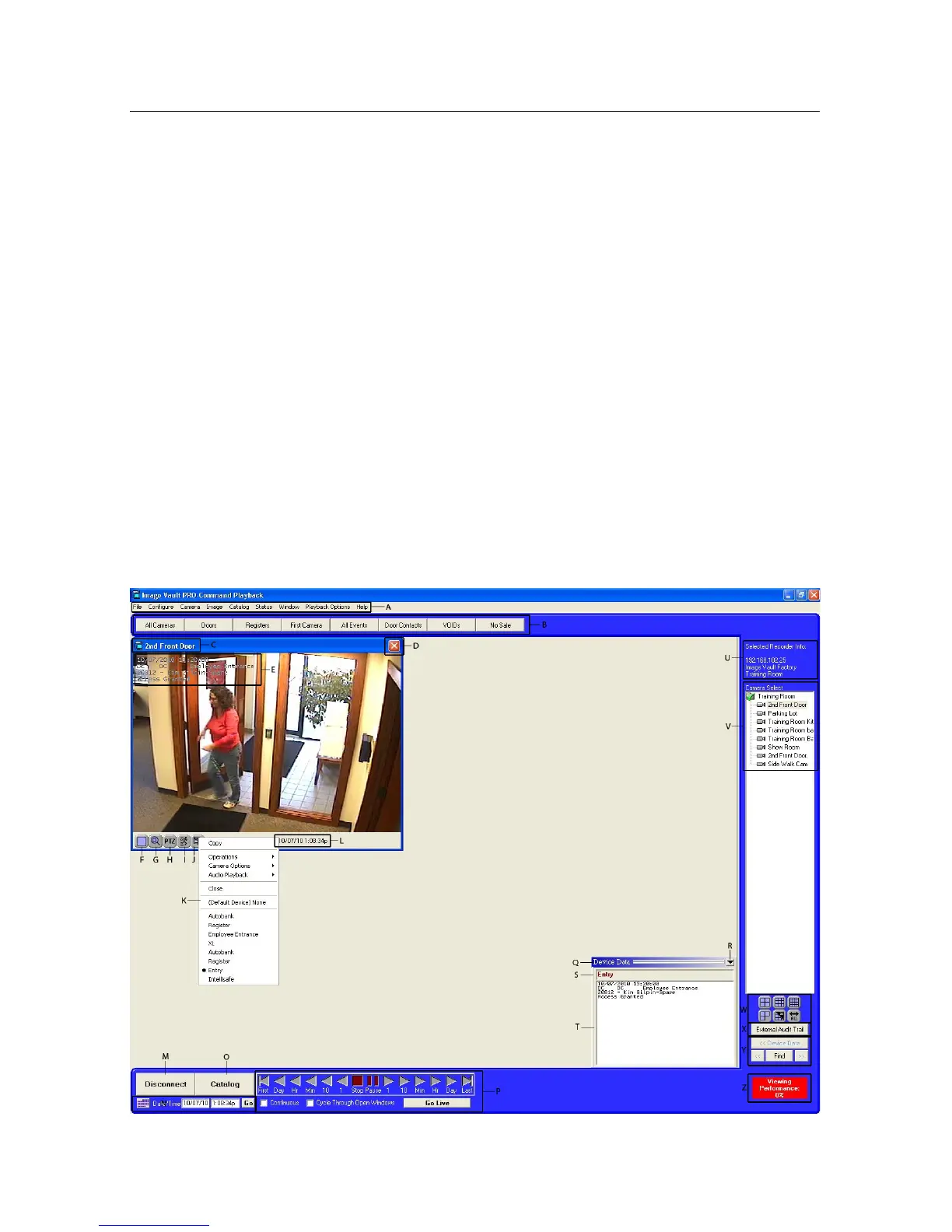
Opening Cameras: Select a camera to open from the Camera menu or from the
camera list on the right side of your screen (Item V). To open multiple cameras
use any of the top row of grid icons (Item W). Cameras may also be opened using
pre-programmed QuickView Action buttons (Item B). The most recent image is
displayedonacamerawindowwhenitrstopens.
Jog Open Cameras: Use the jog icons along the bottom of the screen (Item P) to
increment the camera forward or backward through time as desired. To use the
Jog Slider choose ‘Use Jog Slider’ under the Playback Options menu.



 To Next Page