67 Image Vault
®
PRO Command
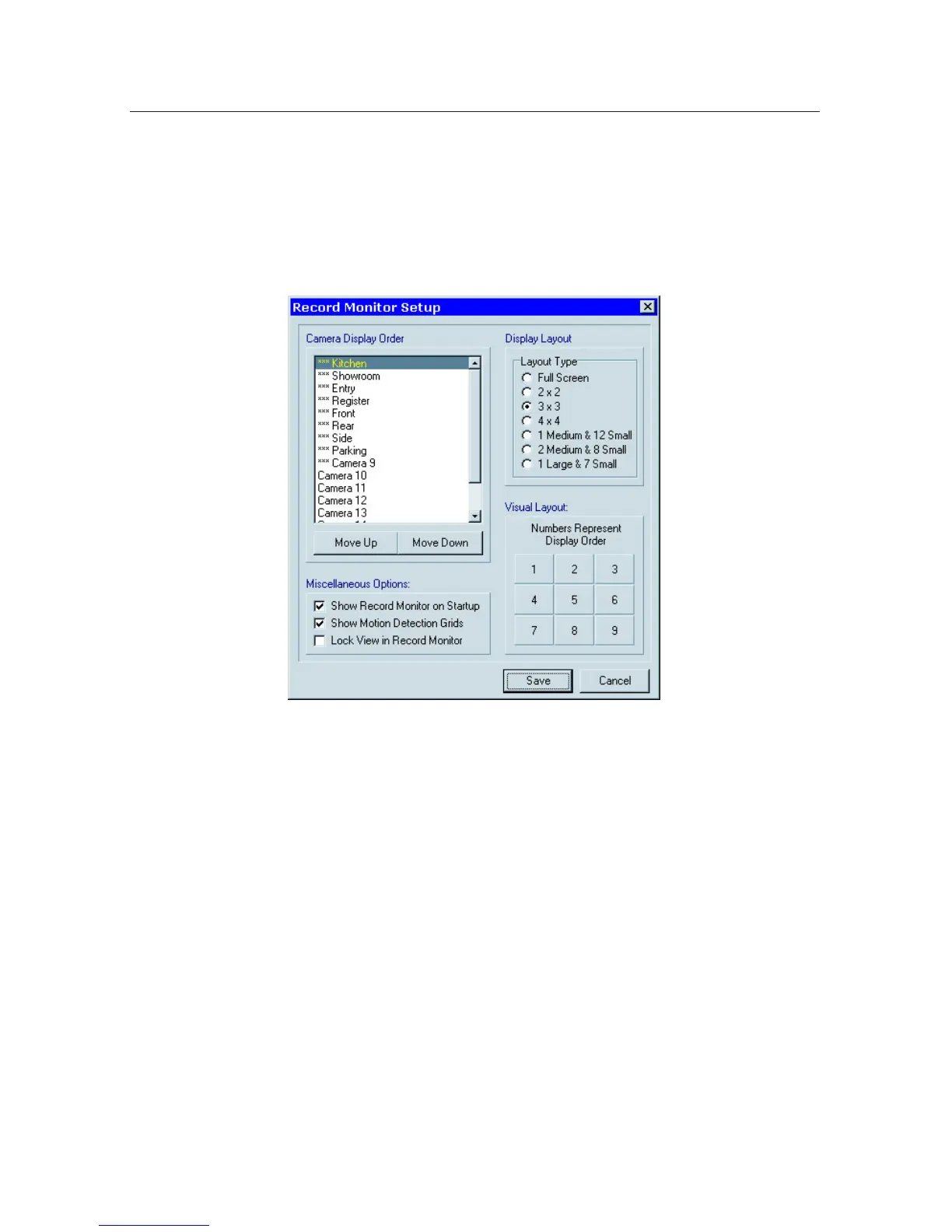
8.5 Record Monitor Setup
Select “Recorder Monitor Setup” from the Status menu to specify how the Live
Monitor Mode will appear and behave. Set the number of cameras displayed (lay-
out), their order, lock this down to prevent changes, determine whether the DVR
will boot-up in Live Monitor Mode or Live Status Mode, enable or disable motion
grids in Live Monitor Mode.
8.6SaveandLoadCongurationSettings
Youmaywanttosaveyourcongurationsettingsforavarietyofreasons.Forex-
ample,youmaywanttosaveareferencecongurationintheeventthatsomeone
tamperswithorinadvertentlyaltersyourconguration.Youmayalsohavemul-
tiplelocationswithsimilarcongurations.Whentherstsystemissetupandyou
aresatisedwithit,youmaycopythecongurationfromthatDVRthenloadit
onto the others. While there will be some adjustments required at each location,
starting with the basic programming complete can save time. Yet another reason
is security. Save known passwords on removable media and protect yourself from
a lost or changed password.
CongurationsettingsmaybesavedtoaCD,DVD,orUSBdeviceontheDVR
ortoaleonaremotePC(SaveCongurationSettingsunderStatusmenu).
Settings saved to removable media may be loaded by inserting the media and
rebooting the DVR. The settings are loaded automatically as the DVR boots up.
Settings saved to a remote PC may be loaded at any time by the remote user
(LoadCongurationSettingsunderStatusmenu).



 To Next Page