11 Image Vault
®
PRO Command
3.516Camera/120FPSModel:Video&AudioCapture,Moni-
tor Output
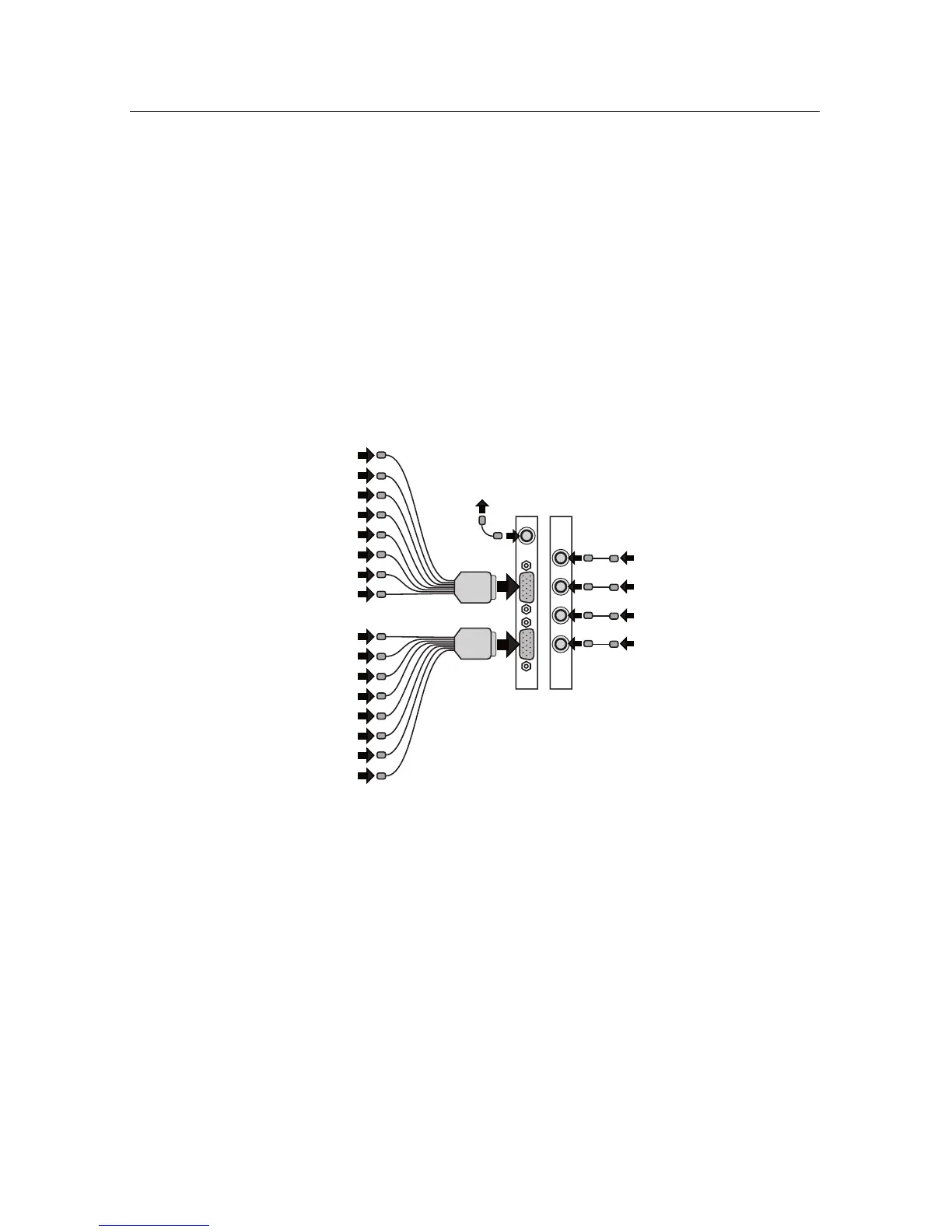
Video In: Connect up to 16 NTSC video cameras to the BNC connectors on the
video input breakout cables. The camera input breakout cables are connected to
the DB15 ports to the left. The top-left connector inputs are for cameras 1 to 8.
The bottom-left connector inputs are for cameras 9 to 16.
Audio In: Connect one line level audio microphone source to each RCA con-
nector on the common expansion slot. Audio inputs are numbered 1 to 4 from
bottom to top. Mic 1 is associated with cameras 1 to 4; Mic 2 is associated with
cameras 5 to 8; Mic 3 is associated with cameras 9 to 12; Mic 4 is associated with
cameras 13 to 16.
Video Out: Connect your Public View Monitor (PVM) to the RCA connector lo-
cated just above the camera input connectors. The PVM will cycle all cameras.
PVM
Camera 1
Camera 2
Camera 3
Camera 4
Camera 5
Camera 6
Camera 7
Camera 8
Camera 9
Camera 10
Camera 11
Camera 12
Camera 13
Camera 14
Camera 15
Camera 16
Mic 4
Mic 3
Mic 2
Mic 1



 To Next Page