66 Image Vault
®
PRO Command
theDHCPsettingswillappeartotherightonthenetworkcongurationdialog.
Host Name
When connecting remotely a user may specify either the IP Address of the DVR
or its Host Name. The default Host Name will be the DVR’s serial number, though
you may change this as desired. Changing the host name will require the DVR to
be rebooted before the change will take effect.
Network Throughput
By default the DVR will transmit images upon request of Playback users. Your
DVR transmits video and audio in small packets as requested by the remote PC.
Throughput may be restricted by unchecking Fastest Speed Possible and entering
a value for Max Throughput.
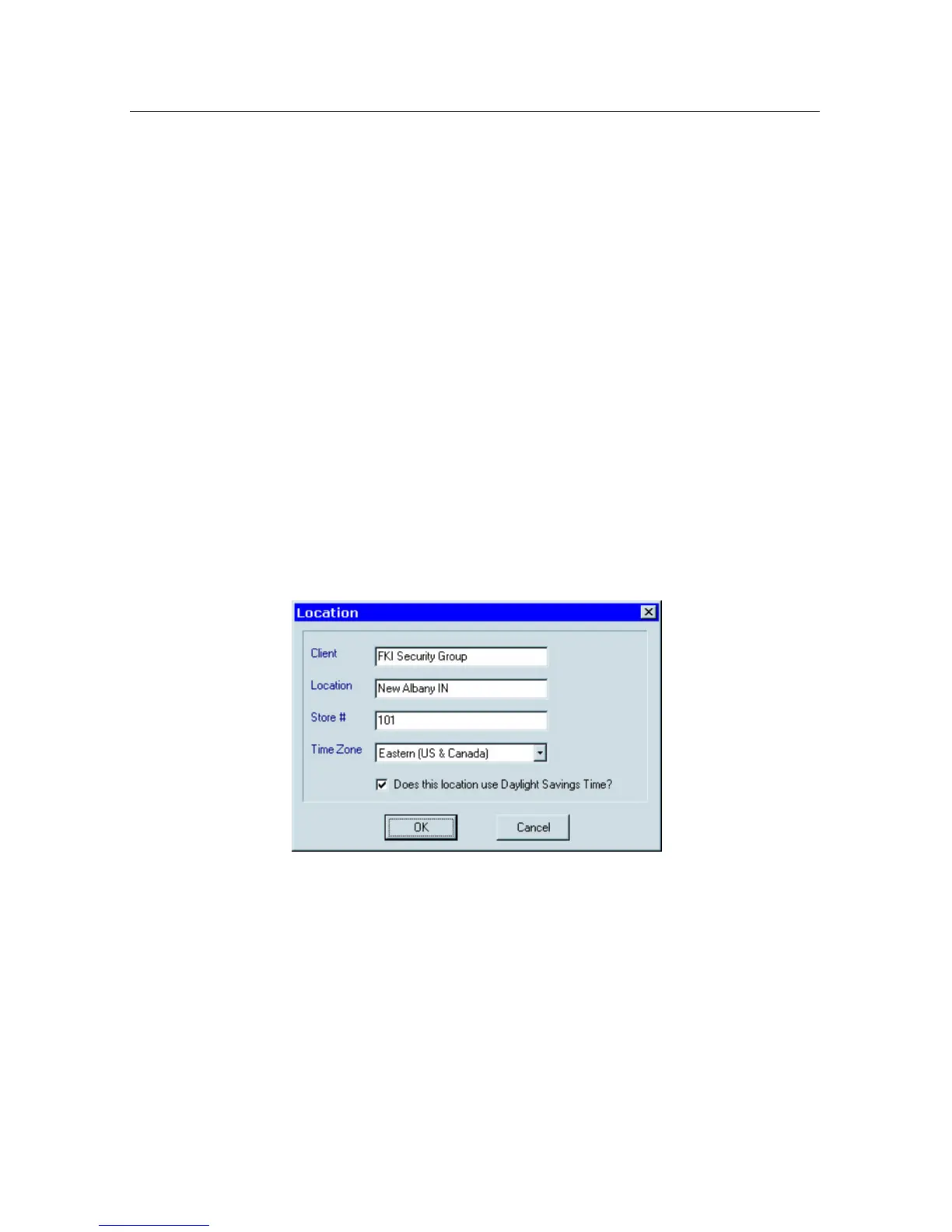
8.2 Location Setup
Access Location Setup by selecting “Location Setup” from the Edit Params sub-
menuoftheStatusmenu.TheClientandLocationeldsintheLocationdialog
are displayed above the camera list in Playback. This information is handy for
reference purposes, but not required. The “Time Zone” and “Daylight Savings”
options allow you to adjust your system to the local environment. By default the
systemclockissettoPacicTime.
8.3 System Clock
Choose “Synchronize Time” from the Edit Params submenu of the Status menu to
setthetimeontheDVR.Locallyyoumaydouble-clicktheTimeorDateeldto
edit the time. Remotely you may force the DVR to synchronize with your PC time.
8.4 Clearing Logs
The system audit and error logs may be cleared. This should only be done at the
time of installation to clear errors generated during the normal course of installa-
tionandinitialconguration.



 To Next Page