15 Image Vault
®
PRO Command
3.11 External Inputs
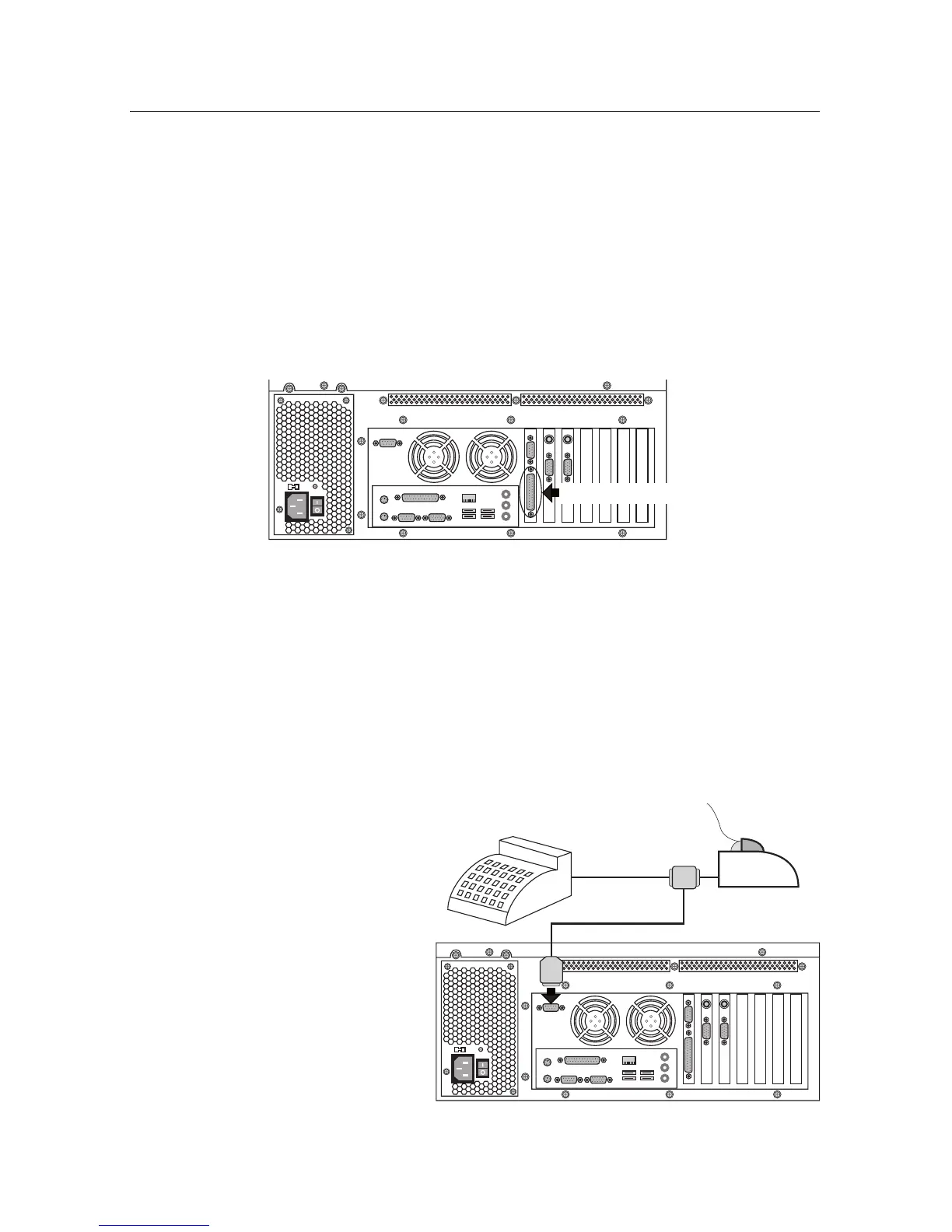
Your DVR is equipped to handle up to 16 external dry contact inputs connected
to the DB25 External Input port on the same expansion slot as the PTZ/Alarm
Output port. External Inputs allow connection of dry contacts from devices such
as remote motion detectors, door switches, etc. Pins 1 through 16 correspond
directly to inputs 1 through 16. Pins 17 through 25 are internally connected to
a common ground. Please refer to software documentation for instructions to
congureinputsfor“normallyopen”and“normallyclosed”signalingdevices.No
break-out cable is provided for your External Inputs.
External Inputs
3.12 Interfacing POS Devices
Your DVR can receive POS data from nearly any serial ASCII data source including
registers at the point of sale (POS), ATMs, alarm panel, access control systems,
intelligent safes, weight scales, and other such sources. For the sake of simplicity,
we will refer to all such sources as POS data. Your DVR includes two serial ports
for receiving POS data. If you are using network data capture please refer to Part
II Software for information about the network capture setup.
Direct Serial POS Data Connection
For only one or two POS data sources,
use the direct serial connection
method. Here a pigtail connector is
inserted at the back of the printer
with the printer’s RX and GND
wires paralleled off. A suitable
two-wire data cable connects
this pigtail to another pigtail and
is used at the DVR’s POS port.
Pigtail accessory cables are avail-
able from Image Vault for various
printer styles; sold separately.
Functionally this acts like one
cable as illustrated.
REGISTER
SERIAL
CABLE
PRINTER



 To Next Page