21 Image Vault
®
PRO Command
3.13 USB Storage Devices
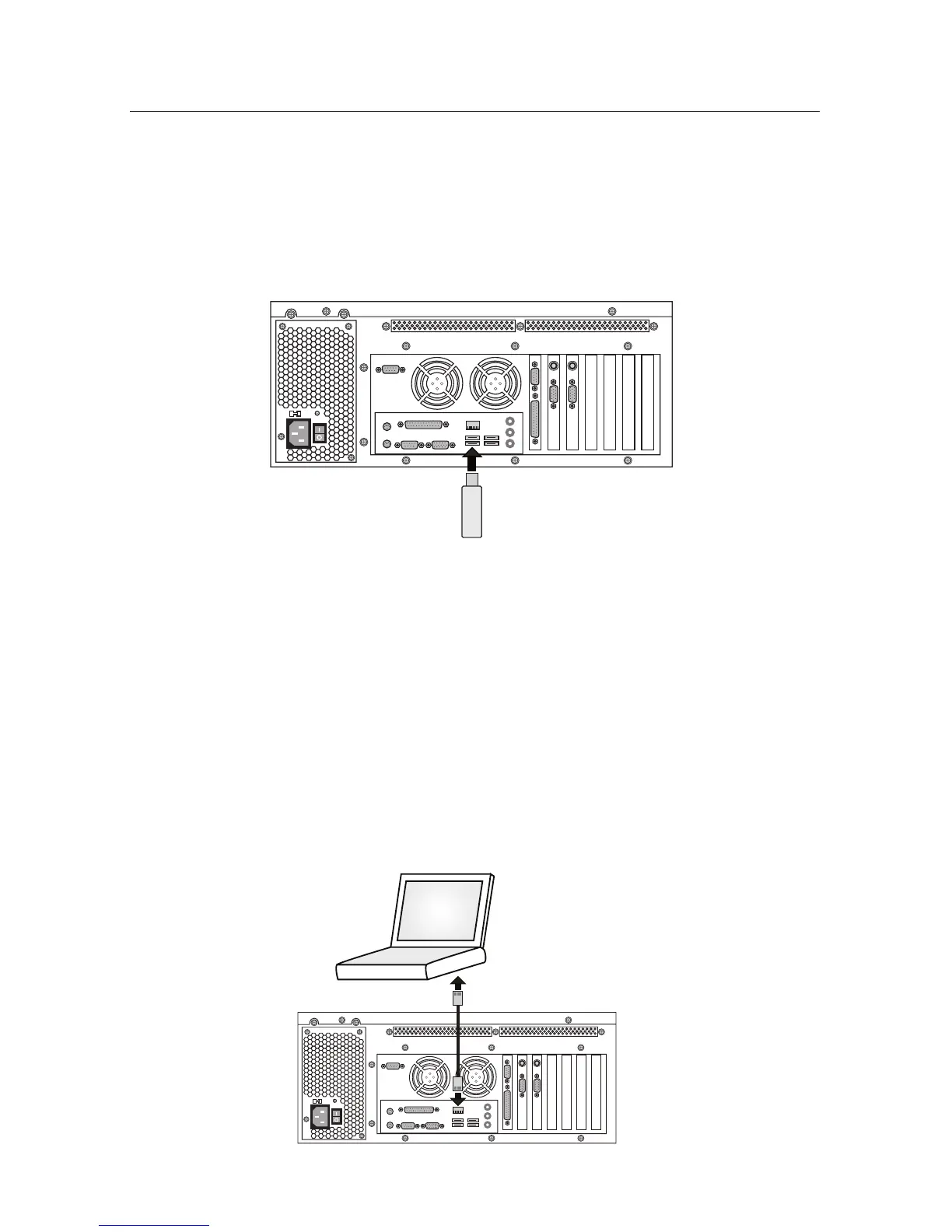
USB ports may be used to connect external storage devices such as thumb drives
orexternalharddrives.Thesedevicesmaybeusedtocopyvideoorcongura-
tion settings from the DVR or to load settings or updates onto the DVR. Most
thumb drives and external hard drives are supported, however Image Vault does
notguaranteeanyspecicbrandsormodels.USBportsareavailableonthefront
and rear of the DVR.
3.14 Remote Playback PC to DVR Communication
A remote playback PC is a computer running the Image Vault PRO Command
playback software application. This software application allows your PC to make
a remote connection to your PRO Command DVR. Remote connection methods
include modem and network.
USB STORAGE DEVICE
Peer-to-Peer Network Connection
Connect a network crossover cable to the RJ45 input on the DVR. Connect the
other end directly to the remote PC. If the DVR is not being set up on a network,
you may connect this cable to the DVR and leave the other end available to the
user for a later connection.
Crossover
CAT-5 Cable
YOUR
PC



 To Next Page