22 Image Vault
®
PRO Command
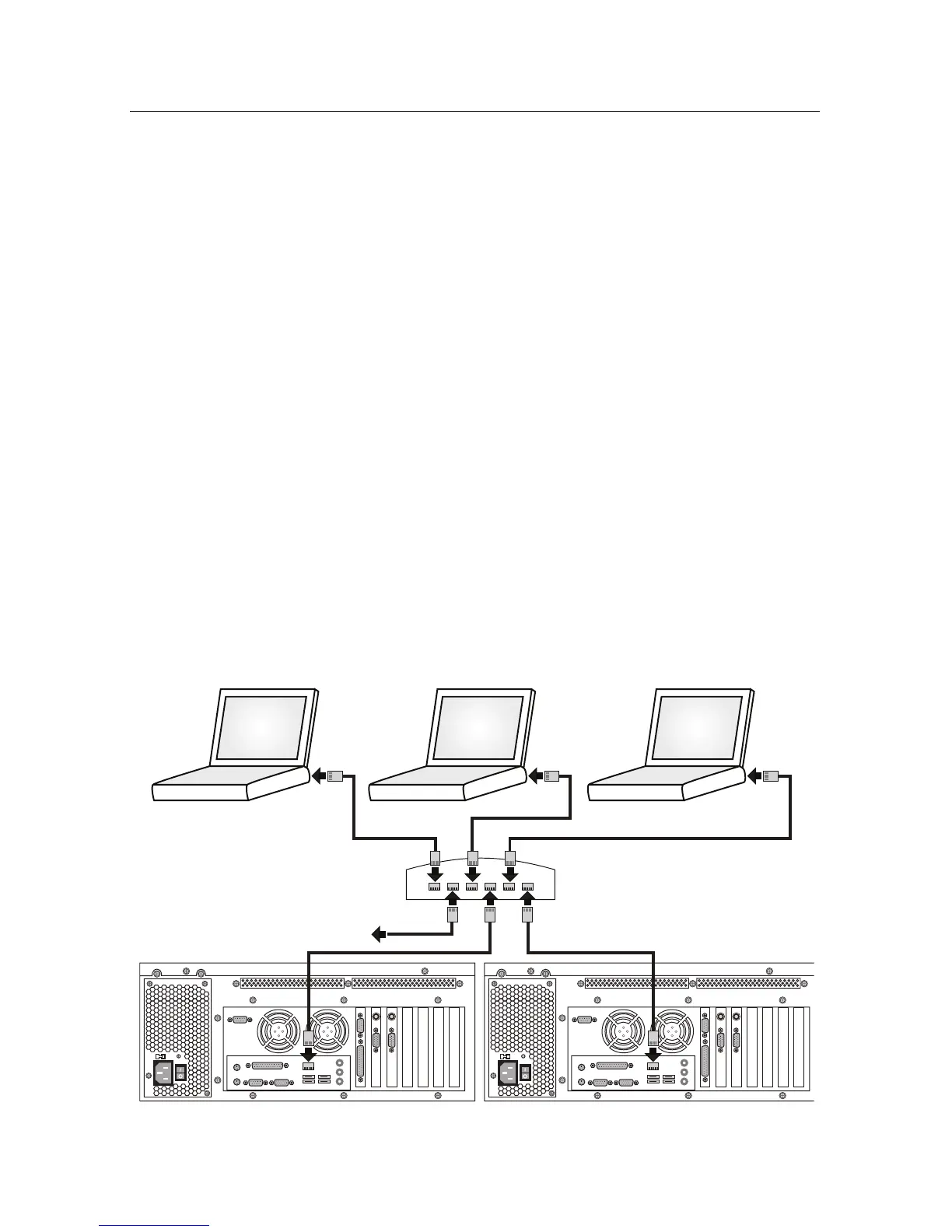
Local Area Network (LAN) Connection
Connect the DVR to a conventional Ethernet network using standard, com-
mercially available CAT-5 network cables. Do not use a network crossover cable
when connecting your DVR to a LAN hub. Contact the Network Administrator
before connecting the DVR to any existing network. Some software setup on the
DVR is required before it may be connected to an existing network. If you want
to offer internet access via your network, you must open your Network Firewall
Port 32001. The default DVR IP address is 192.168.0.1 and the default host name
is based on the serial number. For additional software setup information refer to
the software help system and your software manual.
NETWORK
PC 1
NETWORK
PC 2
NETWORK
PC 3
ETHERNET HUB
OTHER NETWORK DEVICES
DVR 1 DVR



 To Next Page