7 Image Vault
®
PRO Command
2 FACILITIES
Image Vault PRO Command models all use the same chassis and offer the same
hardware features. This section provides detailed information about each hard-
ware component. From time to time Image Vault may modify the chassis slightly.
Regardless of such changes, all major components described in this section will
be present, though may be in a different position than indicated in these draw-
ings.
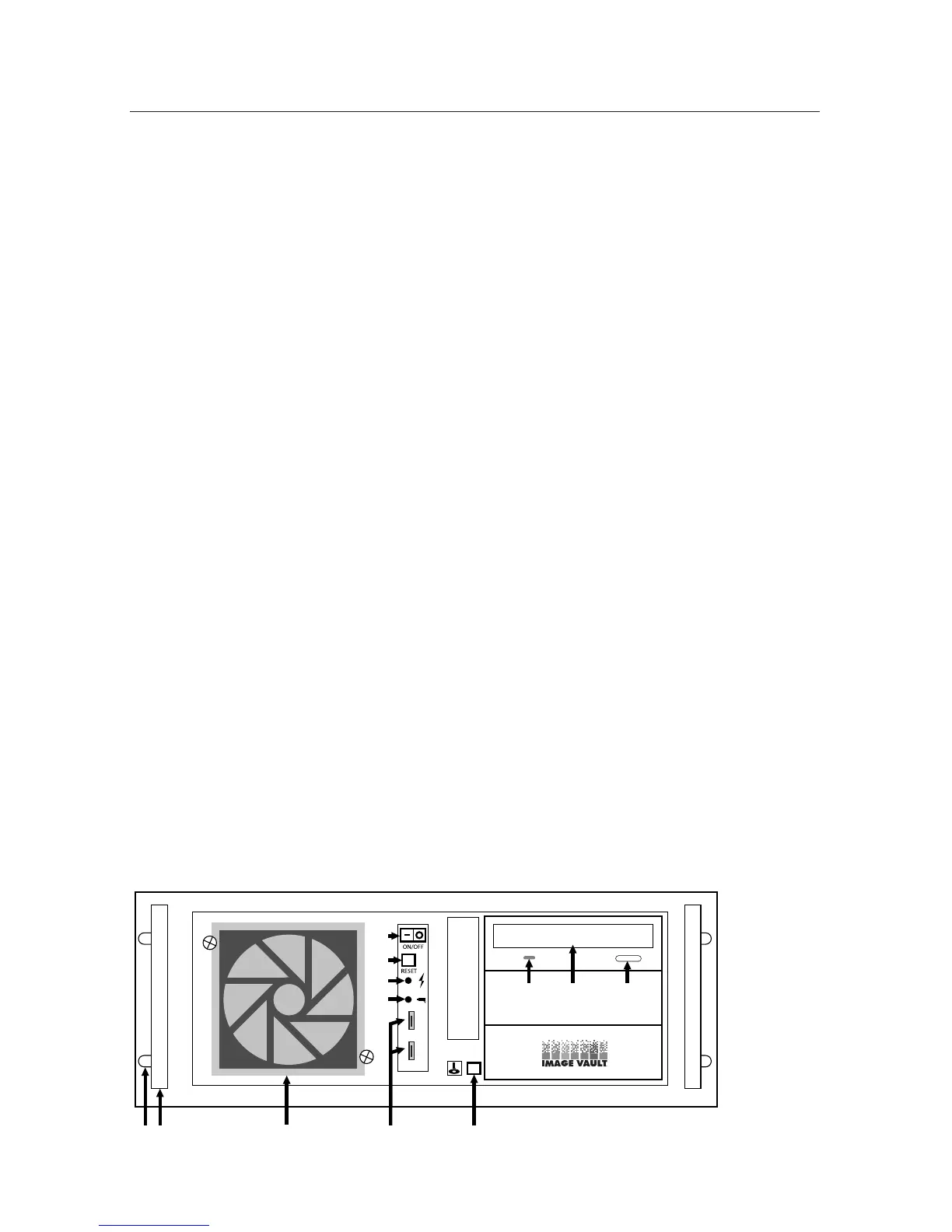
2.1 Front Panel
A Rack Ear. The PRO Command chassis features built-in rack ears for rack
mounting. Holes are provided on 1.75” centers for standard rack installation.
The chassis occupies 4U (standard rack unit spaces).
B Handle. The aluminum rack handles make it easily to lift and position the
chassis as desired for handling and installation.
C Front Ventilation. Thefrontpanelairventcoverisremovableforeasylter
cleaning.
D Power Switch. Rocker switch turns the DVR on or off.
E Reset Switch. Pushbutton reset switch causes the DVR to shutdown and
automatically reboot.
F On-Off Indicator. Tells you the unit has power and is turned on.
G Camera Recording Indicator. Tells you that the unit is currently writing video
images to its hard drive.
H USB Interface. The USB ports may be used with removable devices or external
hard drives to copy video from the DVR or load updates onto the DVR.
I Video Download to CD/DVD Button. Press after an event, such as a robbery,
to start immediate copying of most recent video images to CD-R or DVD-R
disk.
J CD/DVD Indicator. This indicator lights up green to indicate reading a CD/
DVD or yellow to indicate writing to a CD/DVD disk.
K CD/DVD-R Drive. The CD/DVD-R Drive is used to copy video images or con-
gurationsettingstodiskortoloadsoftwareupdatesorcongurationsettings.
L CD/DVD Eject Button. Press to eject or close the CD/DVD tray.
AB C H I
J K L
G
F
E
D



 To Next Page