51 Image Vault
®
PRO Command
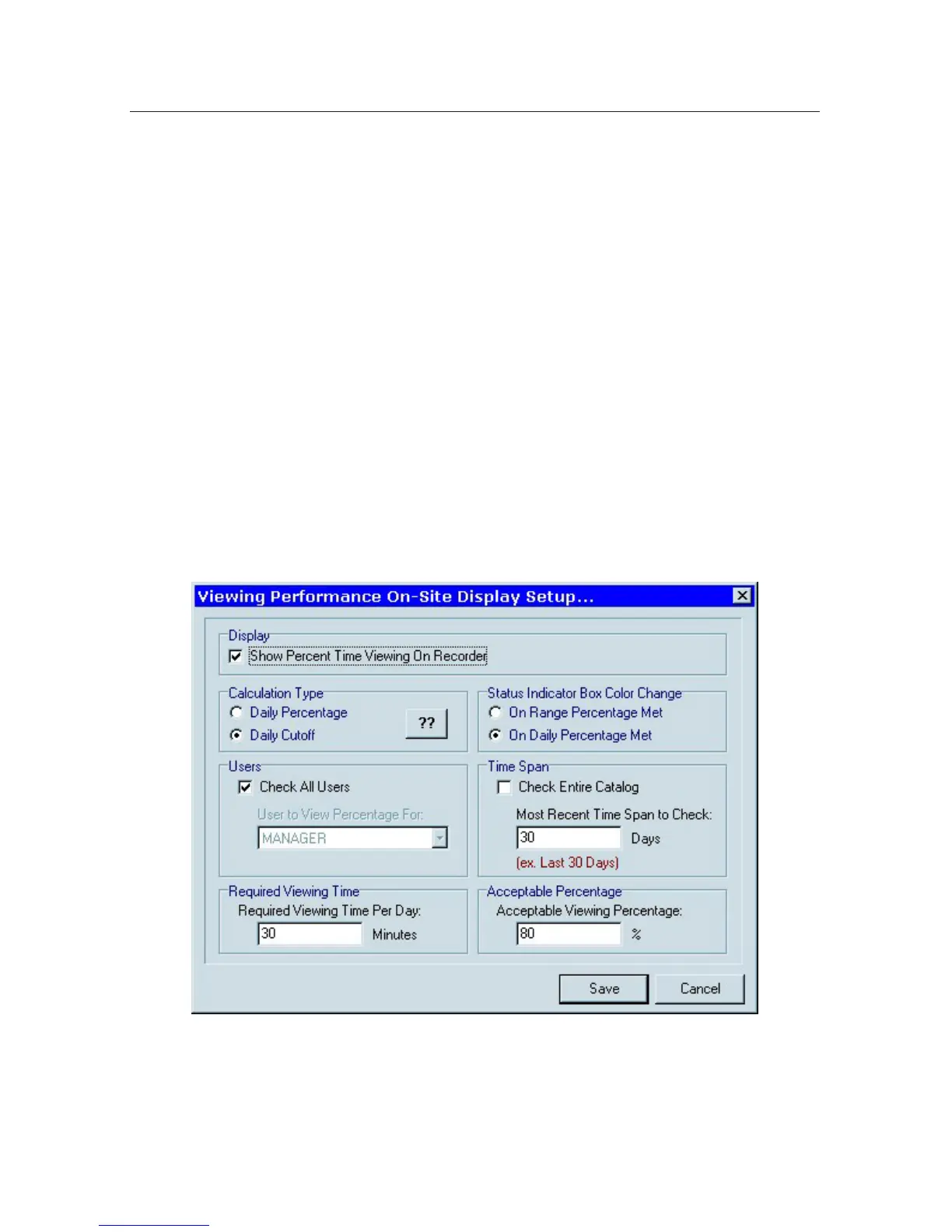
Indicator Color
On Daily Percentage Met: the indicator will turn from red to green when the
user has been logged in for the acceptable percentage of the required viewing
time for the current day only without regard to the percentage number displayed.
On Range Percentage Met: the indicator will remain red until the numeric indi-
cator itself reaches the Acceptable Viewing Percentage regardless of how much
time is spent logged in during the current day.
Indicator Percentage
Daily Percentage: Each day the percentage of the of the required viewing time is
calculated and stored. The average of these daily percentages is calculated over
the Time Span.
Daily Cutoff: The percentage for each day is 0% until the required viewing time
for the day is met (it then becomes 100%). The indicator shows the average of all
days in the Time Span.
Time Span is always relative to the current day.
User Performance Skip Days Feature
If the User Performance Indicator is enabled there may be days you want to
ignore for indicator calculation purposes. Use the User Performance Skip Days
feature to skip days you do not want included for calculation purposes.



 To Next Page