54 Image Vault
®
PRO Command
tionally among its cameras. Capture hardware and resolution affect maximum
actual frame rate.
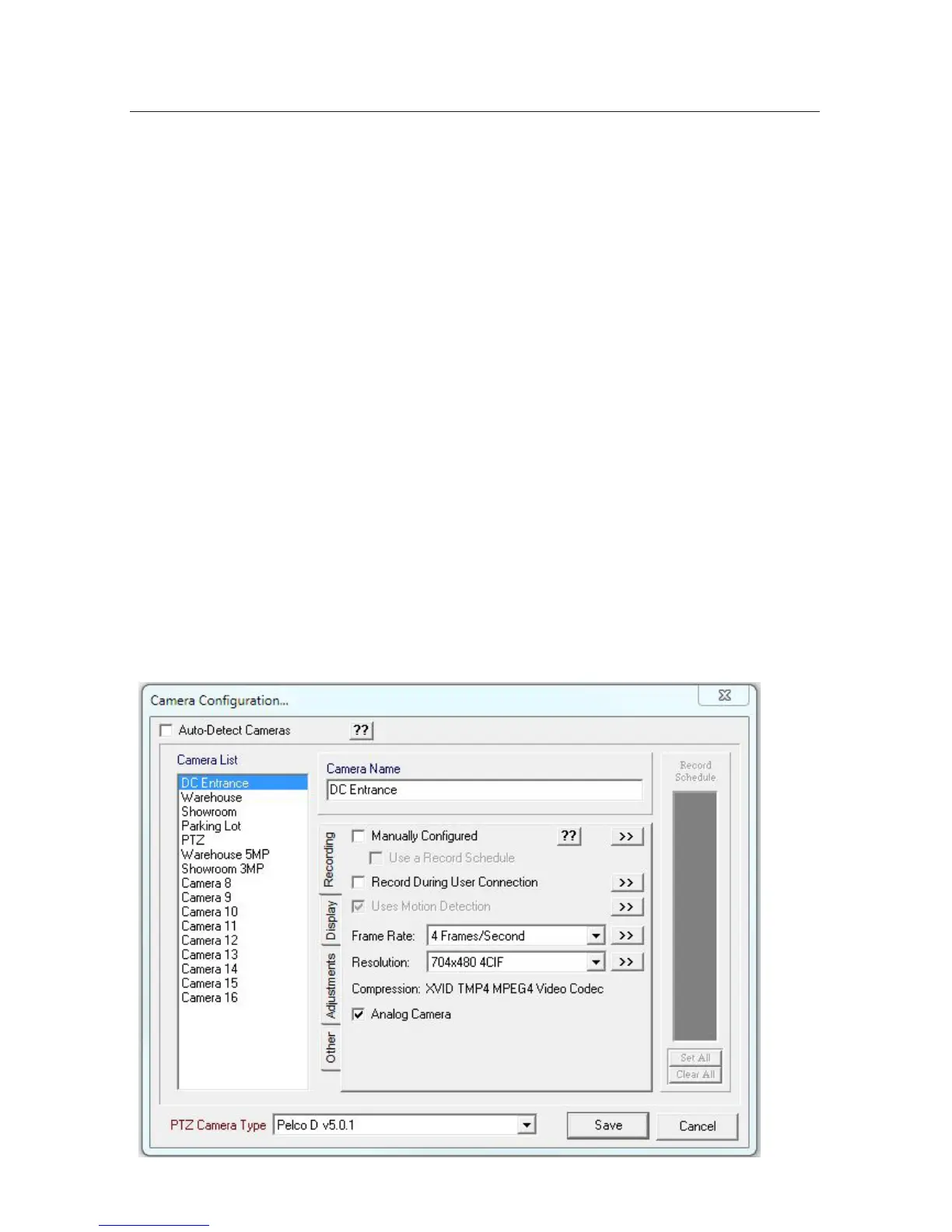
Capture Resolution: Set (by camera) the Capture Resolution of each camera. Us-
inghighresolutionswilldramaticallyincreaseimagelesizeandmayreducethe
maximum capture rate.
Analog or IP Camera: Enable (by camera) “Analog Camera” all inputs except
thosebeingusedbyIPcameras.WhenconguringanIPcamerayouwillalsobe
able to select the camera model, IP address, H.264 or MJPEG compression, and
password.
PTZ Type: If applicable, select the brand of PTZ camera you are using to ensure
your DVR uses the correct protocol to send PTZ preset commands.
Hidden Cameras: To make cameras hidden click the “Display” tab. Use the “Don’t
Display on NTSC/PAL Monitor” to hide the selected camera from the public view
monitor (PVM) output. Use the “Don’t Display on VGA Monitor” to hide selected
camera from the Live Monitor Mode display on the attached VGA monitor.
Adjustments: Click on the “Adjustments” tab to adjust Brightness, Contrast, Satura-
tion and Hue for each camera you wish to change.
Quality Factor: Click on the “Other” tab to adjust individual cameras Quality Factor.



 To Next Page