64 Image Vault
®
PRO Command
Electrical Contact:NosetupisrequiredontheNoticationsSetupdialog.For
hardware information refer to Alarm Output (Part I, Section 3.9). This momen-
tary contact is normally open and closes for ½ second (500 milliseconds) when
activated.
Alarms
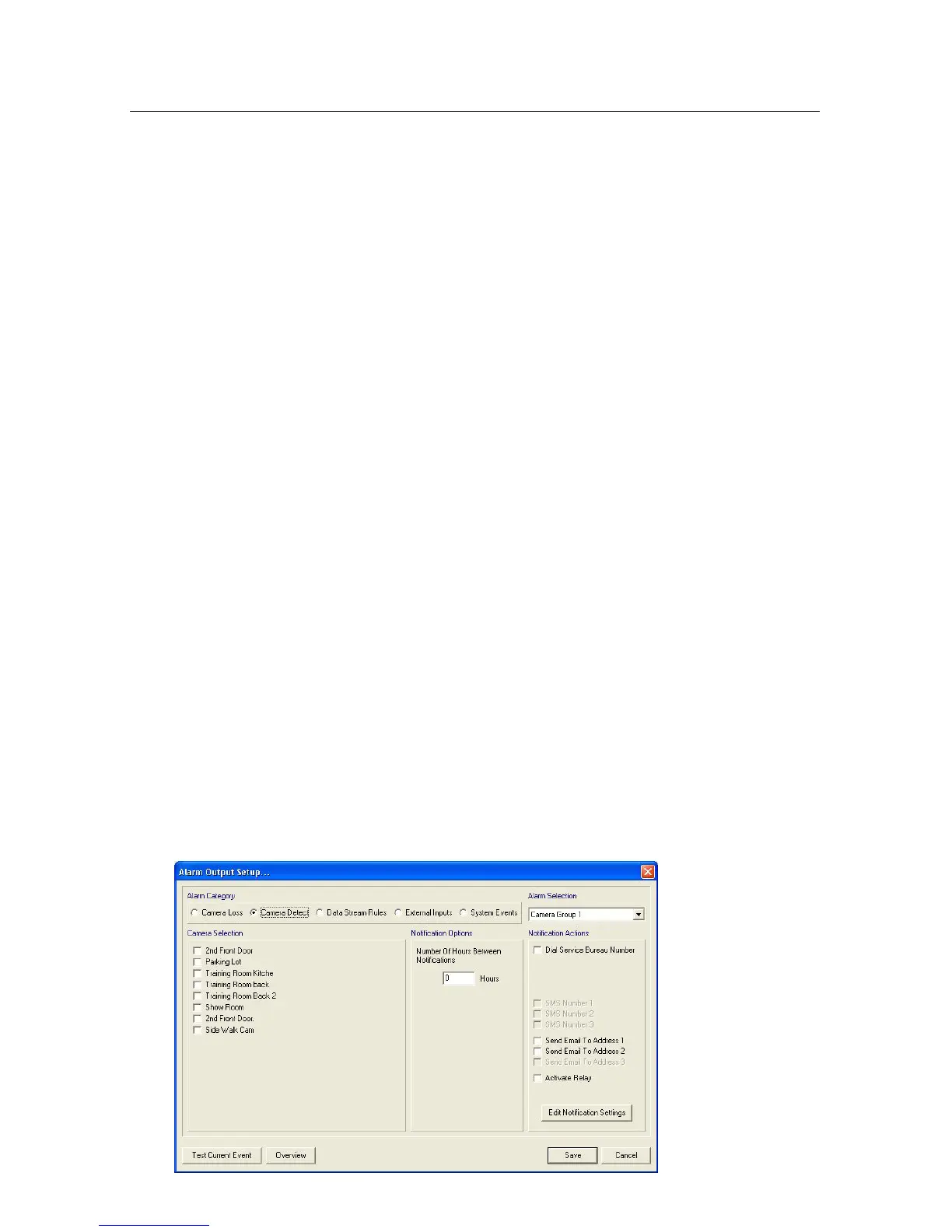
Eachalarmisindependentlyconguredwithyourchoiceofnoticationoptions.
Thisiswhyyoumustenteryournoticationoptionsbeforeconguringtheactual
alarms.
Camera Loss Alarms: Send an alarm when a camera signal is lost. You have
the added option of grouping cameras and you may set the “Number of Hours
BetweenNotications”tominimizenuisancealarms.
Data Stream Rules Alarms: Setup alarms for each rule, one rule (Section 7.6) at a
time. Specify alarm frequency and the number of occurrences required in a given
period to activate.
External Inputs Alarms: Identical to Rule driven alarms except these are based
on dry contact input triggers.
System Events Alarms: Alerts you when the system is rebooted or if the “Copy
Video to CD” button is pressed on the front panel.
Camera Detect Alarms: Send an alarm when a camera signal is detected. You
have the added option of grouping cameras and you may set the “Number of
HoursBetweenNotications”tominimizenuisancealarms.
Overview: Lets you see a breakdown of the events setup in the category se-
lected.



 To Next Page