MICRO S automatic Cutter motor
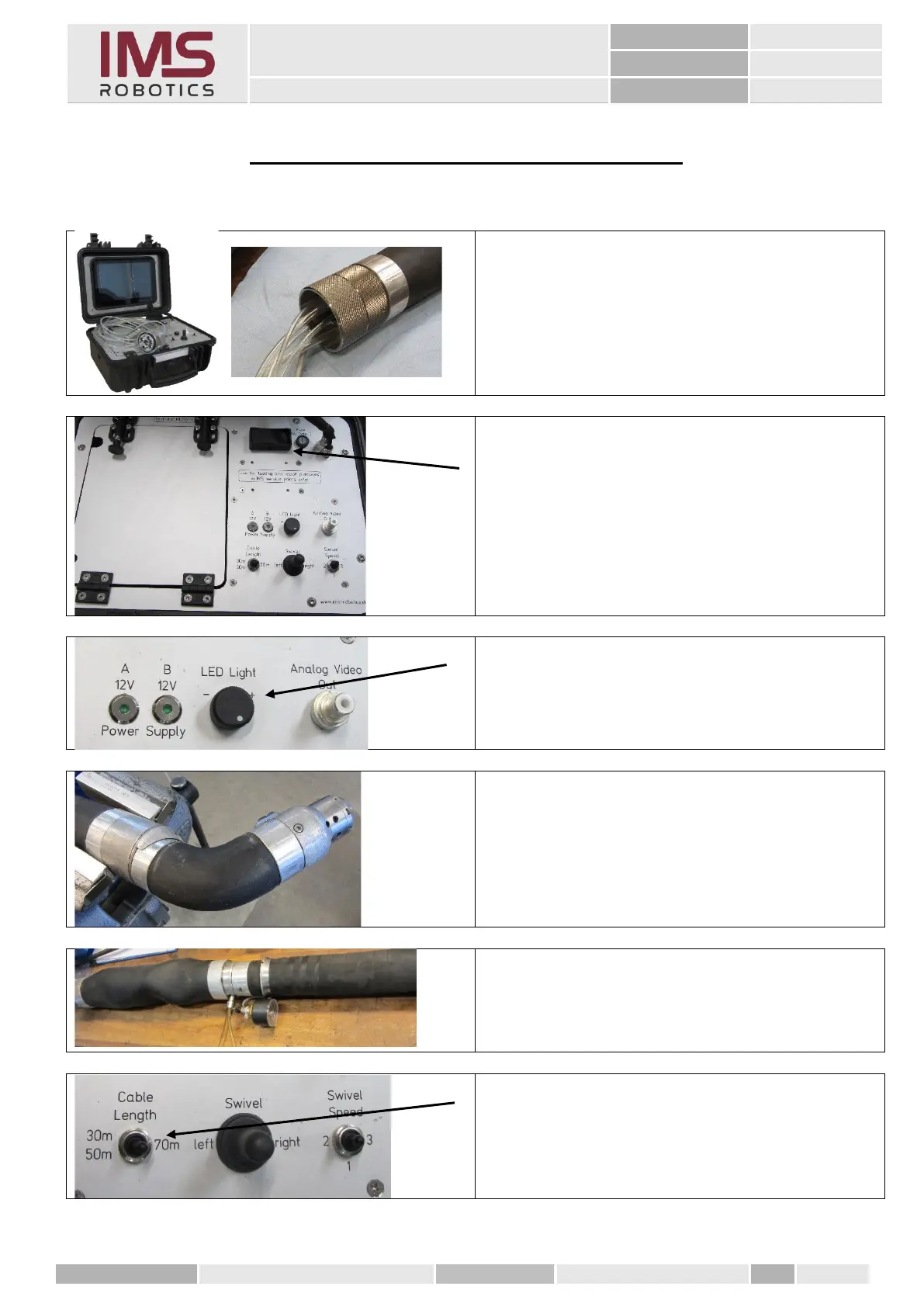
25. Check electrical assemblies
1. Screw on adapter from test case to
rear distributor 2.
2. Connect the test case to the mains and
3. press the "Power" button.
The camera and the LEDs are activated
immediately. The quality of the camera image
can be assessed on the screen of the test case.
4. Using the rotary knob
"LED Light",
check the dimmability of the LEDs.
1. Clamp the rotary gear in a vice and
pressurise the stroke.
Pressure approx. 6 bar.
2. Top up with nitrogen
Pressure approx. 1.5 bar.
3. Set the simulated length of the cable on
the test kit using the "Cable Length"
switch.



 To Next Page