MICRO S automatic Cutter motor
21. Replacing the spring contact PCB camera
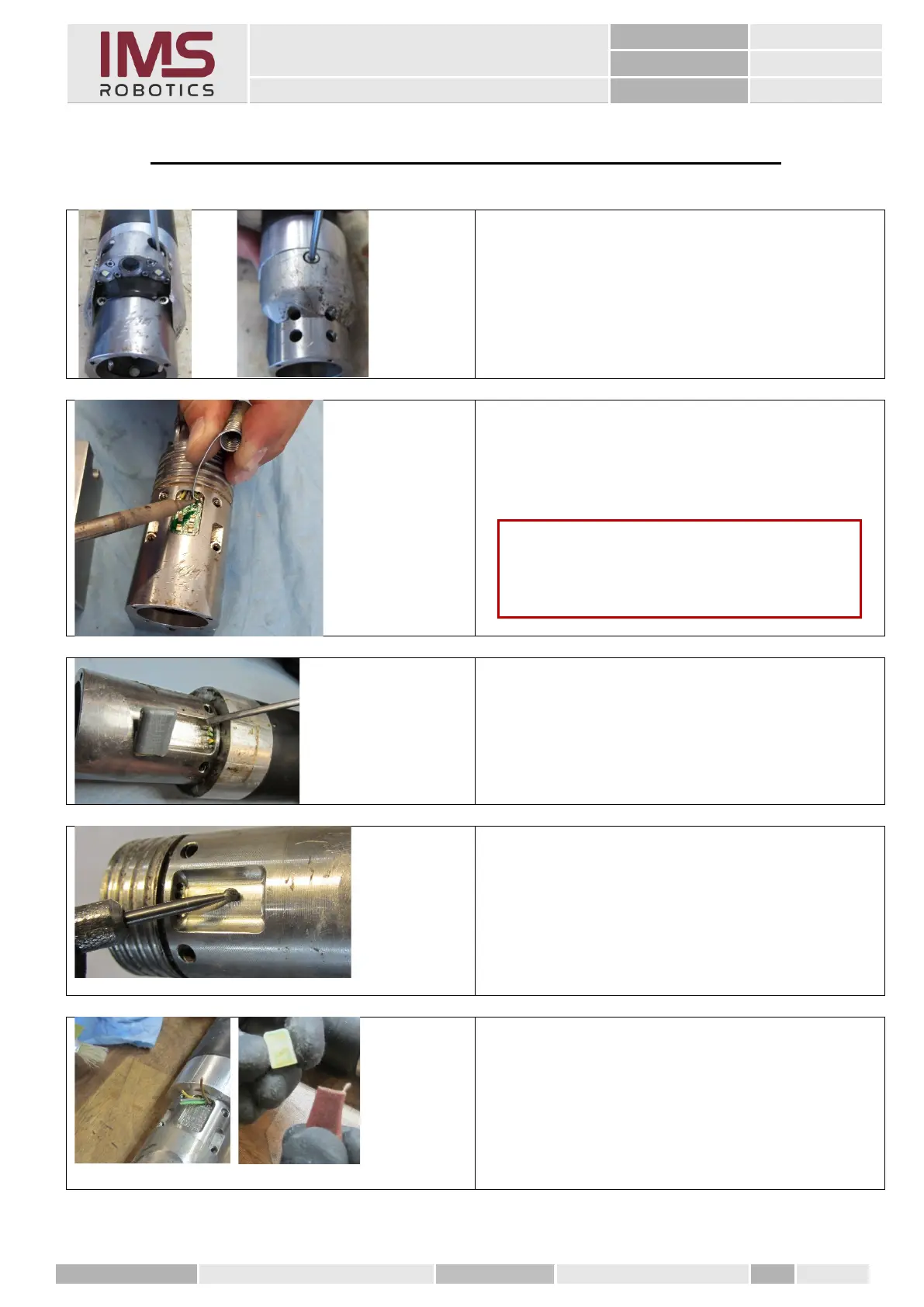
1. Remove the camera and ring.
2. Use a suitable wire hook to get under the
individual wires and pull them carefully
upwards while desoldering.
3. The defective spring contact PCB can
now be pried out using a slotted
screwdriver.
4. Prepare the recess in the air motor
housing and the PCB for gluing.
• smooth surfaces must be roughened with a
DREMEL tool
• All the adhesive residues have to be
removed completely,
• the adhesive surface has to be free
of dust and grease, and
• roughen the PCB from behind using a
number 240 sandpaper and clean it.
Caution
The PCB and the thin wires should not be
overheated.



 To Next Page