EasyManua.ls Logo

IMS ROBOTICS MICRO S - Replacing the air motor

IMS ROBOTICS MICRO S
113 pages
Print Icon
To Next Page IconTo Next Page
To Previous Page IconTo Previous Page
Loading...
MICRO S automatic Cutter motor
Number:
RH-11.014 A
Scope:
IMS Robotics
Document Management
Date:
08 July 2022
Author:
00145
Checked:
Page:
11 of 113
2. Replacing the air motor
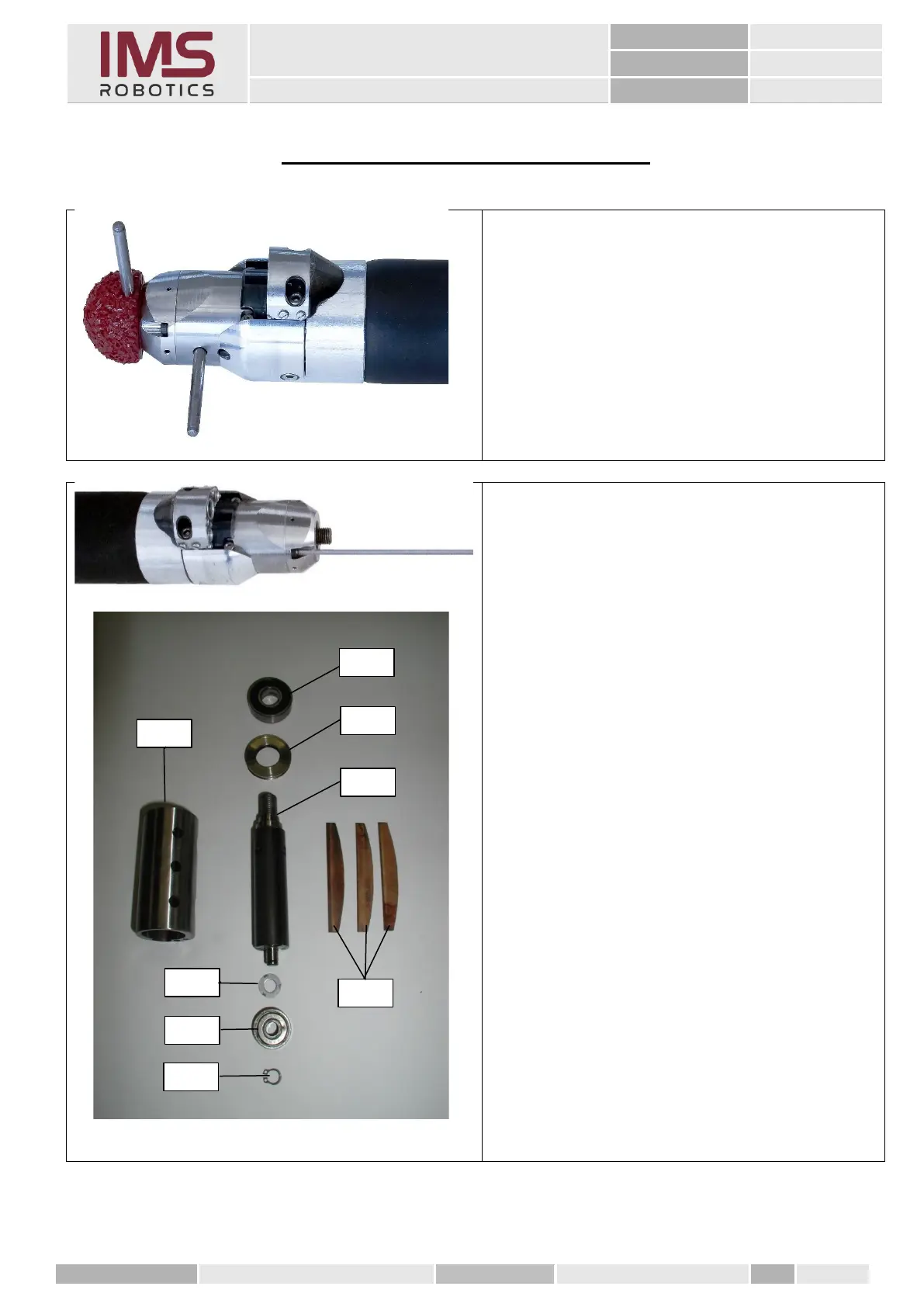
Remove the cutter tool using the two dowel
pins
1. Loosen the air motor cover (four cylindrical
screws).
2. Pull the rotor and cylinder out of air motor
housing.
3. Replace the air motor components as required.
1 Cylinder 021 01 027
2 Ball bearing 030 01 070
3 Venting ring 030 01 032
4 Rotor with air motor ring 006 30 002
5 Shim 030 01 074
6 Ball bearing 030 01 071
7 Circlip 030 01 272
8 Set of vanes 021 01 053

3
4
8
7
6
5
1
2