MICRO S automatic Cutter motor
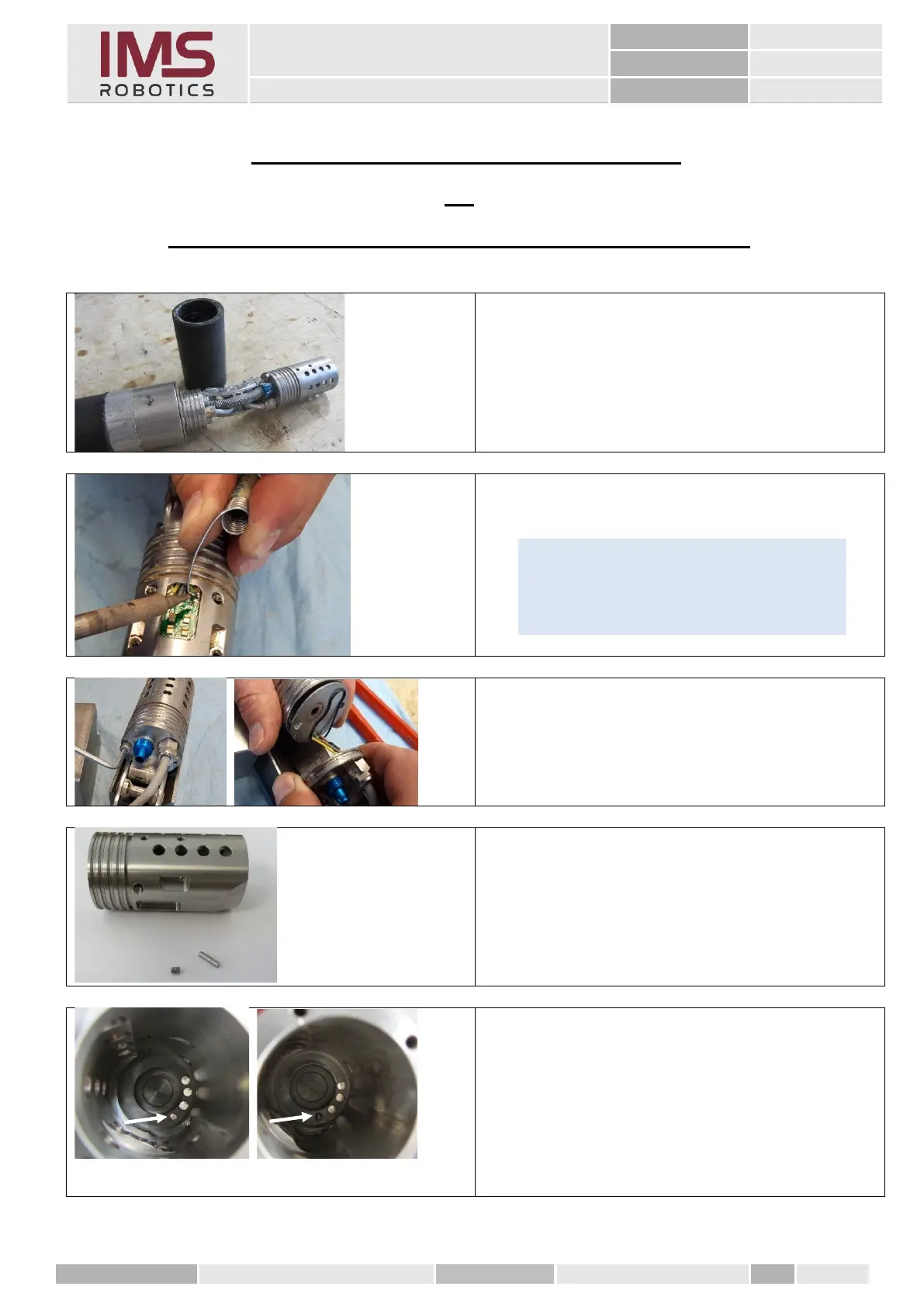
3. Exchange air motor housing
or
Changing the cylindrical pin for air motor
Remove the lifting air bag according to
instructions
"Removing the lifting air bag"
1. Desolder the wires from the spring
contact PCB
2. Loosening the cylinder screws
M 4x16.
3. Pulling off the air motor housing from
the cap and the sheet metal.
Installation of a new air motor housing
the following are necessary:
• Air motor housing (030 37 003)
• Stainless steel cylindrical pin 2.5x10 mm
• Stainless steel grub screw M3x5 mm
A cylindrical pin must be fitted into the air motor
housing which engages in the air motor cylinder
to hold it in position when the air motor is
installed.
(Pictures once with and once without cylindrical
pin.)
Tip
Use a suitable wire hook to get under the
individual wires and pull them carefully
upwards while desoldering.



 To Next Page