MICRO S automatic Cutter motor
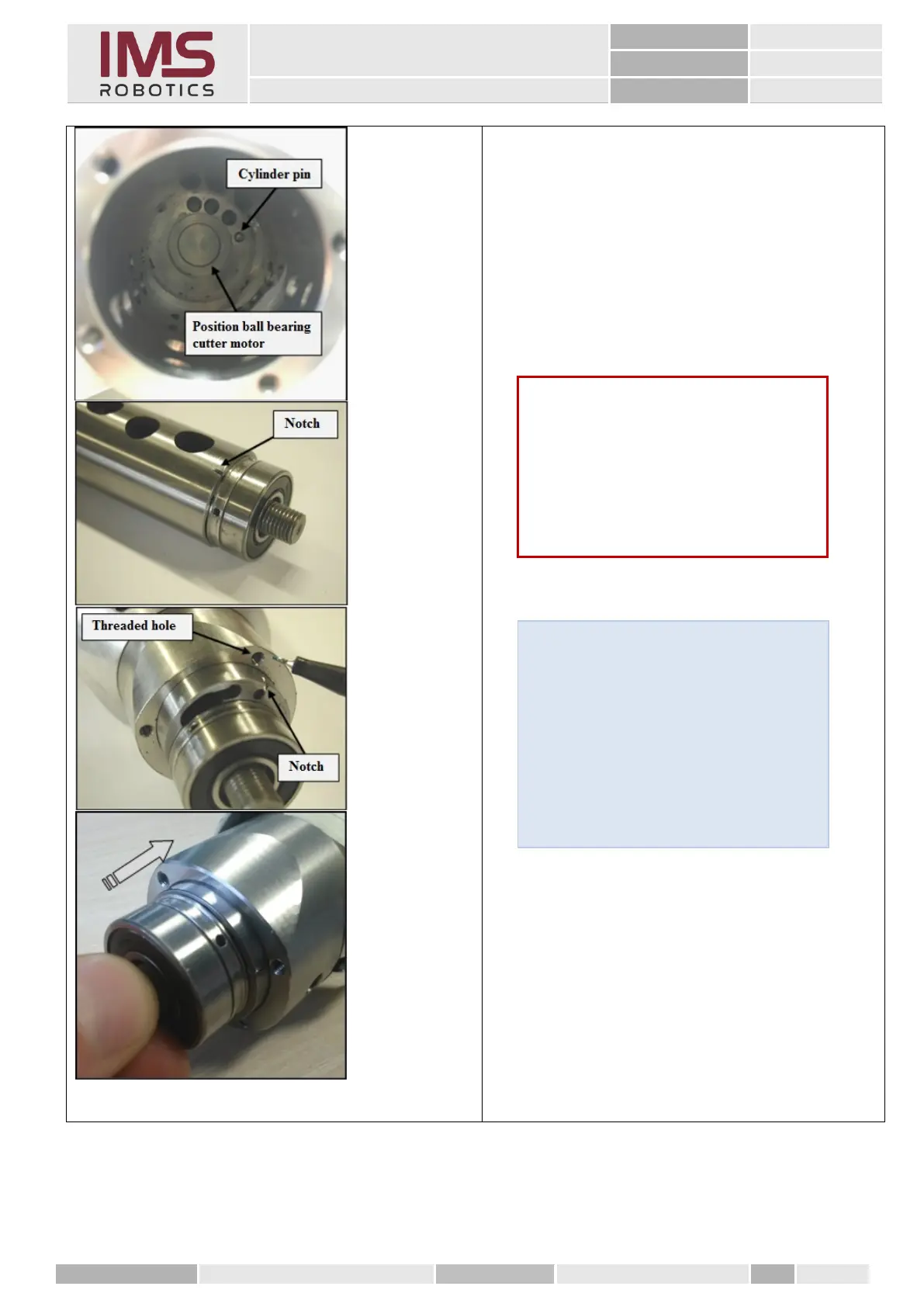
1. Insert the cutter motor onto the cylinder and
guide it into air motor housing
2. Slide the cylinder with cutter motor in; the
notch on the cylinder has to be aligned with
the upper right threaded hole on the air motor
housing (notch shows the installation position
of the cylinder pin inside the air motor
housing)
Tip
Slide the cylinder and cutter motor into
air motor housing simultaneously! Hold
the cutter motor at the rotor thread,
keep it centered and insert it along with
the cylinder. The end position is reached
when the rear ball bearing sits in the air
motor housing!
Caution
Do not use any tools for inserting. It
should be possible to insert/position the
cylinder by hand!
When inserting, make sure that the
notch on the cylinder points towards the
rotor thread!



 To Next Page