MICRO S automatic Cutter motor
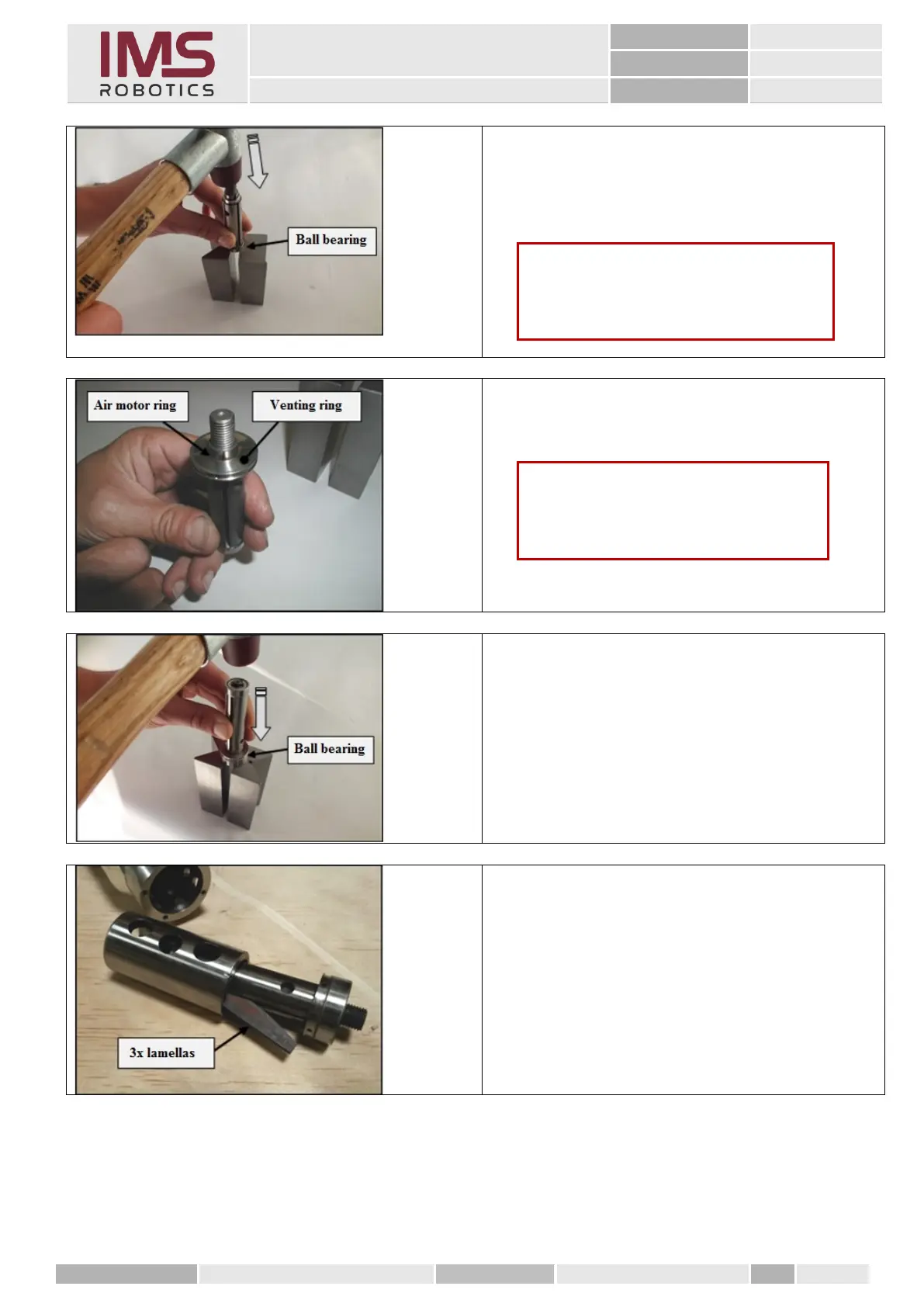
2. Mount the ball bearings onto the rotor as fas
as it goes by hitting it lightly (with plastic
hammer).
3. Mount the circlip in the rotor groove.
1. Mount the venting ring on the rotor
(air motor ring).
2. Mount the ball bearing on the rotor and lightly
tap using the plastic hammer.
1. Insert the cylinder into the air motor housing;
check if the cylinder moves freely in the axial
and radial direction; remove any unevenness
using fine sandpaper.
2. Insert new vanes into the rotor; insert the
vanes with the radius in the direction of the
rotor.
Caution
Cutter collar on one side of the venting
ring has to point towards the large ball
bearing!
Caution
It is important to ensure that the ball
bearings are mounted properly! Do not
tilt them!



 To Next Page